
When storing data and backups outside of devices, you have a few options. First is a singular external drive, which is fantastic for quickly moving data between devices. But should you require more storage space and don't wish to rely on a compact portable drive, direct-attached storage (DAS) is an external enclosure that can be filled with drives. Then there's network-attached storage (NAS), which is essentially DAS but with more ports, network connections, an OS, and other internal components. Finally, we have a storage area network (SAN) that's more advanced and designed for serious data work. Here's what separates these three methods of storing data.
3 NAS is more like a server
The term NAS is used loosely these days as enclosures such as the mighty DiskStation DS224+ from Synology or the TerraMaster F4-424 Pro are more like servers than simple storage devices. These powerful enclosures are different from DAS and SAN in that they run an operating system, and have memory, countless ports, and expansion support (if applicable) all in one unit. A DAS is very much like a NAS but without the OS, CPU, and other internal gibbins. With a NAS, you can create your own media streaming service for purchased content, set up some game servers, launch a password manager, and more.
Depending on what you need the NAS to do and how much you have to spend, it's possible to pick up an enclosure for around $100. It will have an Arm processor, some RAM, and likely two drive bays. Step up the budget to around $500 and you're into four-bay territory with 2.5Gb networking, upgradable internals, and SSD support. You could save even more by going it alone and building a DIY NAS with an old PC or off-the-shelf parts. By using PC parts you can create an even more powerful NAS system with scope for virtual machines, countless Docker containers, and more.
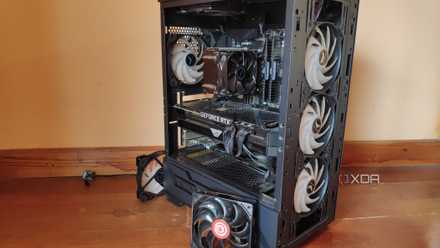
How to turn an old PC into a NAS
If you have an old PC still lying around, you could turn it into a NAS.
2 DAS is best for single devices
A DAS is the most basic of the three storage solutions. It's essentially an empty shell with some SATA ports for drives. Think of it as a super-large external drive unit that can take anywhere from two drives up to eight or more. All a DAS requires is a single USB port for transferring data between a device and the redundant array of independent disks (RAID). This makes it perfect if you only work with a single device, such as a PC, and need somewhere to stash files so the internal storage doesn't fill up. It becomes limiting when you add more devices into the mix since there's no networking support.

6 differences between a NAS and a DAS
Not sure whether you should get a DAS or a NAS for your storage needs? We're here to help you make the right decision!
1 SAN is for more serious data work
A SAN is more advanced than a simple DAS or NAS enclosure. Instead of relying on one device to handle everything, a SAN brings together multiple components to create super-fast local storage. Using high-speed connections through fiber links, you can enjoy speeds anywhere up to 128Gbps, more than ten times the bandwidth of a NAS. A bonus of a SAN is scalability. Unlike a NAS or DAS whereby you're limited to what's available through ports and expansion slots, a SAN can be configured with additional storage controllers and expanded arrays.
It's also better for redundancy, especially compared to more affordable NAS or DAS with single points of failure. When using SAN, you'll be able to mount, format, and use drives on connected devices like you would internal drives. Should you work with data-intensive applications and need more than one client to work with stored data simultaneously, a SAN would offer considerably better performance and availability. Requiring specialist hardware, I recommend a SAN if you're part of an IT team at a larger business where performance is vital for data processing.

I tried storing all of my Steam games on a NAS - here's how it went
The experience wasn't all that bad thanks to the amazing iSCSI protocol
There's no right or wrong choice
Whether you end up going with a DAS, NAS, or SAN, there's no right or wrong choice when it comes to storing data. You could even utilize all three at home or in the office, depending on your data storage requirements. When starting fresh, a DAS or NAS would be a better fit, due to easier setup processes and management. SAN is largely reserved for power users and IT teams at businesses. If you're still not sure what's best, go with a NAS, which can even double up as SAN through iSCSI.