
In the PC hardware nexus, the itch to upgrade rarely ever comes as a result of hardware failure. From what you can make around conversations on tech forums, it's almost always driven by four psychological "urges" amongst gamers and power users alike. The first of these is what I refer to as the 'performance plateau effect', where having to drop your graphical presets from 'ultra' to 'medium' starts to feel like surrender. This is closely followed by the resolution trap, which comes into play when you buy a high-resolution display and discover that your GPU is outmatched.
The final two concern the human nature of wanting more and the fear of missing out. It could be because of the latest AI features your current SKU is architecturally locked out of, or an irrational desire to gravitate towards a fresh build. But before you give in to any of these "urges", please don't forget to check if your existing GPU can satisfy them for you.
Want to increase your FPS count? Try upscaling
AI upscaling is better and more accessible than ever before
AI upscaling has come a long way, and even enthusiasts and tech experts who used to wince at the mention of it seem quite impressed. The features are no longer offering you a blurry, subpar experience riddled with artefacts and ghosting, and 2026 has brought some meaningful developments for those with Nvidia GPUs purchased in the last eight years.
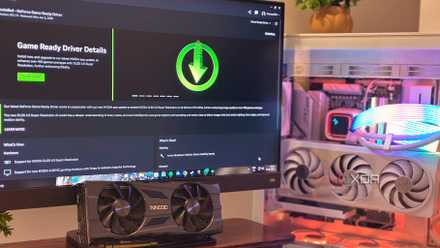
DLSS 4.5 has trickled down to RTX 20-series cards, and it seems that Turing GPUs still refuse to go into retirement. If you have any RTX GPU, Nvidia's new second-generation transformer model has improved "Performance" and "Ultra Performance" modes, and my own benchmarking experiments on the 2070 Super confirm that these gains are not marginal, but instead offer notable improvements to temporal stability and image quality.
If you don't own an Nvidia GPU, fret not. AMD's FSR 4, which can be enabled with third-party tools on unsupported GPUs, can offer an equally compelling upscaling experience for those who are on a tight VRAM budget and are left longing for some extra performance on their AAA titles.
I benchmarked an RTX 20-series GPU with DLSS 4.5, here's what I found
Is DLSS 4.5 a friend or a foe of the Turing family?
Need to fix 1% lows? Try overclocking
Old GPUs can overclock really well
1% lows are a phenomenon in PC gaming that can define how 'fluid' your titles look when you're in the thick of the action. Stutters and frame-time spikes are one of the major reasons for discontentment that forces a premature hardware upgrade, and unfortunately most PC gamers leave all the optimization to the in-game settings.
To address this problem, you can always go for a modest overclock, and I'm not referring to the conservative profiles the 'AI features' on the Nvidia App are suggesting you apply. For a better overclocking experience, you'll need a third-party application like MSI Afterburner, and stick to manually applied overclock profiles that you get to after benchmarking and tuning.
The reason why it's recommended is because it's quite simple, non-committal, and easily revertible. Once you've found the right overclock profile that gives you anything over 3–5% gain over stock, you can save the clock profile and only activate it when you're jumping into high-performance gaming. This way, you can reserve the best of your GPU's performance without worrying about wearing it out or running it hot all the time.
MSI Afterburner
MSI Afterburner is one of the best overclocking software with many extra features to monitor your PC's performance.
Experiencing high temps on GPU? Try undervolting
You can overclock and undervolt at the same time
If you've tried overclocking and found that your GPU fans are running like a Lockheed Martin aircraft engine under load, there's a way to dial the noise down without losing any percent of your performance. I am, of course, referring to undervolting while your GPU is overclocked, which brings you the best of performance and efficiency.
Once you have located the voltage point where your card maintains peak clocks, you can tune it to draw less power, ergo, produce less heat to get it there. I ran this process on a 40-series GPU and came out with lower temperatures and a modest performance gain simultaneously.
Missing out on new GPU features? Try third-party tools
You may be able to 'force' them to run anyway
It can be a frustrating experience to watch a keynote and find that your hardware isn't even mentioned on the supported list. What's worth knowing, though, is that they are designed to compel you to upgrade and aren't fully reflective of hardware limitations. If your card has been left off, it's best to check the modding scene on GitHub before accepting that verdict.
FSR 4 is one key example. Community-developed tools like OptiScaler have pushed it onto RDNA 3, RDNA 2 and other unsupported cards despite there being no official backing, and now AMD is considering making FSR 4 open-source. On the Team Green side, DLL Swapper and NVPI have allowed DLSS 4.5 to run on titles that weren't built for it, and the results hold up rather impressively under testing. The open-source community consistently finds pathways that manufacturers won't, and that's one of the key advantages of gaming on the PC platform.
Upscaling, overclocking, undervolting and leveraging community-developed software are some advantages that are uniquely available to you if you're on the PC platform.
You don't always have to throw more money at the problem
The 'upgrade' psychology is quite understandable, and the fear of missing out that comes every time new hardware is unveiled is a condition that many users on the PC platform are very familiar with. However, it is almost always worth exhausting what your current hardware is capable of before committing your hard-earned dollars to an upgrade. Upscaling, overclocking, undervolting and leveraging community software are some advantages that are uniquely available to you if you've got a rig, and each of these approaches can offer you an experience that can impress you mightily.