
Many of us are pretty impatient when it comes to upgrading our PCs. The moment something feels even slightly off, whether it's a few dropped frames, higher temperatures, or just the idea that newer hardware exists, it's easy to be tempted into spending our hard-earned money. I've lost count of how many times I've convinced myself that a new CPU, GPU, or cooler would fix everything, only to later realize I was chasing the wrong problem in the first place.
More often than not, the performance issues you face aren't a direct result of aging hardware, but how well your PC is balanced and set up. For instance, there's no point getting a new high-end GPU if you're just gaming at 1440p, where your CPU is often the limiting factor. Likewise, a better CPU cooler isn't going to improve temperatures much if your case is restricting airflow. So if you don't address these issues first, even the most expensive upgrades will end up feeling underwhelming.

5 times I upgraded my PC, and it didn’t live up to the hype
More RAM, faster SSDs, new fans - sometimes more isn't better. Discover the upgrades that left one PC enthusiast wanting more.
A flagship GPU is only as good as the CPU behind it
Pair it with the wrong CPU, and you’re leaving performance on the table
This is one of the easiest ways to waste your money on an upgrade, and I learned it the hard way. When I bought the RTX 4090, I expected a huge uplift in frame rates since benchmarks suggested it was up to 70% faster at 4K and 50% faster at 1440p than the 3090. Unfortunately, I got nowhere close to these improvements, and that was mainly because my Ryzen 9 5900X simply couldn't keep up with the GPU in most of the games I played.
At 1440p especially, my GPU usage rarely exceeded 85%, and in competitive titles like Valorant and Counter-Strike 2, it was far worse, usually sitting at around 70–75%. It wasn't until I upgraded to the 5800X3D that I was finally able to get the GPU performance I paid for. That's why I say you cannot overlook your CPU if you're looking to get a high-end GPU like the RTX 4090 or 5090. You can get away with a slightly older CPU at 4K, but even then, if you play competitive titles, there's really no room for imbalances in your system.
AMD Ryzen 7 7700
- Socket
- AM5
- Cores
- 8
- Threads
- 16
- Base Clock Speed
- 4.3 GHz
The AMD Ryzen 7 7700 is an 8-core processor with 16 cores, the ability to boost up to 5.3GHz, and yet has a TDP of just 65W. It's a solid mid-range chip from AMD for general use or gaming.
A better cooler won't make up for airflow limitations
What's the point of a high-end AIO if it's not getting fresh air from your intakes?
Many people have this idea that a bigger 360mm or even a 420mm AIO is all they need to make sure CPU temperatures are never a problem while gaming. After all, you get more radiator surface area and more (or bigger) fans, so that should naturally translate into better cooling performance. And to an extent, you're absolutely spot on. But the thing is, no matter how capable your cooler is, it can only be as good as the air around it. For your cooler to work optimally, it needs a steady supply of fresh air.
Therefore, if your case is lacking in the airflow department because of poor design choices or even an improper fan configuration on your part, your cooler will end up working harder than it should. For instance, if your cooler has to work with recycled warm air that's lingering in your case due to negative air pressure, you're already at a disadvantage. Sure, a better cooler or premium thermal paste can help mask the problem to a degree, but it doesn't actually fix the underlying issues. So before you splurge on a new cooler, make sure your case airflow isn't a limiting factor.
You need the right monitor for the job
CPU and GPU upgrades mean nothing if you can't actually see the performance
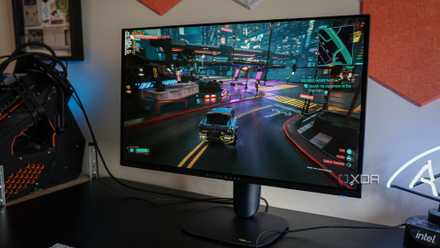
I've seen a bunch of people getting a flagship GPU like the RTX 4090 or 5090 only to play AAA games on a 1440p/144Hz monitor. And that's one of the biggest mistakes you can make. Flagship cards are mainly built for 4K gaming, but if you plan to pair it with a 1440p monitor for competitive play, you need an ultra-high refresh rate monitor to get the most out of it, preferably 240Hz or even 360Hz. Otherwise, you're just capping what your GPU can deliver before it even gets a chance to show its full potential.
On top of that, as I mentioned earlier, you need some of the fastest CPUs available paired with high-speed DDR5 kits to actually push those high frame rates without compromising consistency. On the other hand, if you're gaming at 4K, your system is almost always GPU-bound, which means CPU upgrades won't make a meaningful difference in most AAA titles. That’s why your monitor ends up dictating where your bottleneck is and how much of your upgrade you'll actually feel. If it doesn't align with your hardware or your use case, you'll regret wasting all that money.
Look at your PC as a whole before you upgrade
If you're only planning to upgrade a single component in your build, your PC should already be dialed in for the most part. If not, you're just layering new hardware on top of the same limitations that were already holding your system back. Ideally, you should start by upgrading the part that's currently holding back performance the most, whether that's your CPU, GPU, or RAM, so you don't run into avoidable bottlenecks. This way, any major upgrade will actually deliver the kind of performance you expected for the money you spent.
The best gaming upgrade in 2026 isn't hardware, it's AI upscaling and frame generation
DLSS and FSR are improving faster than hardware right now.