
Run a home lab? You're likely using some sort of server, whether this happens to be an old desktop PC or a used compact system, such as a mini PC or rack server. These systems usually have plenty of I/O options, including a few PCI slots, but what you may not have done is transitioned your approach from a desktop PC, where a single PCI slot is traditionally used for a GPU. This could be a costly mistake as there's some versatility being left on the table. There's a good chance your server(s) have at least one empty expansion slot.
While it's important to focus on CPU cores, RAM, and storage bays for self-hosting and running network-attached storage (NAS), you mustn't overlook PCI slots and other connectors where additional hardware can be installed or linked up with the rest of the system. This is where many can overlook the importance of PCI slots and I/O headers. It doesn't matter if you're running Proxmox, TrueNAS, Unraid, Ubuntu, or some other system OS, these empty expansion slots could be an opportunity to improve performance, functionality, and experimentation. I've compiled a list of four ways you can use these empty expansion slots.
10GbE Network Interface Card (NIC)
Upgrade your network game
1GbE is ample for most homes, but if you're getting slightly more serious about self-hosting at home and running services on your own hardware to replace cloud subscriptions, you may want to invest in slightly better networking. 2.5GbE is the sweet spot, but you can often find 10GbE NIC expansion cards for PCs for just a little more than other speeds, making it a worthwhile purchase to unlock seriously high speeds for future LAN upgrades. A dedicated 10GbE NIC is a great transformative addition to any home lab when paired with the right network gear.
I've managed to pick up a few used 10GbE cards with Intel X520 chips for next to nothing compared to their MSRP. Linking multiple servers together with higher-speed networking is great for enhancing virtual machine (VM) migration between nodes, improving NAS performance (especially with simultaneous connections), better throughput for protocols like NFS, and more bandwidth for the entire home to enjoy. Now, don't get me wrong, 10GbE is largely overkill for linking each client, which is why I'd use 10GbE for important hardware and for network links between switches.
These switches could then handle that 10GbE link and step things down to a more manageable (and inexpensive) 5GbE or 2.5GbE port array. Once you've moved connected storage (such as a NAS) off 1GbE and onto faster channels, you'll never look back. But as well as networking, these NICs can also be used for directly attaching two hosts for boosted performance and cutting the middleman entirely. Again, picking up expansion cards and using all your server I/O allows for some cool and sometimes wacky experimentation.

Those empty PCIe slots in your server aren't useless, here's 4 things you can fill them with
You bought the entire server. Might as well put its PCIe slots to good use
Add a GPU (or two)
Take the load off the CPU
Okay, I may have suggested expansion cards beyond the graphics card, but the GPU can be a huge benefit to the home lab. It may sound odd, but GPUs can prove invaluable to home lab deployments. You've already heard about using them for AI inferring and handling any transcode requests with your favorite media streaming solution, but they can also be used for a network video recorder (NVR) to work through live feeds for object detection. What's more is that with the right setup, you can use multiple GPUs in the same system.
Whether you have access to a modest consumer GPU you no longer require (like a GTX 1660 SUPER) or a low-profile Quadro from an upcycled used enterprise system, these cards can be used to handle various workloads. I've made good use of a GeForce RTX 3060 Ti and RTX 4060 Ti, as well as a Radeon RX 7900 XT. Hardware transcoding can often be handled entirely by the CPU and its integrated capabilities, but if you have a chip that doesn't have all the necessary specs, a low-power GPU can make all the difference.
I've been able to run, experiment with, and integrate a self-hosted large language model (LLM) for aiding coding projects, running smart assistants through Home Assistant, and even connecting with other parts of the home lab. Using Proxmox was also a great way for me to learn more about virtualization (and its quirks), IOMMU groups, and more by passing through a GPU to containers and VMs. A GPU is almost a must-have for the home lab in one fashion or another.
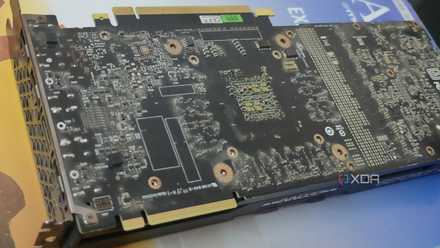
I turned a dead GPU into a hardware encoder, and it's perfect for my NAS
Waste not want not
Look into PCIe bifurcation
Enhancing your storage game
You've likely read about bifurcation here at XDA, and we're big fans of what this approach can unlock for the home lab. If you have unused PCIe slots but happen to be limited on how many M.2 cards can be installed, bifurcation can enhance overall performance through the addition of a few M.2 drives. This not only opens up additional capacity for high-speed data storage, but these new slots can be used to create super-fast VM storage pools, which is what I did inside one of my Proxmox nodes.
Then there's caching, which can prove useful with heavy data instances. Just like a NAS, it's easy to run out of system memory when hitting the hardware hard over the network, and the same goes for servers. NVMe bifurcation helps by adding new avenues to explore in making the entire home lab more versatile with fewer bottlenecks. Depending on what slots you have available on the motherboard, you could unlock up to four M.2 connections due to how the bifurcation process works.
Let's say you have a single x16 slot available. This can be split up into:
- x8 / x8
- x8 / x4 / x4
- x4 / x4 / x4 / x4
Install a high-speed NVMe PCIe 4.0 or 5.0 SSD, and your server will suddenly become a storage monster with new ways to store data.

PCIe bifurcation is the most underrated PC feature nobody checks for
There might be a slot you missed while assembling your rig
Expand storage capacity with HBA
Out of SATA ports? No problem!
A dedicated host bus adapter (HBA) is a means to unlock enhanced RAID support and expand the number of SATA drives that can be attached to the system. If you're like me and rely on ZFS for storing data, an HBA can really improve your home lab. Onboard SATA controllers, especially those on consumer motherboards, offer a limited number of ports, usually share bandwidth with other components, and aren't really designed for high I/O usage. A dedicated HBA can transform the storage game.
You'll have access to notably more ports for countless drives, cleaner passthrough for ZFS, enterprise-level reliability, and enhanced RAID support. This also unlocks considerably more upgrade paths for custom NAS builds with the ability to hook up more hard drives than what's natively supported by the motherboard.
Other things to try out
Looking to expand your home lab server further? Why not try out some USB 3.2 header cards, internal USB DOMs, serial console cards, multiple NICs for firewall VMs, or even an Open Compute Project (OCP) NIC? The best part about running your own home-based datacenter is the ability to experiment with different hardware and software. These are a great place to start you on your journey, but there are countless options available.