
Between Intel’s entirely new platform and AMD’s rather puzzling chipset refresh, motherboards are becoming exceedingly confusing to buy in 2024. The high-end motherboards are packed to the gills with features, and the low-end ones have become even more barebones than in the past. The mid-range options, though, have been contorted by both manufacturers in an effort to make their product segmentation a bit more margin-rich, to put it lightly.
There are just some features that should be available on essentially all boards, from the high end down. I understand that some want a no-frills motherboard with zero bells and whistles, and I’m glad those exist, but the mid-range market is a minefield for anyone looking for specific features. Some rudimentary stuff is missing on motherboards featuring a mid-range chipset, and in order to get these features, you need to step up a level to the high-end, costing hundreds of dollars. It’s beginning to get a little ridiculous, and here are the six features that I think should be on every motherboard but aren’t.

6 7 segment debug displays
Not just for first-time builders
There’s nothing worse than not being able to get your computer to boot properly. Some motherboards come with a 7-segment display for showing POST codes, allowing you to see exactly what’s wrong with your rig. Although these little displays only cost a couple of dollars at the most, you really only see them on high-end motherboards. Most novice builders that would benefit most from a debug display like this will be buying a mid-range or even budget motherboard, where it will most certainly be absent.
Even if you concede the fact that adding a display like this does add a bit of cost, you’re actually still losing in the long run if you’re a motherboard manufacturer. If the user can’t figure out what is wrong with their computer, that means more calls to customer support, which means more costs are put back onto the manufacturer. Simply adding the display to all motherboards would solve a lot of issues and cut back on calls to the support center.

Whatever happened to motherboards with support for multiple GPUs?
They didn't really go away, but motherboards that support multiple GPUs aren't really important these days.
5 Debug LEDs
If there's no 7-segment display, at least have these
If they’re not willing to add the 7-segment display, fine. At least all motherboards have those simple debug LEDs, right? I wish that were true, but these are absent on some motherboards as well. They’re relatively simple but can help the troubleshooting processes when the situation is cut and dry. When it’s not, however, they can actually lead you astray. Sometimes, the debug LEDs will show a memory issue when, in fact, all that has to be done is re-seat the CPU. This can be hard to work out for newcomers and is another point on the board for the 7-segment display. Still, though, some debug LEDs are dirt cheap to add to a motherboard, and there’s really no excuse for them not to be there.

3 reasons AMD's new 800-series motherboards are a mess
The 800-series AM5 motherboards are new, but they hardly bring anything exciting to the table
4 Adequate I/O
It's provided by the chipset; why not use it?
I/O can vary from chipset to chipset, and this is very normal. What is a bit confusing, especially for beginner builders, is that not all motherboards in the same chipset family are created equal in terms of I/O. Some of them will just straight up opt for fewer ports in a situation where it doesn’t really make sense. Sure, some of these things cost PCIe lanes, but when the board doesn’t provide enough connectivity for the user to fill them, what’s the point of not offering enough I/O?

6 reasons that your motherboard choice doesn’t matter as much as a decade ago
I've been building PCs for a long time, and motherboards have never been this well-built.
3 Power and Reset buttons
Really inexpensive and convenient to have
I’ll admit, the power and reset buttons are definitely a luxury to have. You can already perform power and reset functions by jumping headers on the board, and clearing CMOS doesn’t really need its own dedicated button. However, these are still very useful and add very little cost to the board. This falls squarely into the “features that we’re told are premium but really shouldn’t be” bucket.

5 features to look for in a new motherboard
Planning to buy a new motherboard? Here are some quality-of-life features you should keep an eye out for
2 Wi-Fi
There’s just no excuse not to include wireless capability
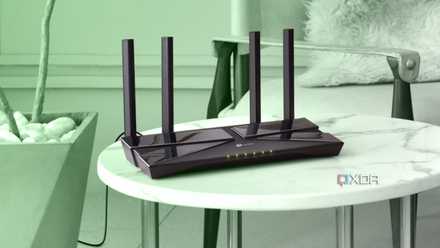
Wi-Fi capability is integrated into everything these days. We got Wi-Fi-enabled refrigerators before we got Wi-Fi on PC motherboards universally. Wi-Fi still might not be good enough for gaming, but it’s still more than enough for most tasks. It gives an option for those who need connectivity but can’t route a dedicated Ethernet cable.
How to check if someone is stealing your Wi-Fi
Check if someone is stealing your Wi-Fi with these simple methods and learn how to kick them out
1 No bloatware
Nobody wants extra software that provides no new functionality
This is definitely more of an omission of a feature, rather than an inclusion of one, but it’s too much of a pet peeve to omit. Companies like ASUS pushing their Armory Crate software wouldn’t be a problem if it actually functioned well and didn’t cause other issues with your system, but it does the opposite. On top of that, it’s baked into their motherboards, so it can (and will) install itself once you get Windows all booted up. ASUS isn’t the only one who does this, and I’m sure nobody would mind if this practice disappeared for good.

6 popular PC programs you can survive without
While there's always a new productivity tool around the corner, you can get by without most of them
Feature-rich shouldn’t always mean expensive
Besides pinching pennies for margin, there’s little reason why these quality-of-life features shouldn’t be available on at least all mid-range motherboards out there. Again, there should be models that are good for those who want a complete, no-frills computer build, but we shouldn’t have to pay a premium in order to get simple additions like a 7-segment display to diagnose POST codes.