
Google's NotebookLM has proven to be a popular tool among note-takers for its powerful features and ability to summarize a variety of sources. While I prefer simple note-taking apps due to the drawbacks I experience from productivity apps, and I'm not a big fan of AI-powered features, NotebookLM manages to stand out by avoiding the pitfalls of many of its competitors.
Here's a look at some of the features of NotebookLM that outpace its competition...
6 A simple UI and suggested prompts
It's easy to get into
While many productivity apps have steep learning curves, NotebookLM's simple UI and suggested prompts make learning how to use the platform really easy. When creating a notebook, the AI chat features suggested prompts to use to help you get started. These also aren't generic prompts, but they are context-dependent and based on the sources you have uploaded. That said, using a unique, self-created prompt also works seamlessly.
Notebook LM's UI also puts its features front-and-center. This means you don't have to watch YouTube tutorials or visit help pages to learn how to use the app — you can see exactly what you can do from within your notebook.
That said, as NotebookLM introduces more features, it's possible that the platform becomes more complicated to use.

Notion is overwhelming but these 5 tips make it easier to use
Don't try to tackle everything Notion offers at once
5 Using specific sources
Choose the sources that will inspire answers
One of the best features of NotebookLM is the ability to define the sources you want to use for responses. This is useful in a variety of ways. Firstly, you can make sure that only sources you trust are used. This is especially important when studying certain topics.
Secondly, you can limit the scope of the AI's answers. If I Google myself, the results will consist of people with the same name. But limiting the web sources to my own author pages and profiles means that the AI won't generate information about other people. I could use this to help me create a central author bio about myself, or use it to research interviewees for an article.
One limitation I found is that you cannot upload spreadsheets to NotebookLM. I wanted to see if I could get the platform to search through a list of conditions that are covered by South African medical aids. However, because the information was listed in a spreadsheet, NotebookLM couldn't use the information as a source. Even copying and pasting it as text without formatting did not work.
The ability to define sources is one of the reasons people should try NotebookLM, even if they're skeptical of AI tools in general.
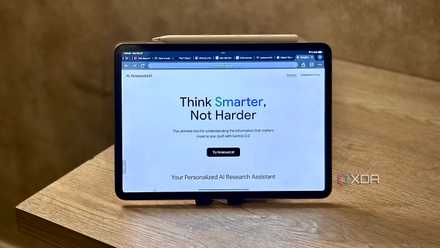
I was missing out on these underrated NotebookLM features, and you probably are too
Justice for these underrated features
4 Summarizing information
With frequent citations
While NotebookLM's summaries can sometimes repeat information, the platform is generally great at providing an accurate summary of the sources that you've added to a specific notebook. While one of my notebooks is dedicated to generating story ideas, the sources also provide information about me and my expertise.
I decided to ask NotebookLM to tell me about myself. It was able to identify the profiles that applied to me, despite also including web pages that weren't directly related to me. All the information it included was accurate — it even pointed out a discrepancy in one of my online biographies where it says I started writing about technology in 2017 instead of 2016.
The main hiccup is that it repeated some of my hobbies because I included different variations in some of my author bios. But overall, it is able to provide accurate summaries without making anything up.
I also tested the platform's accuracy when it comes to summarizing information about fibromyalgia. While I would never use AI to recommend medical treatment, I was curious to see if it could accurately provide insights about a condition I've been living with for over a decade. I was impressed by its ability to summarize information about it to answer questions about the causes and diagnostic criteria.
The caveat is that this accuracy doesn't seem to hold up when it comes to the Timeline feature. I generated a timeline based on my author pages and the homepages of websites I work for. The list started out very accurately, but then eventually an error came up. The timeline said I published an article that I had not written. But other than that, I didn't come across any other errors by the AI.
3 Generating ideas based on certain criteria
It actually uses the provided sources
People often tout AI tools as a way to generate ideas and inspiration. I write for a living, so I have no need for AI to write for me — but I could use help in generating ideas based on my own expertise and what the sites I work for cover.
I have tried to generate ideas with both LLM chatbots and AI note-taking tools — and every time, the responses are underwhelming. Tana's AI chat suggested I write about topics like cryptocurrency and the blockchain, even though the page I provided with ideas didn't list those topics.
Meanwhile, when I've used tools like ChatGPT in the past, the ideas are generic and don't keep up-to-date with the latest guidelines for helpful content.
NotebookLM has come the closest to providing usable ideas on topics I'm familiar with. The original list replicated too many ideas that I had already covered, but when I told it to exclude previous coverage, the list improved.
It still hasn't gotten to the point where it can outperform the idea generation of a writer with years of experience, but I imagine it would be useful for people who want to brainstorm ideas for topics they're less familiar with. I could also see how it would be useful for generating ideas for essays for students studying certain courses.

I tried Tana, but here's why I'm sticking with Notion
Tana has some great features, but not enough to make me quit Notion.
2 Mind maps
Organization without the legwork
I'm not usually a big fan of mind maps in productivity apps because they require you to structure your notes in a way that is conducive to the tree diagram format. You also usually have to create these mind maps yourself.
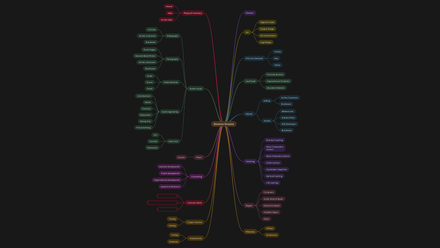
However, NotebookLM is able to seamlessly organize your sources and information into a mind map, even if you never intended to create one at first. For example, it took my sources on setting up a Raspberry Pi and organized them into different topics such as the requirements, installing an OS, and potential projects.
For my fibromyalgia notebook, it sorted the information into branches such as symptoms and prognosis.
These generated mind maps make it easy to work through the information you have added to your notebook without requiring any effort on your part. I find that this makes it extremely helpful while avoiding the learning curve or setup time that other platforms require.
7 mind mapping apps I tested for business and personal use
Your brain works a certain way—so your mind mapping tool should match it
1 Audio Overviews
Creating an interactive podcast from sources
I was skeptical at first when it came to NotebookLM's Audio Overviews feature. Just like AI-generated videos or AI-generated photos, there is always something that gives away the AI nature of the material. I've tested out AI-generated podcast tools out of curiosity. If there's not an outright error generating the material, then the output is marked by brevity and some unnatural interactions. Some have other drawbacks, the podcast hosts trying to mimic people with certain credentials, which I found misleading.
While Audio Overviews on NotebookLM do have the occasional uncanny moment, the feature still far outpaces other competitors. The overviews are in-depth while also making the material approachable. The hosts sound mostly natural, and I am often surprised by just how organic some of the responses sound.

Host your own audiobook and podcast library with Audiobookshelf
Here's how you can create a private audiobook server that's accessible from any device on your network!
NotebookLM beats the competition in multiple ways
I approached NotebookLM with a skeptical eye and was pleasantly surprised by many of its features. You don't even have to opt for a paid plan to access features and can avoid many of the pitfalls of AI-powered tools by choosing your sources carefully. In many ways, the competition — both productivity platforms and LLM chatbots — could stand to learn from NotebookLM. That said, there are also features NotebookLM could add to improve the platform.