
Managing files is something we do all too often on our PCs; in fact, it's one of the main points of having one in the first place. So a good file manager is an extremely important tool, and on Windows 11, we have File Explorer, which is... fine. It's not a terrible file manager, in my opinion, but considering the wealth of options from third-party developers, it definitely feels like it falls short.
But I know Microsoft has been consistently improving Windows 11 in various ways, and File Explorer shouldn't be exempt from this. I believe it can be made better, so here are a few features I believe Microsoft could add to make File Explorer a truly great tool.

The Windows File Explorer isn't good enough — 5 file managers for power users
Microsoft could learn a thing or two... or more
5 Tags
Learn something from macOS
Apple's Finder on macOS may be far from perfect, but it does have some features Microsoft could stand to learn from, and one of them is the ability to tag files. You can tag them with various labels and colors, which makes files easier to find within a folder, which can save time during your workflow.
On Windows, the best you can get is either renaming the file to indicate some kind of association or using folders to organize them and make them easier to find. These are valid approaches in some cases, but the ability to tag files can still make life easier, and it doesn't take as much effort to set up. It makes it easier to visualize and manage all the files within a single folder while keeping the context of what each file is for.
I wouldn't say tags are absolutely essential, but they would certainly be nice to have here. Other file explorer like the Files app already have something like this, too.

Files review: A more modern alternative to the Windows 11 File Explorer
The Files app is what I want the Windows 11 File Explorer to look like, but it's not quite perfect. It's also limited by Windows in some ways.
4 Quick file previews
No reason to keep it in PowerToys
Something else macOS does very well is the ability to quickly preview essentially any file without committing to opening it in full. Simply press the Spacebar and you can pretty much see the file in its entirety without loading the full app that would be required to edit or manipulate it. What's more, in macOS, the Finder window stays active, so you can use the arrow keys to move between files and preview all of them easily.
It's obvious Microsoft sees value in this because the company added a tool called Peek to the PowerToys suite, and it does pretty much the same thing. But if we're acknowledging this is a useful feature, I'd say it's high time for it to be built directly into File Explorer. It could work a little more seamlessly, too, seeing as the PowerToys implementation can be a bit on the slow side at times.
File Explorer does have a Preview pane, but it eats into the main window permanently, and it still only offers a very tiny preview. It could be much better.
3 Better bulk file renaming
The current implementation feels like an accident
I've had a couple of people tell me they didn't think Windows supported renaming multiple files at once, and to be honest, it's hard to blame them. If you select multiple files in File Explorer and try to rename them, only one of the files will be edited in real-time, while all the others keep the original name. It's only when you press Enter that all the files update their names, so it's easy to see why some may not think this works at all.
Renaming files is an important part of keeping things organized, and there are plenty of examples of better implementations of bulk file renaming. macOS does it much better in Finder, with multiple options for how files should be named sequentially, not to mention the dedicated dialog that makes it obvious you're renaming all the selected files. Other file managers on Windows also have built-in renaming tools for situations like this, and even Microsoft has built a very complex file renaming tool into PowerToys with PowerRename.
I don't think the Windows implementation needs to be that complex, but we could definitely use something better than what Windows currently offers. Matching macOS should be the bare minimum here.

How to batch rename files in Windows 11
Renaming multiple files can be a tedious tasks, but there are ways you can batch rename files in Windows 11 to make it easier.
2 Automatic file sorting
Custom rules would really help
I'm comfortable admitting that there's no way this particular feature will make it to File Explorer in an official capacity, but that won't stop me from dreaming. I've recently found some apps on Windows that are designed to automate organizing files using custom rules. For example, you might be able to move all JPG files in one folder to another folder of your choice. Tools like DropIt can arrange your files based on these custom rules, and
can also do something similar with its scripts.I think this would be an amazing feature to have built into File Explorer, either as a manual tool or automatic rules for organizing files. For example, you could create a rule so that every EXE file in your Downloads folder is automatically moved to an "Apps" folder, and you could have the option to either have this be enforced at all times or have it work as a sort of script you run manually whenever you need to organize your files again. Having it built into File Explorer definitely opens the door for both implementations, so I think it would be great to have that option.
It's far too easy for folders to get cluttered with all kinds of files, so I truly believe this would be an excellent step forward, and it would help File Explorer stand out.
1 Dual pane support
Moving and managing files becomes so much easier
My top request for File Explorer to become a better file manager is for it to support dual-pane navigation, a very common feature in third-party file managers. Almost every File Explorer alternative I've tried offers two or more panes, and it's easy to see why it's a desirable feature. It makes it so much easier to manage files across multiple folders and move them from one folder to another without having to juggle multiple windows or tabs.
Dual panes also make it easy to visualize the contents of both folders to make sure they're in sync or that you've moved the files you want to move. Plus, some file managers even have the option to fully sync the two folders, and that would be great to have here too.
Much like the request above, I'm not sure this would ever be implemented in File Explorer, but a person can dream. This would truly make Microsoft's file manager excellent and remove the need for third-party solutions, in my opinion.
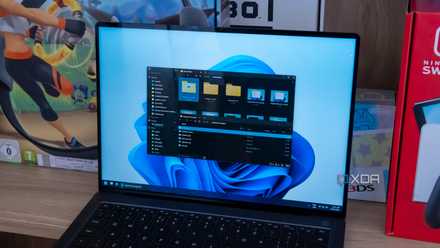
Hands-on: File Pilot may be the best File Explorer alternative yet
The new kid on the block has got some serious chops
File Explorer isn't bad, but it could be better
I don't necessarily hate the Windows File Explorer, but the fact that other file managers have implemented the features on this list makes it very apparent that there's room for improvement. Hopefully, Microsoft will look around and learn from what other developers are doing to make File Explorer better.
Of course, in addition to all this, better performance would be great to have, seeing as File Explorer can often feel a bit slower than many of its alternatives. Maybe a full refresh is in order to make it the best it can be.