
Windows 11 may be Microsoft's best operating system in many ways, but it's also a downgrade from previous versions in many others. There are numerous tools designed to help restore certain parts of the Windows experience to their former glory, and one that I find myself having to recommend is ExplorerPatcher.
I've tried a few paid tools like this in the past, including Start11 and StartAllBack, and while I love them, spending money on some software can be hard to justify. ExplorerPatcher is a free alternative, and it's a great one at that. It can restore things like the Start menu, taskbar, and more, and after setting it up, I have to wonder why I didn't install it sooner.

Start11 vs StartAllBack: Choosing the best Start menu replacement
Start11 and StartAllBack are the two most popular Start menu replacements out there. We've used them both, so which one is better?
The Windows 10 Start menu really is better
It's just so much more straightforward
Right off the bat, being able to restore the Windows 10 Start menu with ExplorerPatcher is an extremely welcome change, and the biggest reason to use this app, in my opinion. The Windows 11 Start menu is fine, and I remembered many celebrated the death of live tiles, but in reality, the old layout was just more efficient.
For one thing, the pinned area was fully resizeable, so you had all the space you could want for all your apps. And sure, large live tiles were a waste of sapce, but if you set them to the smallest size possible, the tiles don't look all that different in terms of size from the current icon approach. You just had a ton more space overall and it was easier to have all your apps accessible on one screen.
What's more, the Windows 10 Start menu has the All apps list available directly in the main page of the Start menu, so you can get to apps that aren't pinned that much faster, too. Plus, there's no Recommended section or anything else wasting your time and space on your screen.
Simply put, the Windows 10 Start menu is objectively better, and I love that ExplorerPatcher lets me go back to it. And even if you do stick with Windows 11's style, you can disable Recommended content to make it a more useful experience.

Ranking all the Windows Start menus, from worst to best
The Start menu has evolved (and devolved) quite a number of times since its debut on Windows 95
The taskbar has benefits, too
A weather widget that's actually good? Impossible
ExplorerPatcher also improves the taskbar quite a bit by restoring it to the Windows 10 style. This one is a bit more "take it or leave it", but I do appreciate some of the changes here, too. The Windows 10 taskbar has individual icons for things like the time, Wi-Fi, and other elements, so it makes it easier to get exactly to what you want without unnecessary stuff. This also makes each of these elements more customizable, so you can use the Windows 7-style clock flyout or a Windows 10-style Wi-Fi flyout.
One thing I really like about ExplorerPatcher's taskbar implementation, though, is the custom weather widget it includes, which replaces the modern widgets panel and the News and interests features added to Windows 10. This weather widget is significantly nicer than what Microsoft offers, and more focused, too. It's just the weather, and it's shown with a nice graph that looks good and provides a good amount of information at a glance. I vastly prefer this to the actual weather widget in Windows 11.
Another plus of this implementation of the taskbar — albeit one I don't personally care about that much — is that you can move the taskbar to any side of the screen. Windows 11 forces you to have it at the bottom, but ExplorerPatcher fixes that and lets you have the customization options Microsoft won't give you.
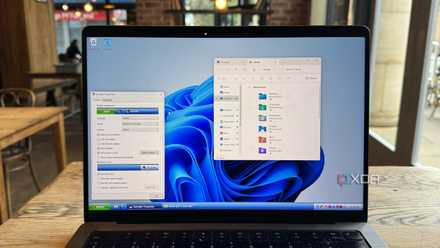
3 ways you can take your Windows 11 Taskbar back in time with this fantastic retro app
Retrobar is a powerful app that transforms your Taskbar into one from an earlier version of Windows
The Ribbon is back
File Explorer gets better too
One last big thing I want to touch on is File Explorer, which ExplorerPatcher also tries to improve. Specifically, it can bring back the Ribbon UI that was introduced with Windows 8 and still used in Windows 10, and which I also prefer to the Windows 11 implementation. The Ribbon puts all the options you could possibly want right in front of you, so everything from copying and deleting files, renaming them, or just selecting them is more immediately accessible at a glance.
Plus, with the different tabs in the Ribbon, you can easily do things like view hidden items, show file extensions, and more, all at a quick glance with an easy-to-navigate UI. All of these features are still in Windows 11, but the more simplified format of the new File Explorer feels less intuitive at times, and I much prefer the Ribbon.
The big downside here is that by restoring the Windows 10-style UI, you also remove Windows 11 features; most notably, tab support. You won't be able to browse your files with tabs, which makes management a bit more cumbersome, though I think this is an acceptable compromise for the improved UI overall.

5 great features Windows 8 introduced that it doesn't get enough credit for
We hated it, but there's a lot worth loving
It's not all great, though
Some bugs can crop up
As much as I love what ExplorerPatcher does, there are some downsides with this app. Nothing is perfect, especially when it messes with Windows components, and I've noticed some bugs with the Start menu not always appearing where I want it to or the taskbar failing to align to the right edge of the screen, though these are thankfully issues that can be fixed by just trying again. I've also seen some instances of the weather widget being replaced by the old My People feature from Windows 10, though it hasn't happened to me in a while.
One other thing worth mentioning is that the latest release of ExplorerPatcher is from November 2024. While that's not old enough to be considered an abandoned project, it seems like support isn't the most active, so you never know if a Windows update might break something that won't be fixed for a while. It's a risky move to use this app in mission-critical machines considering that caveat.

4 reasons to customize Windows 11 with StartAllBack
StartAllBack is a super useful customization app for Windows 11. If you're not using it yet, here's why you should be.
You should check out ExplorerPatcher
Even with the downsides, ExplorerPatcher is an amazing app if you're a Windows 11 user. While I'm not one to be stuck in the past, some of the WIndows 10 elements that can be restored with this tool are much better for me than what Windows 11 offers out of the box. Plus, original additions like the weather widget are also a significant improvement over Microsoft's own, and with less intrusive content forced onto you.
I hope ExplorerPatcher stays in active development, because it's really nice to have a free tool that can fix some of the glaring issues Microsoft introduced with Windows 11. Not everyone wants to pay to change those things back, so even if it's not as advanced of a solution as Start11, it's great to have as an option.