
When it comes to network security, I usually adhere to the approach of less is more. Simplicity is viewed as the better solution for safeguarding everything on the local area network (LAN) than complexity. You can often find instances of dozens, if not hundreds, of firewall rules in use by organizations and large networks. While this is a great way to fine-tune precisely what can (and more importantly, cannot) access the LAN, it's largely overkill for home security. All you need is one rule policy: default deny.
This is the one firewall rule policy I always ensure is active on all networks, regardless of size or complexity. A default deny policy essentially blocks all traffic unless explicitly permitted. Although this is technically one policy, it actually consists of four firewall rules:
- Deny all inbound traffic by default.
- Deny all inter-VLAN traffic by default.
- Deny all outbound traffic by default.
Whether you're running multiple public-facing services and have a busy ISP connection or simply happen to be setting up your own network for the first time, this approach is considered best practice for a reason. It's what I recommend all networks have as the cornerstone of LAN security, blocking all traffic (both in and out) unless specifically allowed by another rule.

I built a firewall that blocks my IoT devices from phoning home
My lightbulbs do not need internet access and they never should
Why default allow is dangerous
Rocking with a default allow security firewall policy assumes that all internal systems are trustworthy, users on the LAN have the knowledge to keep their devices safe, installed software won't pose any problems, and attacks will be few and far between, taking place outside of the network. Unfortunately, we don't live in a perfect world, and even the most hardened-secured device can fall victim to external factors. Default deny solves this by viewing everything that isn't explicitly required as a potential liability.
It's how modern network security should be handled since attacks no longer rely on brute force, but rather exploit lax security measures, which could be a misconfiguration, an old service still live, and unmonitored access. Instead of keeping the gates open for all traffic to stop by regardless of whether it would have been allowed or not, a default deny policy starts with a secured front as the foundation. Everything can then be explicitly allowed on top.
The principle of least privilege is a cybersecurity concept where everything (users, applications, and entire systems) is granted minimum access rights and permissions necessary to perform their specific tasks. This alone helps to minimize potential damage from breaches and errors, reducing the attack surface and improving security. This is an important approach as systems should only have the access required to function, nothing more.
It's why you'll often see us lambast Internet of Things (IoT) products that enjoy calling home with telemetry data, which could only lead to a world of pain when outdated firmware and and unsecure connection could invite a malicious party in to cause some damage. The default deny policy is the only way to enforce the principle of least privilege. Unless a specific device or service has a reason for communicating, it doesn't belong on the network.
Running your home network and allowing just about anyone into the LAN is a dangerous game and one that could have dire consequences, especially if you self-host and store backups locally. Modern home networks are becoming increasingly complex with integrated cloud, hybrid working environments, remote access, APIs, and automation with the smart home. Unless planned properly ahead of time, the LAN can quickly evolve into quite an insecure mess.

Setting up OPNsense on a mini PC was easier than configuring my old router
Consistent performance with predictable behavior
Deny all inbound traffic by default
The safest way to run your network
Although inbound traffic would be at the top of mind, it's vital we block everything going in and out of the LAN. The first rule I use is deny all inbound traffic. Especially when running exposed public-facing services and servers. It can prove challenging to understand just how quickly attacks can take place once a point of entry has been discovered. By blocking all inbound traffic by default, we ensure all services running within the LAN are only reachable if explicitly published.
This eliminates accidental exposure, which can happen when setting up a network for the first time. I've even countered an instance where I accidentally left the front door open to the wider world, so it can certainly happen to the best of us. Then, with the entire network effectively blocked, we can put through new allow rules that can be reviewed, logged, and even revoked, should the need arise. Instead of blocking things one at a time, we can start with a blank slate and add rules on the fly.
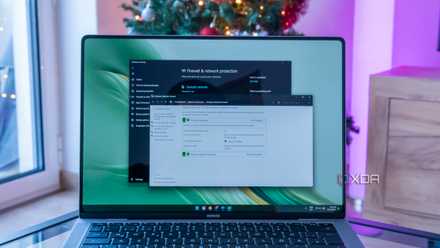
How to set up and use the firewall on Windows 11
The Windows Firewall works well out of the box, but here's how you can set it up
Deny all inter-VLAN traffic by default
Keep everything segregated on the LAN
Even with the best firewall rules in place to cover what's coming from the WAN to your local network, you could still be at risk depending on what you have running at home. IoT hardware is brilliant for adding cool sensors and other battery-powered devices to your smart home, but some of these can come with outdated firmware and even backdoor access or telemetry collection for sending to some random server outside your home. That's no good, particularly if we want a secure home.
It's highly recommended to segregate your network to separate all IoT and smart home traffic on its own VLAN. The same goes for servers and other important infrastructure, your guests and other devices that need vetting, and finally, your home security system. This is how I have my LAN configured, and it prevents any device from communicating with one another unless I explicitly desire them to do so. Just because they're on the same network, it doesn't mean they should always be reaching out to other clients.

How I used VLANs to separate my smart home devices — and why you should too
Why I now always use VLANs to separate smart home devices.
Deny all outbound traffic by default
This is the opposite of our first rule
Just like blocking all inbound traffic, I want to block all outgoing traffic too. That's not to say I don't trust my devices and people using their hardware on the LAN, but it does ensure that should anything become infected with malware or some other malicious software, it won't suddenly start broadcasting from our home to the outside world. The same goes for those pesky AliExpress products that enjoy sending data home to some random server. Not on my watch.

5 essential firewall rules every home lab should have
Before you start playing with services and tools, here's what you should set up first.
Setting up your own firewall is easy
OPNsense is a brilliant package for creating your own router and firewall. All that's required is a mini PC or some other device with enough Ethernet ports and an Intel processor to handle the load. Install OPNsense, and you're good to go. By default, OPNsense will block all traffic as an automatically generated rule, effectively protecting your LAN as soon as it's live. It can be heavily customized, but it's pretty much ready to be set and forgotten about.