
In 1985, the Nintendo Entertainment System (NES) redefined home gaming, but its innovations meant nothing without a way to control them. The console’s innovative architecture, as explored in console meets cartridge, gave developers unparalleled flexibility, allowing game cartridges to extend the system’s capabilities far beyond its built-in hardware. But none of that innovation would have mattered without a way to interact with it.
Before the NES, most controllers relied on joysticks or bulky disc-based inputs, but Nintendo had a different vision. Borrowing from their Game & Watch handhelds, they introduced the D-pad, allowing for responsive directional control in a compact form. This simple yet effective design was so influential that nearly every major game controller since has included some variation of it.
How did a small, plastic controller with just a few buttons become one of the most enduring designs in gaming history? In this article, we’ll break down its physical design, internal technology, and how it communicated with the NES, uncovering why this gamepad left such a lasting mark on the industry.

What happened to the Nintendo Switch emulator Ryujinx?
Nintendo's determined to end emulation of their gaming systems
Inside the NES controller: A game-changing design
A departure from 2nd generation consoles
In 1983, when Nintendo first launched the Famicom (i.e. Family Computer) in Japan, second generation home video game controllers were still heavily influenced by arcade cabinets, usually featuring joysticks with one or more buttons. Other systems, like the Intellivision (1979), had a disc-shaped pad on the bottom half of the controller and a 4-by-3 numeric keypad.
Similarly, the ColecoVision (1982) featured the same type of keypad but opted for a short joystick instead. Atari took another direction with their VCS console, first released in 1977, then rebranded as the Atari 2600 in 1982, and had a joystick and just one button. Nintendo initially planned to follow this standard, even reverse-engineering American joystick controllers to study their design.
The D-pad: A flattened joystick
Nintendo knew that both the Famicom and NES were likely to be played sitting on the ground. Arcade-style joysticks were expensive to manufacture and prone to breaking, especially if stepped on. The solution came from Nintendo’s Game & Watch handhelds, which had a compact, cross-shaped directional pad (D-pad) that was designed to work like a flattened joystick. Their Donkey Kong handheld was the first game to feature a D-pad, enabling it to be folded closed and to reduce the damage risk of a device that was intended to be portable.
In 1982, when development first began on their Advanced Video System (AVS) prototype, Nintendo was already a 93-year-old company, but had only entered the video game industry 9 years prior—Nintendo wasn’t looking to create something state of the art. Gunpei Yokoi, the designer of the D-pad and NES controller, espoused what he called a “Lateral Thinking with Seasoned Technology” design philosophy—an approach that focused on using existing, proven technology in innovative ways. Instead of trying to be cutting-edge, they adapted the low-cost, reliable components from Game & Watch into a NES controller.
The 3 core elements that powered the NES controller
The NES controller can be divided into three key groups: the enclosure, the printed circuit board (PCB), and communication components. Together, these groups handled structural durability, electrical processing, and system input transmission, forming an efficient, low-cost, and durable input device that was easy to mass-produce and minimized human error during assembly.
- The enclosure provided the controller’s physical structure and tactile feel. The housing and buttons were made from injection-molded ABS plastic, with START and SELECT using only the soft rubber with conductive pucks found under the D-pad and the A and B buttons.
- The PCB served as the controller’s electrical backbone. It featured copper traces, black carbon button contacts, and a BU4021B shift register, which converted button presses into serial data. A 5-wire cable connected it to the NES, supplying power, ground, and input signals.
- Communication between the controller and NES relied on digital signaling. Each button press closed a circuit, allowing the shift register to record and send inputs sequentially. The NES inverted the signal before passing it to the game cartridge, simplifying the PCB layout and improving reliability.
Nintendo’s design was smarter, cheaper, and more durable than its competitors. The combination of a digital shift register, a streamlined PCB layout, and intuitive button placement made the NES controller one of the most influential gamepads in history, setting the standard for nearly every controller that followed.
Breaking down the NES controller architecture
A closer look at its core components
The enclosure: Simple yet iconic design
The NES controller’s top shell (front) and bottom shell (back) are made of injection-molded ABS plastic, measuring approximately 4.8 × 2.1 × 0.63 inches (12.2 × 5.3 × 1.6 cm) when assembled. The D-pad and A and B buttons are made from the same hard plastic and sit in their respective openings in the top shell.
Beneath the buttons are rubber membranes with conductive pucks on their underside. The SELECT and START buttons are made of the same rubber material but lack the hard plastic caps the other buttons use.
The D-pad is slightly convex on the bottom, allowing it to pivot in any direction. However, movement is restricted by the cross-shaped slot in the top shell, which ensures that pressing in any direction evenly distributes pressure on the rubber membrane and attached puck below it. If the D-pad were flat, input would be less precise due to uneven distrubution of the directional pressure.
Nintendo didn’t patent Gunpei Yokoi’s design until a year after it was invented, and the 20-year patent expired in 2005.
While Nintendo held a patent for its cross-shaped D-pad, other companies had to develop alternative designs to avoid infringement. For example, one of Sega's D-pad designs was concave instead of convex, pivoted against a curved enclosure, and used four protrusions on its underside to press the conductive pucks on the rubber membrane above the PCB. Since I couldn’t find a public domain image, I created a quick sketch to illustrate the design.
The A and B buttons on the NES controller are simple concave cylinders, held in place by two small tabs that fit into a slot in the enclosure's openings. The cable strain relief follows a common S-pattern design, preventing tension from pulling the cable loose and stressing the PCB’s wired connections. The enclosure is secured with six Phillips-head screws.
Considering the controller’s functionality, its 15-piece design is impressively simple: a front and back enclosure, a matte-printed front label, three plastic buttons, three rubber membranes, six screws, and a PCB—excluding the external cable and 7-pin connector.
The PCB: The technology inside
Inside the NES controller, the PCB serves as the central hub for all electrical connections. It is a single-layer fiberglass board with a green solder mask, measuring slightly smaller than the enclosure to fit securely inside. The PCB is held in place by the enclosure itself, with the buttons, rubber membranes, and cable connections positioned above it.
The button contacts are laid out in eight distinct circular pads, one for each button—Up, Down, Left, Right, A, B, Start, and Select. Each contact consists of copper traces covered by a green conformal coating, with a layer of black carbon on top to improve conductivity and wear resistance. When a button is pressed, the conductive puck on the rubber membrane completes the circuit, allowing the PCB to register the input.
At the center of the PCB is the BU4021B shift register, an 8-bit parallel-to-serial converter responsible for encoding button presses into a format the NES can read. This shift register allows the NES to poll all eight buttons using just three lines (clock, latch, and data), streamlining communication between the controller and console.
Two small pull-up resistors are also present on the PCB. These ensure that button inputs remain at a stable high voltage when not pressed, preventing unintended signals or "floating" voltages from interfering with input detection. Near the bottom edge of the PCB, the controller cable is soldered directly onto five contact points, each corresponding to one of five color-coded wires.
The PCB’s design is impressively minimal, containing only the essential components needed for operation. This streamlined approach reduced manufacturing costs while improving durability and long-term reliability, making the NES controller both affordable to produce and highly resilient over decades of use. Companies like Sega followed suit with a very similar circuit design in the 3-button controllers for their Sega Genesis (Mega Drive).
How everything communicates: The NES controller and the console
Before the NES, video game controllers typically relied on direct wiring for simple inputs or matrix encoding for more complex button layouts, such as those found on the Intellivision and ColecoVision keypads. While these methods worked, they had limitations—direct wiring required more hardware for each new button, while matrix encoding increased circuit complexity and could introduce ghost inputs.
Nintendo’s solution was a shift register for serial communication, making the NES controller one of the first to transmit button data sequentially rather than in parallel. At the core of this system was the CD4021 8-bit parallel-in, serial-out shift register, which allowed all eight button states to be captured simultaneously and sent to the NES one bit at a time. Instead of requiring a dedicated wire for each input or a matrix circuit to scan multiple buttons, the NES controller stored all button states in a shift register and sent them one at a time to the console using only three data lines.

When FBI raids and a rare SNES cheat device collided: The Game Wizard’s mysterious history
The Game Wizard exemplifies why retro gaming is as much about stories as it is about the hardware
The polling process: How the NES received input
The NES constantly polled the controller for input by sending signals through three key lines: Latch, Clock, and Data. The Latch signal instructed the shift register to capture the current button states, storing them internally. The Clock signal then pulsed eight times, shifting the stored button states one at a time to the Data line, which transmitted them to the NES. The NES processed this incoming stream, storing the results in RAM for the game to read.
This polling process happened once per frame at 60 Hz, controlled by the PPU’s vertical blanking interval (VBlank). This meant that the NES checked for new button presses exactly 60 times per second, ensuring that every input was registered in sync with the console’s frame rate.
The controller’s five-wire cable connected directly to the PCB, with each wire handling a specific function:
- White – +5V power
- Brown – Ground (GND)
- Red – Clock signal
- Orange – Latch signal
- Yellow – Data output
Some NES controllers may have red and yellow wires swapped. To verify, flip the PCB and check the pin labeled "OUT"—this is the correct data output wire.
Inversion and why 0 means "pressed"
By design, the NES controller registered a button press as "0" and an unpressed button as "1." This was because the circuit used pull-up resistors, meaning the default state of each button was high (+5V) when not pressed. Pressing a button connected it to ground (0V), pulling the signal low.
However, the NES itself inverted the signal in the console's hardware, flipping 0s to 1s and 1s to 0s before passing the data to the game cartridge. This allowed developers to use a more conventional logic—1 on (pressed) and 0 off (at rest)—without modifying their game code.
More than meets the eye: Hidden efficiencies in the design
While the NES controller’s communication system seems simple, it provided several hidden efficiencies. Serial data transmission reduced the number of required wires, traces, and electrical components, keeping the controller compact and inexpensive to produce.
The shift register allowed the controller to work seamlessly with the NES’s 60 Hz polling cycle, ensuring lag-free input handling. Additionally, by grounding button presses to register them as "0," the design eliminated the need for extra logic chips, making the PCB simpler and more reliable.
The result was an input system that was efficient, cost-effective, and helped set the standard for how modern game controllers communicate with their consoles. Future controllers, including those for the Super Nintendo and Sega Genesis, adopted similar serial data transmission techniques to keep manufacturing costs low while ensuring fast and reliable inputs.
Beyond its time: The NES controller’s lasting impact
The evolution of the D-pad and modern controllers
The NES controller’s cross-shaped D-pad and minimal button layout defined how players interacted with their favorite games, setting a standard that persisted for decades. Since Nintendo patented the D-pad, competitors designed alternative inputs, like circular or pivot-based pads. When Nintendo’s D-pad patent expired in 2005, other companies adopted the classic cross shape, solidifying it as an industry standard.
However, as games transitioned to 3D environments, the role of the D-pad changed. Analog sticks became the primary method of movement, and the D-pad was repurposed for menu navigation, inventory selection, and quick commands.
Even Nintendo has moved away from its own design at times—most notably with the original Switch Joy-Cons, which replaced the D-pad with separate buttons, while the Switch Pro Controller and other third-party Switch controllers retained a traditional one for precision gameplay.
A controller built to last—and to modify
While the NES console and cartridges represented an era of engineering simplicity that seems increasingly rare, the controller itself remains one of the easiest pieces of classic hardware to modify, repair, or even build from scratch. Enthusiasts have found numerous ways to customize their NES controllers, from converting them into USB gamepads, adding Bluetooth for wireless support, or modding them for turbo functionality to allow rapid inputs.
If the NES console and cartridge design left us asking, "Why doesn’t it feel this simple anymore?", the controller provides a different answer—it’s so simple that we can't help but experiment with it, modify it, and make it our own. Whether restoring a well-worn original, adapting it for new technology, or learning how its circuitry works, the NES controller remains a gateway to both gaming history and hands-on creativity.
Gunpei Yokoi’s innovative approach to product design continues to inspire engineers and enthusiasts today, proving that sometimes, the simplest ideas have the most lasting impact.
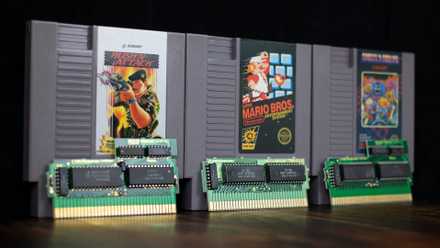
Console meets cartridge: Breaking down the architecture of the NES’s unique design
The NES architecture can be divided into three key groups: CPU-related components, PPU-related components, and cartridge-specific components