
Synology used to power my entire smart home. The single prebuilt turnkey network-attached storage (NAS) box ran it all. Home Assistant, backups, media streaming, office suite, and home surveillance. You name it, it was on my Synology NAS. DiskStation Manager (DSM), which powers all DS NAS models from the brand, is absolutely wonderful to use, both as a beginner and someone with years of experience with network storage. It works and works well with the hardware inside the metal and plastic shell.
The main issue with Synology NAS isn't limited to this vendor specifically, but is something that affects most turnkey NAS options. Synology is usually a safe bet to get up and running at home or in a small office setting, providing everyone with a central location to store lots of data. I've used a few models from Synology and other brands over the years to store all our content and have never had an issue with the hardware or DSM itself. But I'm comfortable with running my own systems, which is where things can fall apart here.
Using old hardware can be a great way to enjoy some savings, learn something new, and pave the way for future upgrades and servicing. With a turnkey NAS, you're at the liberty of the vendor to continue supporting the model you purchased and own. Any support needs to go through the brand, and there are usually very limited avenues available for upgrading the enclosure as a whole. Throw a free NAS distro like TrueNAS into the mix, and you've got one compelling place to store data and run services.
I made the leap from a Synology NAS to a custom compact PC, and I'm not turning back for our primary NAS.
Turnkey NAS is no longer for me
Though I've not thrown them out completely
I may not be using Synology NAS as my primary means to store data, but that doesn't mean it's not longer playing a role in my home lab. I'm still using the trusty DS1019+ with its five drive bays and Intel processor, which was originally launched in 2020. What replaced this aging enclosure was a compact system running TrueNAS SCALE. I manage pretty much each part of our home network with custom hardware and software. The NAS became an exception where it was almost entirely proprietary.
Our data needs continued to grow, and I eventually needed to offload many of the services that were previously hosted on that very NAS due to performance concerns. I was simply demanding too much from the NAS — it wasn't designed for running an entire home lab, as well as handling data storage and streaming. Having everything on a single system also left me slightly concerned due to the single point of failure. If the NAS goes offline or I need to perform maintenance, everything grinds to a halt.
Synology NAS and other turnkey solutions are great in that they bring together storage management, user accounts, shares, snapshots, backups, packages, and much more into a single unified user experience. DSM is flawless in that regard, but it's also equally limiting and reminds me very much of Apple. Being able to split up the existing NAS into multiple Proxmox nodes and a dedicated custom box running TrueNAS SCALE allowed me to spread storage and hosting out to multiple devices.
Power usage did increase, but it opened numerous doors that were previously closed. I was able to expand our surveillance system, go all-out with 4K content for streaming, and enjoy virtualization for testing and experimentation.
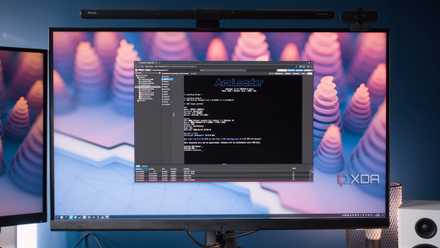
Proxmox running Xpenology gave me the best of both worlds for my home NAS
Synology > TrueNAS > Synology.
Why TrueNAS won me over
It feels more like infrastructure
A Synology NAS feels like an appliance, and that's by design. It's supposed to be something that's both easy to use and doesn't cause much of a fuss. TrueNAS, on the other hand, requires navigating up a steep learning curve, commands your attention to figure out where everything is located, and requires beefier specs to get up and running. But once you've grown used to how ZFS and TrueNAS work, it's difficult to go back to a turnkey NAS OS.
TrueNAS provides more direct control over storage, networking, shares, apps, and virtualization. But it's mainly about what's under the hood with ZFS support. This is fantastic for snapshots, replication, scrubbing, and general reliability when storing a lot of data. Building a custom system with TrueNAS feels less like using a NAS and more like building a small storage server. I know both are interchangeable, especially with the prebuilt NAS of today, but it's still a different approach to network storage.
Synology's NAS OS is considerably easier than TrueNAS and most other turnkey software solutions, but it can also feel just as restrictive as other brands, which is where NAS distros like TrueNAS can really shine. All I needed was a mini PC or compact desktop with a CPU and enough RAM to run the OS. Drives were easily connected inside a chassis with a few SATA ports at the ready, moving up to larger capacity drives to make better use of available interfaces
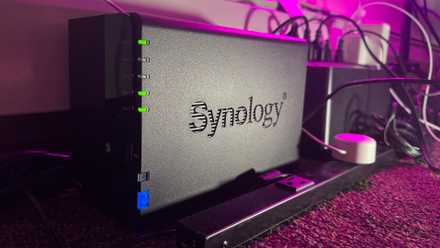
I love my Synology NAS, but the company has lost my trust
It will affect my purchase decisions and recommendations now
No longer waiting on Synology
One thing I didn't expect to change was the fact that I now no longer find myself waiting on Synology to launch the next best NAS. We all complained about many NAS models only supporting 1Gbps, and now we're seeing Synology move to 2.5Gbps, but I don't need to wait for the company to make these moves. If I need more bandwidth, I can install a PCI network interface card (NIC). The same goes for drives. Even without free SATA ports, PCI expansion cards can be inserted to provide more ports.
Then there's the CPU and memory. Depending on what's being used to run TrueNAS or another free NAS distro, the processor may be able to be replaced with a more powerful model. RAM modules may be able to be replaced with larger, faster sticks. It makes the NAS more like a server that can be easily upgraded and managed, compared to a preconfigured appliance that gets set up and forgotten about. I didn't give up on Synology NAS, but making the move to a custom box with TrueNAS made more sense.