
I don't think I've ever met someone who got into making a home server and started out with a full-tower ATX case or a NAS enclosure. It always begins with repurposed desktops, old laptops about to be taken to pasture, or leftover office machines. However, what almost always happens is that those home servers begin accumulating responsibility. One drive becomes three, and three becomes six. Suddenly, this box in the corner isn't just the "Plex box" anymore, and it begins holding backups, personal data, family photos, documents, and things you'd genuinely be upset if you lost.
That slow shift is where many home servers quietly outgrow their original design. Storage stops being just a few drives, and it starts becoming infrastructure, and that's where HBA cards enter the conversation. It's also where HBAs are often misunderstood, dismissed, or written off as unnecessary. They don't necessarily make your server faster, but what they can do is remove uncertainty, reduce complexity as systems grow, and make storage behave the way your home server expects them to behave, making them one of the most underrated upgrades you can make.

A dedicated boot drive is the most underrated server upgrade
A cheap upgrade to calm the chaos and keep your data safe.
HBA cards do matter, but only after your server stops acting like a PC
Onboard SATA controllers are almost always enough
It's important to get this out of the way first: onboard SATA is not bad at all. For most users, it's perfectly reliable. If you're running a small server with a handful of drives and no serious plans to expand, your motherboard's SATA ports will likely serve you well for years. The problem, however, is scale.
Home servers tend to evolve organically. Drives get added over time, and they come in different models, sizes, and even controllers. BIOS updates happen, and operating systems get reinstalled. What may start as a simple setup slowly transforms into something you depend on, but didn't architect from the start.
That's when little inconsistencies begin to matter. Port orderings could begin to change, controllers may behave differently after updates, and importing storage pools would become less predictable than it should be. Nothing is catastrophically broken, but things feel more fragile than they ought to. HBAs exist specifically for this phase, when your server stops being a PC with storage attached, and starts becoming a storage system in and of itself.
SAS HBAs are one of the best gifts you can give your home server
When scaling is on the cards, there's nothing better
Now, an HBA is any card that connects a system to another bus, so network cards, RAID cards, and in the strictest sense, even GPUs could qualify for the distinction. But for home servers, the HBAs I'm talking about are SAS HBAs to connect large numbers of SATA or SAS drives.
These cards don't manage arrays or cache data. They don't try to be clever in any way. Their entire job is to expose each connected drive directly to the OS, exactly as it exists. Think of them as a very boring, very reliable bridge between your drives and your OS.
Using simple breakout cables, a single SAS HBA can support eight, sixteen, or even more drives from just a single PCIe slot, without ever having to rely on port multipliers or stacks of cheap add-in cards. This is why they're so common in real servers: they scale cleanly, predictably, and with minimal fuss.
Onboard SATA isn't the enemy
It just comes with its limits
I'm not saying that HBA cards need to replace your onboard SATA controllers right this instant, because they don't. Onboard SATA in home servers is generally stable and mature, but they're rarely the focus of motherboard design, especially when you consider consumer platforms.
Under light workloads, that's rather okay, but once we enter the territory of sustained, multi-drive activity, it can become messy once things get pretty busy. An HBA avoids this problem by putting storage I/O on a dedicated device with known behavior and well-understood drivers. It's not about speed, but more about removing variables as your setup grows.
Making sure your HBA is in the right mode matters a lot
Initiator Target over RAID, thank you very much
One of the most important yet overlooked aspects of using an HBA is how it's configured. Many storage controllers support hardware RAID modes, where the card itself manages arrays. This can work in enterprise environments with proper redundancy and support contracts, but it's generally a poor fit for home servers running operating systems like Unraid or TrueNAS.
Filesystems like ZFS, or platforms that rely on software-defined storage, expect direct access to individual disks. They want to handle redundancy, error correction, and recovery themselves. So, when a controller sits in the middle making decisions, it can obscure errors and create dangerous failure modes.
This is why HBAs are typically run in IT mode, where all RAID functionality is disabled. In this configuration, the card becomes pretty much a transparent conduit, where if it fails, your drives can simply be moved to another system and recognized immediately.
Predictability and reliability are the overlooked advantages of an HBA
Performance isn't what an HBA offers, but you can always bank on it
With a SAS HBA added to your home server, your drives are always going to show up the same way with every boot. Port numbering won't ever shuffle around, and firmware updates won't introduce strange behavior. Even moving a whole group of drives to new hardware won't require special tools or prayers.
This boring consistency is why these cards have been deployed in server environments for years. Many popular models are based on controller families that have seen massive real-world use, and their behavior is extremely well understood. They're not exciting, but they're trustworthy, and that matters more than benchmark numbers when your server is holding data you and your entire family care about.
HBAs also make expansion simpler. Whether you're using a large tower case with several drive bays, a backplane, or even a repurposed server chassis, a single card can handle dense storage layouts cleanly without turning your system into a mess of adapters.
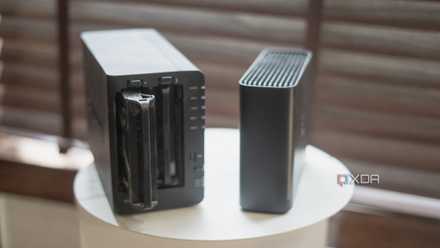
9 common NAS mistakes beginners make and how to avoid them
Put together a robust setup from the get-go
Does your home server require an HBA immediately?
If your server already runs multiple drives and uses a serious FS, SAS HBA cards make incredible sense.
Doubtful. HBAs aren't mandatory by any stretch of imagination, nor are they a universal upgrade. They definitely consume more power than onboard SATA, they generate more heat, and they even introduce a small learning curve. For very small home servers with no growth plans, they can add unnecessary complexity. So, think hard about your server's future and use case, and see if you've got significant scaling on the horizon.
But if your server already runs multiple drives, uses a serious filesystem, or is expected to grow significantly over time, then a SAS HBA starts to make a lot more sense. It's not going to make your system faster in the case of a typical home HDD setup, but it will make it calmer, cleaner, and more resilient to change. That's why they're so underrated in the first place. HBAs don't promise flashy gains, but end up quietly solving problems you haven't even run into yet. Once you do, however, you'll end up wondering how you ever scaled your home server without one.