
Most users treat Claude as a sophisticated AI board where you dump a prompt and hope for a clean output. But if you are using it that way, you are only scratching the surface of its utility. For a long time, I found myself re-uploading the same style guides and technical documentation to Claude every single morning just to get it up to speed. That changed when I stopped treating it like a simple chat box and started utilizing Claude Projects.
Thanks to Claude Projects, I have managed to cut out the repetitive setup phase of AI work and saved hours of context-switching and manual uploads every single week.
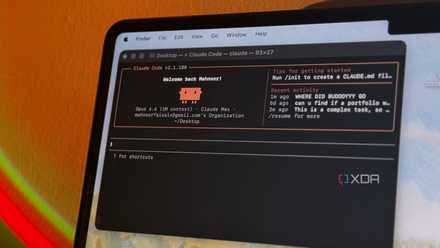
I gave Claude Code control of my desktop for a week, and it automated things I didn't think were possible
I was seriously stunned.
What most people do
The wrong way
Most people are using Claude entirely the wrong way, and it’s likely costing them hours of labor every week. You open a fresh chat and spend the first ten minutes setting the stage. You are uploading your latest spreadsheet, copy-pasting your brand guidelines, or explaining (for the hundredth time) that you are writing for a technical audience that already knows what a bootloader is.

Claude Projects
Trivia challenge
Think you know Anthropic's powerful workspace feature? Put your Claude Projects knowledge to the test.
What is the primary purpose of Claude Projects?
Which company developed Claude and its Projects feature?
What is a 'Project instruction' in Claude Projects?
Which Claude subscription plan is required to access Claude Projects?
What types of files can users upload into a Claude Project to give it persistent knowledge?
How does Claude Projects handle conversation history differently from standard Claude chats?
What is the maximum project context window size that Claude Projects can leverage, as of Claude 3 models?
Which of the following best describes a practical use case for Claude Projects?
Your Score
Thanks for playing!
Before I started using Projects, I was dealing with such a setup phase. That’s where most people get it wrong. They treat Claude like a one-off assistant instead of a persistent workstation. In my case, I had to re-explain the topic cluster I was covering. The preparation before the actual task had become a task in itself. And there were inconsistencies in the output as well. When I put in a detailed, well-crafted prompt, the results were good.
When I was in a hurry and kept the setup brief, the quality dropped noticeably. There was no baseline. Then I found Projects and realized I had been doing this the hard way for months.
Enter Claude Projects
Let’s go over the basics
When I first came across the Projects feature, I almost overlooked it. It sits quietly in the left sidebar of Claude’s interface, easy to miss if you are focused on jumping straight into a new chat. But once I understood what it actually does, it changed how I use Claude entirely. At its core, Projects is a persistent workspace inside Claude. Instead of starting a new conversation with zero context every time, you work inside a dedicated space that retains information across all your sessions.
For instance, I can use custom instructions and define how Claude should behave within that specific project. I can set the tone, specify what to avoid, and give them a clear picture of my goals. It runs in the background on every conversation automatically. I can even upload relevant files directly from Google Drive or the local storage and give context to Claude. Together, these things eliminate most of the setup work that used to slow me down.
Claude already knows my context before I type the first word. I can open a project and get straight to work, whether I’m drafting an outline, copy editing a client’s website, or running a quick brainstorm. Let’s check it in action.
My personal workflow
Real-world use cases
A perfect example of this in action is a project I managed for Swami Jewels, a diamond jewelry manufacturer. Normally, a client like this comes with a number of assets: rough notes on diamond clarity, specific brand design guidelines, a very specific luxury tone of voice, and even short promotional banners from Canva.
In a standard AI workflow, trying to keep all those details across a dozen different chat sessions would be a nightmare. Instead, I built a dedicated Claude Project for Swami Jewels with relevant instructions (things like how descriptive the copy should be, what emotions the writing should evoke, and how technical or simple the language should stay when describing jewelry pieces), PDF style guides, the technical spec sheets for the latest collections, and more.
The result was immediate. I could open the project and ask Claude to write a product description for a new item, and it would produce something that actually sounded like the brand (without me explaining any of it). I used it for copy editing existing descriptions, writing new ones from scratch, and drafting short promotional lines. The output was consistent across every session because the context never disappeared.
This is just one example. The same setup works for any recurring project where context matters. Going forward, I’m planning to create a project for my home lab where Claude remembers all the technical details about my Docker setup, library of YAML configs, Pi-hole logs, and more.

I connected these tools with Claude and my productivity doubled in no time
My journey form overworked to automated.
Don’t overlook this Claude feature
The shift from Chat to Projects is the moment Claude evolves from a clever party trick into a professional workstation. By uploading a burden of context to a persistent Project, you aren’t just organizing your files – you are creating a specialized assistant that actually understands basic details of your work.
If you are ready to stop using AI and start building with it, Projects is the place to begin. So, what are you waiting for? Take ten minutes to set up your first Project today and stop starting every morning with a blank text box and a copy-paste routine.
- OS
- Windows, macOS
- Individual pricing
- Free plan available; $17/month Pro plan
Claude is an AI assistant that rivals ChatGPT and Gemini.
- Group pricing
- $100/month per person for the Max plan