
Claude Code is exactly the kind of tool that should make Home Assistant easier to manage. Home Assistant is powerful, flexible, and full of tiny decisions that pile up over time. It also has a habit of turning simple ideas into long evenings of YAML edits, entity cleanup, automation traces, and forgotten helper names. Giving Claude Code access to that environment sounds like the obvious next step.
The problem is that the idea currently feels better than the experience of getting there. Claude Code can help with automations, configuration review, entity discovery, and debugging, but the path into Home Assistant still feels rough. There are add-ons, MCP servers, authentication steps, callback URLs, browser handoffs, and enough setup vocabulary to make a normal smart home user back away. The promise is real, but right now, the setup asks too much before it gives anything back.
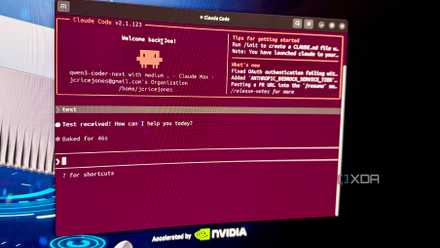
Claude Code's real power comes from the tweaks nobody wants to talk about
Claude Code gets better when you stop chasing flashy workflows and start tightening the boring setup details.
The add-on solves a real Home Assistant problem
Natural language finally has somewhere useful to land properly
Home Assistant already has plenty of ways to create automations, but most of them still require you to think in Home Assistant’s internal language. You need to know which entity matters, which state value is correct, and whether a condition belongs in the trigger or the action. That’s fine once you’ve lived inside the system for a while. It’s less fine when you just want the hallway light to behave better after midnight.
Claude Code changes the shape of that work by enabling it to reason across the setup rather than only reacting to a single screen. It can look at automations, spot repeated logic, suggest cleaner naming, and explain why something might be firing at the wrong time. That matters more than having another chatbot bolted onto a smart home dashboard. The value comes from giving the assistant enough context to understand the system.
That’s why Claude Code for Home Assistant is worth caring about, even in its current state. The best use case isn’t asking it to turn on a light. It’s asking why a light keeps turning on, why an automation behaves differently after a restart, or whether a pile of scripts should be consolidated. Home Assistant has always rewarded careful maintenance, and Claude Code is well-suited to that kind of work.
The setup still feels too scattered for comfort
Too many pieces arrive before the useful part
The trouble starts when the setup stops feeling like one thing. You’re not just installing Claude Code and flipping a Home Assistant switch. You may be dealing with an MCP server, a Home Assistant add-on, a local terminal, an authentication flow, client configuration, network access, and sometimes a remote URL or webhook path. None of those pieces is impossible on its own, but together they create a setup that feels unfinished.
That matters because Home Assistant already has a reputation for rewarding patient users and punishing impatient ones. The project has improved a lot over the years, especially through better dashboards, helpers, and visual automation tools. Still, connecting an AI coding agent to a live smart home should not feel like assembling three separate hobbies into one afternoon. The feature is too important to hide behind that much friction.
It also introduces trust questions earlier than it should. Before you even get the benefit, you’re deciding what Claude Code can see, what it can edit, and how much access your Home Assistant instance should expose. Those are serious decisions, not setup trivia. A cleaner onboarding flow would make those choices clearer rather than burying them in configuration steps and community instructions.
The early friction does have a reasonable excuse
Home Assistant power users are testing the hardest version first
There is a fair defense of the current mess. This is early technical territory, and the people most likely to try it first are exactly those willing to wrestle with rough instructions. Home Assistant has always grown through community experimentation, and some of its best ideas started as tools for people who did not mind getting their hands dirty. Claude Code integration is following that familiar path.
There’s also a safety argument for not making this too simple too quickly. Claude Code is not just a voice assistant answering trivia. It can inspect files, propose edits, run commands, and interact with tools when configured to do so. When the destination is a smart home that controls locks, lights, cameras, alarms, thermostats, and power devices, a little friction is not automatically bad.
The current approach also gives power users the flexibility to decide how much access they want to grant. Some people may only want Claude Code to read entities and explain automations. Others may want to edit YAML, reload configurations, or help rebuild complex workflows. A polished one-click setup could accidentally hide those differences. For now, the rough edges force users to think before giving an AI tool meaningful control.
That excuse only works for so long
Useful tools should not require detective work forever
The safety argument is valid, but it cannot serve as a permanent shield for poor onboarding. There is a difference between deliberate setup and scattered setup. A careful flow explains permissions, shows examples, warns about risk, and gives users a clear path back if something breaks. A scattered flow sends users bouncing between docs, logs, add-ons, forum posts, and half-remembered terminal commands.
Before connecting Claude Code to Home Assistant, make sure you understand exactly what it can read and change. Start with the least access you can get away with, test it on harmless automations first, and make a backup before letting it touch anything important. An AI helper can make cleanup easier, but your smart home still controls real devices in real rooms.
Home Assistant needs Claude Code integration to feel more like a guided configuration process. The first step should explain what the assistant can do. The next step should define access levels in plain language, with separate choices for read-only analysis, automation suggestions, and file editing. The final step should test the connection with safe examples before the user points it at anything important. That would keep the guardrails without making the user build the road.
Claude Code also needs better Home Assistant-specific expectations. It should know when to suggest a backup, when to avoid editing a live automation, and when to ask before changing entities that control physical devices. That does not mean turning it into a nervous assistant that refuses every useful task. It means making the tool aware that a bad smart home edit can affect a room, a routine, or a sleeping household.
Home Assistant needs this idea to become boring
Claude Code for Home Assistant is exciting because it points toward a better way to maintain smart homes. The best smart home systems are not just collections of devices. They are living setups that need cleanup, documentation, refactoring, and occasional therapy after years of accumulated experiments. Claude Code can help with that work in a way that normal voice assistants never really could.
Claude Code is exactly the kind of tool that should make Home Assistant easier to manage.
Right now, though, the setup is still too messy for the idea to feel ready. The pieces exist, and the direction is right, but the experience needs fewer detours and clearer permission choices. Home Assistant users should not have to become MCP cartographers before they can ask an assistant to review an automation. Once the setup becomes boring, Claude Code could become one of the most useful maintenance tools Home Assistant has ever had.
Claude Code can offer a lot to your Home Assistant setup, once you get past the onboarding.