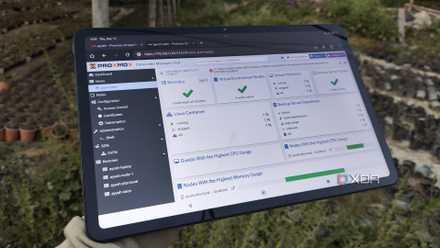
When you think of home labs, you’d probably imagine PCs running virtual guests, containerized apps, and server-tier tools around the clock. Well, depending on your specific computing requirements, that may be the case for the essential utilities you’ve deployed on your nodes. However, you don’t need to run all your home lab services 24/7, and I’m not just talking about bulky experimentation VMs and GPU-powered AI-heavy containers, either. Once you dive headfirst into the home lab domain, you’ll run into tools that work significantly better when you schedule them to run at fixed intervals instead of keeping them operational all the time.
5 things you should back up in your home lab
You're going to break things, here's how you get back on track.
Rsync tasks, PBS snapshots, and Kopia backups
The same holds for 3-2-1 backup workflows
Let’s say you’ve armed your server nodes with all the containers and VMs you need for your tinkering tasks. But considering that home labs are meant to be experimental, a single blunder can bring your arsenal of virtual guests to its knees. Worse still, it’s possible for your server’s inhabitants to become unrecoverable if your experiment goes terribly wrong. That’s why you’ll often hear DIY enthusiasts (including yours truly) sing praises of Rsync, Proxmox Backup Server, Kopia, BorgBackup, and other services that create snapshots and redundant copies of your data.
That said, to keep your backup tasks running 24/7. Writing data continuously can impact your drive’s health, and these operations can end up tanking your LAN’s bandwidth. Weekly backups to a local NAS should suffice for most tinkerers, and you can also schedule daily snapshots for high-priority virtual guests. If you've got a 3-2-1 backup setup like I do, syncing the essential services to your offsite server once every month should be more than enough to counter data loss if your entire home lab conks out.
Data scrubs and S.M.A.R.T. tests
Daily drive scans are overkill
Assuming your server nodes support ZFS or Btrfs, scrub tasks can ensure your data remains in tip-top shape. For the uninitiated, a scrub operation involves re-computing a unique identifier called a checksum for your files and comparing them with the old checksums created by ZFS/Btrfs at the time of a data block’s creation to check for corruption and other inconsistencies. Running scrub tasks on a monthly basis works best, as they tend to be rather demanding on storage drives and could end up damaging them if you run them too often.
Likewise, you’ve also got S.M.A.R.T. scans, which read the monitoring information that’s built into your storage drive’s firmware. While it’s possible for a drive to ascend to tech heaven even with perfectly fine S.M.A.R.T. values, some of these statistics can indicate faulty HDDs and SSDs. If your server’s OS supports quick S.M.A.R.T. scans, you can automate them to run on a weekly basis, while extended tests are best scheduled every month.
Container updates
It's also a good idea to check the new images for bugs
Leaving archived and dead projects aside, developers tend to add new features and patch out bugs every once in a while to their container images, and it’s a good idea to arm your self-hosted stack with the latest versions of these tools. But considering the sheer hassle with updating dozens of containers manually, you might be tempted to deploy Watchtower, What’s Up Docker, or other automation tools to outfit your containerized apps with new images en masse.
That said, I wouldn’t recommend configuring auto-updates every day… or even for every single application. Broken images aren’t uncommon in the home lab ecosystem, and if you’re particularly unlucky, you could end up with a bricked network stack just because your automation tool updated your local DNS server with faulty packages. For mission-critical containers, you’d want to set up automation rules to get notified when a new image is available instead of letting the auto-update facility kick in all the time.
Nmap scans, Evil-WinRM tests, and Aircrack-ng audits
I’d go crazy if I pen-tested my home lab with Kali tools every day
Call me paranoid if you want, but I often use the tools built into Kali Linux on my home lab nodes and virtual guests just to test for vulnerabilities. For example, Nmap is perfect for checking the open ports in my arsenal, and it’s especially handy to test my firewall’s capabilities when I modify the traffic rules.
Likewise, I rely on a Windows 11 dev VM for projects that involve excessive coding, and Evil-WinRM helps me check whether my SMB and RDP connections compromise the VM’s security. Then there’s Aircrack-ng, which lets me test the security of my Wi-Fi connection. Since keeping my Kali Linux VM operational all the time would be too taxing on my sanity and the host server, I run these pen-testing tools once every few months.