
Building a Network-Attached Storage (NAS) device is an easy process since it can involve using an old desktop PC. A NAS is essentially a PC with numerous storage drives, and using an old PC case can make for the perfect storage server. This is largely due to the ability to install countless drives, recycling old hardware to save money, and using standard parts that make servicing much easier than pre-built turnkey NAS devices.
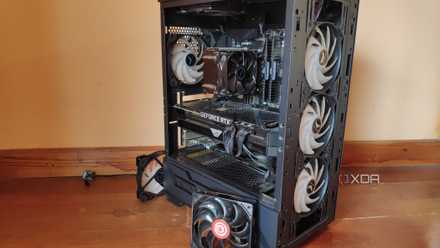
How to turn an old PC into a NAS
If you have an old PC still lying around, you could turn it into a NAS.
4 Countless drive bays
More than you'll need, for sure
Newer PC cases don't have the same drive cages that older systems had, allowing numerous drives to be installed. Although you can build a NAS with flash storage, using solely SSDs, I still recommend using mechanical hard drives because they offer better value than SSDs, have higher capacities, and are also designed for prolonged use inside a server chassis. Older PC cases can support more drives than newer chassis, outside of dedicated server cases.
The more drive bays available, the higher the capacity of the NAS when fully populated. It's best to fill up your NAS with drives as you expand your data platform. Start with larger drives, which can provide higher capacity. It's better to have two 16TB drives in RAID than four 4TB drives. Depending on the RAID used, you could lose more storage space and have fewer bays to populate additional drives with. Installing two more 16TB drives in the first example would provide more than 32TB of total space.
3 Recycling old hardware
It's better for the environment
Because we're using existing hardware, we're not purchasing new parts. The case is the largest piece of the puzzle and contains a lot of material. Keeping all this out of landfills or local recycling channels helps the environment and your wallet. If you're purchasing a used old PC case, this should have everything you need to install all of your existing hardware. But it's even better if you already own an old PC with one of the beige towers.
Using older PC parts can still prove to be more powerful than recent pre-built NAS models. QNAP is one of few brands with NAS devices rocking desktop-class processors, but even then, they're often limited in other areas. Using standard PC parts, even older ones, can often provide the means to build a truly powerful system. IT's akin to someone recycling old server hardware because it's cheap, powerful, and has plenty of expansion support and upgrade paths.
2 Can be more affordable
Spend more on other parts
The cost of storage isn't cheap, especially when creating your NAS from scratch. The price of drives can eat into your budget when moving up the capacity range. Mechanical hard drives do offer better value than their SSD counterparts, but you'll have to deal with noise, potential mechanical failure, and other issues relating to their design. Still, NAS drives are designed to run continuously for many years and have extended warranties.
Saving money on a NAS by purchasing (or re-using) an old PC case can prove invaluable when attempting to keep costs low.
1 Standard ATX form factor
No awkward dimensions
Pre-built turnkey NAS are great for newcomers to the wonderful world of NAS, as well as those who simply wish for a compact system dedicated to storing and serving data. The issue arises when something goes wrong outside of warranty, and you need to replace the entire device since you can't make any repairs due to proprietary parts. It's why PC gaming is usually favored over console since you can at least perform some sort of servicing on a PC.
The same goes for a NAS. Building one from scratch using an old PC is an easy process thanks to the ATX standard, where everything should be compatible, even if you plan on using much newer hardware with an old chassis. You may have to deal with a lack of cable management and some other classic design choices that have been improved over the decades, but it's ready to support most motherboard types, all your hard drives, and even the PSU.
Building a NAS yourself is the way to go
Creating your own hardware is a great way to save money, learn something new, and ensure you can upgrade the hardware later. A NAS is no different, and using older PC cases can prove useful if you plan on using multiple mechanical drives, want something that doesn't look like a server rack, and wish to help the environment and your wallet. Depending on the case you pick up or own, you could create a truly powerful multi-purpose storage server.

Should you build your own NAS or buy a pre-built? I've done both and here's what I learned
Do you build a NAS yourself or buy one off the shelf?