
Creating a media streaming service of your own is incredibly straightforward. You can run software such as Plex Media Server on just about anything, from your desktop PC to network-attached storage (NAS) or single-board computer (SBC). Already running an instance of Plex on my primary home-based NAS, I decided to create a secondary media streaming service on nothing but an SBC and a single drive. Using the excellent ZimaBlade and TrueNAS OS, here's how I created a media center using an SBC.
Choosing an SBC (or NAS)
ZimaBlade is amazing, but so too is Raspberry Pi
Choosing an SBC for hosting a media center is easy so long as you choose one with a capable processor. A Raspberry Pi or ZimaBlade will be great for running Plex, though you may encounter issues when transcoding due to the low-power chips. So long as the client device supports the file type, you'll be able to stream with very few system resources utilized. One of the reasons you may wish to use an SBC over a NAS or even a desktop PC is the convenience and easy deployment.
These devices are tiny and are capable of running powerful operating systems. The ZimaBlade I'm using for this media server has everything we need to run TrueNAS SCALE. 16GB is enough system memory and the Intel chip is fully supported, though it's not the latest and greatest from Intel. The ZimaBlade does come with casaOS installed, but I'm a big fan of TrueNAS and how it's easy to deploy just about anything you could imagine, from game servers to surveillance systems.
One problem with using an SBC for running a media server is storing lots of data. These devices often have SATA or USB ports for hooking up drives, but these are not installed inside the chassis and are instead located externally. That wouldn't be a problem if we're using external drives, but the ZimaBlade has two 6Gb/s SATA ports for internal SSDs. Luckily, a 2.5-inch SSD has no moving parts, so we can set everything up accordingly without causing damage to either of the two drives.
A NAS enclosure could be a good shout for creating a media streaming platform, but these are larger (and more expensive) devices.
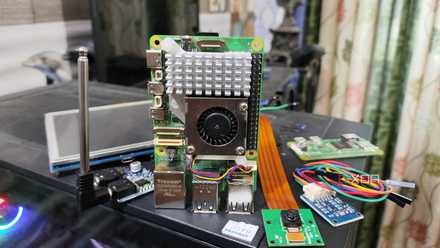
5 reasons everyone should buy an SBC, from affordability to simple curiosity
Go on, build something
Installing TrueNAS and Plex
The best of both worlds
Setting up TrueNAS SCALE on the ZimaBlade is straightforward. Simply remove the USB drive, copy across the OS files, connect the ZimaBlade to a power source, and run through the TrueNAS SCALE installer. Once installed, TrueNAS SCALE can be completely managed through its powerful web GUI. Find the IP address assigned by the network and load up TrueNAS SCALE. Before installing Plex Media Server, it's a good idea to configure the network stack to use a static IP address to make future connections easier.
If this is your first time using TrueNAS, you'll need to configure pools and datasets for the connected drive(s) where we'll be storing media files. After that, we can work on installing Plex on TrueNAS SCALE. This process is incredibly easy and is almost the same as installing Plex on a prebuilt enclosure, such as a Synology NAS. Log into TrueNAS SCALE, go to Apps, and install Plex Media Server. When installing Plex, you can provide a claim code if you have the Plex Pass. After the app is installed, Plex can be loaded using the same UI and respective port.
That's all there is to it! The ZimaBlade SBC is now running Plex Media Server through TrueNAS SCALE with an SSD or two connected to the available SATA ports. Alternatives to TrueNAS and Plex Media Server are available, should you prefer to use something else and achieve similar results.

Best Plex alternatives in 2024: Jellyfin, Emby, and more
If you're looking for an alternative to Plex, there are a few options that are just as good.
It's easy to create your own SBC media center
An SBC can be purchased for as little as $30. Plex Media Server can be installed for free with the Plex Pass unlocking additional functionality for a low yearly fee or a single lifetime purchase. The choice of operating systems isn't as important as you'd assume since we'll be spending as little time using the SBC outside of the media center interface, but TrueNAS SCALE is a great OS if you want a powerful system outside of what's available for the SBC from the manufacturer. Pick up an SBC for yourself today and start playing around to create a powerful server.