
The 3-2-1 backup rule is a great way to ensure your data is safe from corruption, ransomware, and loss. With the rise of network-attached storage (NAS), it's evident we're all creating and needing to store more data than ever before. Your smartphone, tablet, laptop, desktop, server, NAS, and everything else with an OS and files need to be backed up. That's where the 3-2-1 backup rule can make it easy to create a reliable solution to all your data security needs. Here's how to set it up.

2 What is the 3-2-1 backup rule?
It's the backups of backups
A good rule of thumb for backing up data is three copies, two storage devices, and two locations. Having more than one copy of your important data and backups is vital in case something happens to your primary devices and where the backups are stored. Here's a clear representation of the rule in action:
- 3 data copies.
- 2 storage devices.
- 1 backup stored off-site.
You'll need three copies of your data. That's three copies of all documents, backups, configuration files, basically everything you wish to protect. Two storage devices need to be used, which can consist of an external drive, NAS, DAS, another PC, or cloud storage. One of these needs to be located off-site — for homeowners, cloud platforms such as OneDrive are the most convenient and cost-effective solution for off-site storage.
Better still, ask a friend or family member if you can securely store your backup at their property inside a safe. RAID is important for NAS and other systems with multiple disks and pools, but it shouldn't be relied upon as a form of backup since it can easily fail, requiring the RAID itself to be rebuilt using backups.

4 backup strategies for your personal NAS
If you want to back up your NAS, these are the backup strategies you should consider.
1 How to set up the 3-2-1 backup rule
Easy as 1-2-3
The first thing to consider when looking to back up your data is what you need to back up. Not everything needs to be backed up, which can help keep storage capacity requirements (and associated costs) low. First, we'll need to plan out how we're going to back everything up. Make a list of all your devices, including those within the household that you'll also ensure will be protected, and work out what you can use to store backups to meet the 3-2-1 rule.
- Plan your backups by listing all devices.
- Choose your storage mediums (drives, NAS, cloud).
- Consider how you'll store backups off-site.
- Read some guides on XDA on how to back up your devices — Windows, Android, and iOS.
- Configure each device to back up to all your locations.
You can use a NAS to collate all the backups from devices and act as a bridge of sorts to help with the automation. All the data on the NAS can then be replicated elsewhere, using the USB ports for external drives, or connecting to other servers/services for cloud-based storage. Rsync and Kopia are just two examples of some excellent tools available that can make the job of backing up all your hardware easier. How often you should back up devices is a different question altogether.
Smartphones and other devices where numerous new files are generated regularly can be backed up more frequently than a NAS running Jellyfin. Long-term cold storage is also an option for stashing data you won't require for some time. It can prove expensive, but it is a reliable option for those who take their data storage (and recovery) seriously.
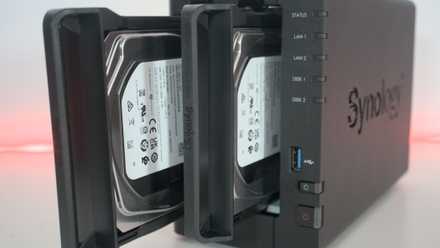
How to back up a NAS
Backing up a NAS is a bit of a complicated endeavor, and it's not really as simple as just plugging in an external drive and saving your data.
Use the 3-2-1 rule as a baseline
The 3-2-1 backup strategy, originating from a photographer who formulated the rule after querying various IT professionals, can help you safeguard hardware against data loss. Times have changed, and now it's possible to use cloud storage as a means to store data, but we're creating more files than ever, and storage requirements are only set to increase. Depending on what kind of data you work with, the 3-2-1 rule can be adjusted to better suit your needs.