
Choosing where to store all your backups can be simple if you utilize integrated services on your smartphones and other devices, but this can increase costs. So long as you follow the 3-2-1 backup rule, you'll have multiple copies of backups across various platforms, but network-attached storage (NAS) should be included in the mix. Cloud-based storage from Google, Microsoft, Apple, and other providers is great for convenience without setting anything up. Still, you will most likely need to fork out for a subscription to provide enough space to store everything. Here are some reasons you should use NAS to back up data.

4 Back up multiple devices with ease
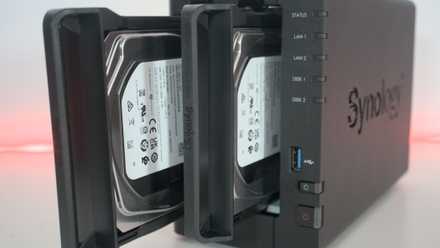
Because a NAS connects to your network, any device with the right permissions and access can share data with the storage hub. This means you can set up a single enclosure and connect it to the LAN without having to physically connect hardware to the device for backups to be made. This limitation of direct-attached storage (DAS) and external drives requires a direct connection with mobile devices and desktop systems. Once up and running, you can interact with a NAS through its web GUI and file transfer protocols.
How to follow the 3-2-1 backup rule for NAS and protect your data
Keep it secret, keep it safe
3 Save money compared to cloud subscriptions
Google Drive and other storage services are convenient, but you'll need a subscription to store a lot of data. Only a specific amount of space is made available to free accounts and is usually measured in gigabytes (GB) whereas the capacity of a NAS can be in the thousands of GBs, depending on which drives you choose to install. A NAS will be considerably more expensive upfront compared to cloud subscriptions, but you'll quickly break even over a few years when comparing the same storage capacity. After which a NAS is essentially "free" outside of electricity costs.

Is free cloud storage really safe?
If you've been using cloud storage providers for free, you might be worried about how safe they really are.
2 Maintain ownership of all your data
Unlike relying on a company to maintain the security of availability of your data (and backups), your NAS is wholly owned locally. You will have full control over how this data is stored, and who has access to said data, and there's no middleman. If your internet connection drops, the NAS is still available on the LAN whereas access to cloud storage is limited to mobile devices with SIMs (and hotspotting). Technically speaking, however, cloud storage isn't any less secure than hosting data yourself. If your NAS is accessible from outside the LAN, you're just as vulnerable to attacks.
1 (Almost) unlimited speed for transfers
Connecting locally to anything on the LAN is better than using external services for speed. There's a good chance you're using anything up to a fiber link, which generally tops out at 120 MB/s. The same goes for a LAN using 1Gbps but upgrading to 2.5Gbps with supported ports on your NAS and PC or access point can allow for much faster speeds. Your internet connection may get bogged down during peak hours or some other network-related issues whereas your internal network should remain available with maximum bandwidth.
Building your NAS can save you even more
Purchasing a turnkey NAS enclosure already built is a great way to quickly set up a server but you can save even more money by building your own NAS with an old PC. Should you have a desktop you no longer require, install a NAS OS such as TrueNAS Scale or Unraid and throw in some drives and you've got yourself a powerful NAS. If you don't have a PC available, grab a single-board computer or other compact affordable system that can be turned into a NAS with a connected drive or two.