
Protecting network-attached storage (NAS) against data loss, outside threads, and natural disasters is vital for keeping your data safe. These enclosures are tasked with storing lots of data, sometimes gigabytes and other times terabytes. NAS is not immune from attacks and brands have encountered issues including ransomware and security vulnerabilities. Regardless of what you're storing on the NAS, I recommend using the 3-2-1 backup rule and following this guide to shield yourself against data loss.
Back up your NAS (and data)
Look, I get it. Backing up your data takes effort, requires additional storage devices, and isn't at the forefront of your mind. I implore you to think differently when working with NAS and multiple device backups. You are only one ransomware attack, drive failure, or natural disaster from losing access to your data. Using a redundant array of inexpensive disks (RAID) is great for safeguarding your NAS from drive failures, but they can and do happen and a RAID configuration may not be enough to recover.

What is a redundant array of inexpensive disks? Everything you need to know about RAID
Keeping all your data safe on larger storage volumes since the 1970s
That's where a backup comes into play. Lost a drive or two? Need to move to a new system? Been locked out of your NAS through a ransomware attack? Backups will prove invaluable to all three scenarios. A good backup strategy of keeping three copies, stored on two different storage mediums and one taken off-site will ensure you always have a backup available. No matter what happens to your NAS or home/office network, you can have peace of mind knowing you are one backup away from restoring everything.
Use two-factor authentication (2FA)
You've likely heard of and used 2FA on websites. Many NAS software solutions, including those from Synology and ASUSTOR, allow two-factor authentication to be used on accounts. One way many may forget a NAS can be accessed is through an account, especially if your enclosure has remote access configured. Usually, all that's required for 2FA is an authentication app or email client to read and input a generated code. It adds a few seconds on each login attempt but can mean the difference between a compromised and safe NAS account.

How to use the built-in 2FA code generator on iOS and iPadOS
You no longer need to rely on a third-party password manager.
Keep everything updated
Having your NAS run the latest version of its OS is just as important as your smartphone, desktop PC, and other hardware. Many NAS operating systems will be configured to check for and install OS updates automatically by default, but it's always worth checking now and then just in case an error is encountered. As well as the OS, any installed packages should always be updated, especially those that are front-facing with external access. Remember to check any manually installed packages, such as Plex Media Server or Jellyfin.
Latest software releases and firmware updates often contain security patches for vulnerabilities.
Safely configure remote access
Allowing external access to your NAS is a great way to connect to the enclosure and everything stored even if you're away from home or the office. An issue with remote access is precisely that, it's remote access. It's adding an extra weak point to your NAS armor. If incorrectly configured, remote access could allow anyone onto your NAS or LAN and wreak havoc. I've written a comprehensive guide to opening up your NAS to a WAN with VPNs, reverse proxies, SSL, and more. It'll guide you through the dos and don'ts.
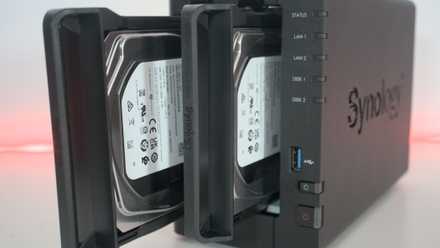
How to connect to your NAS remotely
If you have a NAS and want to connect to it from anywhere, this is the best way to do so.
Keep your NAS locked down
The best way to keep your NAS and data safe is to lock it down completely. Only allow LAN traffic from trusted hardware. This will avoid any unnecessary risk to data loss and malicious parties. In a more connected and changing world, there's a heightened risk of falling victim to natural disasters or those who wish to cause harm. A NAS is a sensitive target viewed similarly to a server in that it contains data that can be either destroyed or held for ransom. By working on some security measures, you can protect your NAS and data.
Your LAN is also susceptible to attack, so while it's vital to ensure your NAS is adequately protected, I recommend analyzing your network to check the security status of infrastructure and other devices.