
Unlike cloud-based AI models, locally-hosted large language models are infamous for their sky-high system requirements, with the more powerful ones requiring plenty of tensor cores and ample VRAM. Although I’d argue that with MoE offloading, Mixture of Experts models can run even on ancient systems, you’ll still need a discrete graphics card to run these bulky LLMs.
But what if I ditched the dedicated GPU altogether and tried running LLMs on weak hardware – preferably a device that features an iGPU but doesn’t cost an arm and a leg? Considering the Intel N100 is one of the cheapest x86 processors on the market, it seemed like the perfect option for this wacky experiment. And now that I’ve run a handful of models on my N100 board, I have to admit that it’s a pretty decent option for light LLM tasks.
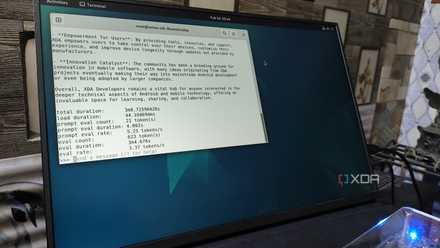
Ollama is still the easiest way to start local LLMs, but it's the worst way to keep running them
Ollama is great for getting you started... just don't stick around.
I went with an LXC-powered setup for my LLM experiments
Passing the iGPU to the container didn’t take too much effort
Just like every other home lab project, I had a bunch of ways (and devices) to get my N100-powered LLM setup up and running. I initially wanted to opt for an ultralight Arch or DietPi setup, but I ended up pivoting to an LXC running on a Proxmox machine instead. That’s mostly because I want to use snapshots to quickly restore my LXC to a stable state if the inference engine began throwing errors mid-compilation. For reference, the system in question is the LattePanda Mu, an affordable N100 compute module with 8GB of RAM.
As for the inference engine, I really didn’t want to opt for Ollama, even though it’s the most beginner-friendly option for hosting local LLMs. Its heavy performance overhead already makes it a terrible option for such weak hardware, and it just isn’t flexible enough to accommodate all the extra parameters I use when serving up my LLMs. So, good ol’ llama.cpp was my primary choice, and I had to start by deploying an LXC specifically for this inference engine.
Once I’d gotten the container up and running, it was time to pass the integrated graphics to the LXC. Fortunately, this process was as straightforward as entering /dev/dri/renderD128 in the Device Passthrough section of the LXC’s Resources tab and entering 0666 as its Access Mode. After starting the LXC, I entered the following commands to install the necessary drivers alongside the vainfo utility, which confirmed that the container was capable of harnessing the iGPU.
apt update
apt install -y intel-media-va-driver vainfo
Compiling llama.cpp server required a couple of extra tweaks
Having faced some issues when I tried to compile the Vulkan version of llama.cpp on my GTX 1080, I was prepared to reload an older snapshot a couple of times to get everything working properly. Fortunately, I only had to recover the container twice, though the error was a bit of a pain to diagnose.
Anyway, running the apt install git cmake curl glslc glslang-tools libvulkan1 vulkan-tools libvulkan-dev spirv-tools spirv-headers build-essential command pulled all the preliminary packages I needed for llama.cpp. Once they’d finished installing, I ran git clone https://github.com/ggml-org/llama.cpp to grab the inference engine’s files and executed cd llama.cpp to switch to its directory.
Then, I ran cmake -B build -DGGML_VULKAN=ON to configure the build environment, which surprisingly worked without any issues. However, the cmake -B build cmake --build build -- -j1 command would fail around the 18% mark every time I tried to compile llama.cpp. Not only that, the LXC would require me to sign in every time the process failed. After digging into some forums, I eventually realized the RAM (or the lack thereof) was the culprit.
My system only had 8GB of memory, and I’d assigned 5GB to the LXC, which would end up starving it for RAM. The 512MB of swap file didn’t help, either. So, I upped the RAM to a whopping 7GB before tossing an additional 3GB swap allocation. And sure enough, the compilation process finished without any errors, and I removed the swap file after llama.cpp was done installing to avoid throttling my LLM tasks with the slower inference speeds of my SSD.
The N100 can handle decently-sized models
It’s definitely faster than a Raspberry Pi
Considering my Raspberry Pi had some trouble running Gemma 3 (4B), I figured I could start my LLM-hosting workloads from there. So, I spun up a llama-server instance via the ./llama-server -m "/root/llama.cpp/models/gemma-3-4b-it-Q4_K_M.gguf" --host 0.0.0.0 --port 8082 command and began prompting it from its web UI. Unlike my Raspberry Pi, the LLM ran at decent speeds, which is far more than I was expecting. Upping the context window to 16K didn’t max out its memory, either, which was a good sign.

I ran this bulky LLM on an SBC cluster, and it's the most unhinged setup I've ever built
My SBC cluster runs bigger models than a single Raspberry Pi, but the trade-offs are brutal
Qwen3 (4B) also had similar results, and for a non-GPU setup without any dedicated VRAM and just 24 execution units, my LattePanda Mu seemed like a decent option for running tinier LLMs. However, I wanted to see how far I could push it, so I transferred the bulky DeepSeek R1 (specifically, DeepSeek R1-Distill-Qwen-7B) from my main PC to the N100-powered LXC, and ran ./llama-server -m "/root/llama.cpp/models/DeepSeek-R1-Distill-Qwen-7B-Q4_K_M.gguf" --host 0.0.0.0 --port 8082. To my surprise, it spun up the llama-server instance, and just to see how far I could push it, I copied a long chain of logs from its LXC into the web UI and asked the LLM to read them. While the token inference speeds stayed around the 2.9 t/s margin, the DeepSeek R1-Distill-Qwen-7B was able to generate surprisingly correct results, though I’d end up choking the context window if I began extending the chats by tossing more logs into the prompts.
It ain’t perfect, but it’s a decent secondary LLM server
I’ve got a Gemma4-26B-A4B instance that runs on my GTX 1080 24/7, and I use it for the majority of my inference tasks, while Qwen3.6-35B-A3B serves as my coding companion on my RTX 3080 Ti system. So, I doubt I’d be using the N100 compute module for 7B models at a fraction of the speeds. But if I were to need a secondary LLM for certain inference tasks or require an embedding model to work in tandem with my bulky clankers, I’d probably use my LattePanda Mu. After all, this Proxmox host houses essential LXCs, so tossing an LLM server on it wouldn’t be that much of a problem.
LattePanda Mu
- Storage
- 64GB eMMC, M.2 M-key slot
- CPU
- Intel N100 (upgradable to Intel i3-N305)
- Memory
- 8GB LPDDR5 (upgradable to 16GB)
- Operating System
- Windows 11, Linux
- Ports
- 4x USB Type-A, 1x HDMI 2.0, 1x 1GbE RJ45, 1x PCIe 3.0 x4
- GPU
- Intel UHD Graphics