
Before I got into the home server ecosystem, I’d only use PCIe slots to pair graphics cards to my gaming rigs and then forget about them altogether until my next PC building misadventure. But little did I know that every unoccupied PCIe slot was a free expansion header that’s as useful for home lab nodes as it is for an everyday machine. With all kinds of adapters floating out there, slotting one into a spare PCIe socket can add extra functionality to budget-friendly motherboards.
Take network interface cards, for instance. On paper, you’d think they’re only useful for home servers and makeshift router machines. But in reality, they’re pretty handy for gaming machines, and it’s a lesson I learned a while ago when I bought a couple of discounted NICs for my home lab and ended up slotting one into my daily driver.
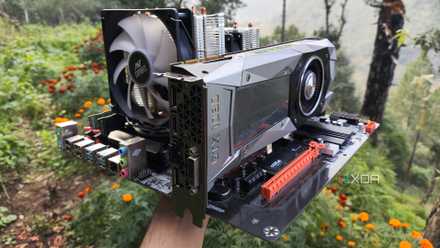
5 features I always look for when buying a motherboard for my home server
I wouldn't bother picking up a server motherboard if it doesn't include these nifty features
Slotting an NIC into an unused PCIe slot solved a bunch of problems
It single-handedly got rid of the random disconnection issue plaguing my PC
Although my B550 motherboard has a 2.5G Ethernet port baked in, it has this tendency to randomly disconnect from my router out of nowhere. And as much as I’d like to claim otherwise, losing Internet and LAN access even for a couple of seconds is enough to cause issues for my everyday tasks. Anything involving Proxmox’s shell interface would end up failing because a disconnection would cause the session to reset, and I’d sometimes lose hours of progress.
Multiplayer games are yet another aspect where a single disconnection can spell the difference between victory and defeat, especially since certain games wouldn’t let me rejoin my buddies even after I’d get Internet connectivity back. Yes, I’m looking at you, Elden Ring: Nightreign and all the Deep of Night points I've lost because I couldn’t rejoin the team after getting an error on day 1. But I digress.
Updating the Ethernet drivers didn’t help alleviate this problem, and neither did changing the Cat6 cable between my PC and the router. Tossing a cheap USB-to-RJ45 adapter sounds like a decent option, but USB ports are just as unreliable as my defective Ethernet port, if not worse.
Eventually, I slotted an NIC into my gaming machine, and I regret not doing it sooner. Since I’ve plugged the NIC into a spare PCIe slot and my CPU has enough PCIe lanes to support it, I don’t have to worry about the sudden disconnection problem afflicting my setup anymore. The best part? It ended up boosting my LAN speeds considerably, even though that wasn’t my primary intention.
It improved the transfer speeds on my PC
Just so we’re clear, the NIC in question is the TP Link TX401 10GbE, and it’s something I hadn’t even bought for my gaming PC. If anything, I’d planned to use it for a makeshift FreeBSD server (and that’s not even the most unhinged part of my home lab), but I ended up removing it after running into issues with the Marvell AQtion drivers on the OS.
But to my surprise, adding a 10G card to my primary PC turned out to be quite fruitful. Since it’s my daily driver, I’ve configured Kopia to send snapshots to my NAS every week – and the 10GbE connection cut down the transfer times massively. And as insane as it may sound, a 10 gigabit network makes my NAS a viable storage hub for Steam games. In fact, I haven’t had any latency issues when storing graphically-demanding titles on an (SSD-based) iSCSI pool over a 10G connection, while the loading times were good enough that I honestly couldn’t tell whether my games were running off a local drive or a network share.

Your should choose your next mini PC by its ports, not its benchmarks
Those extra ports are really handy for members of the home lab faction
But other adapters are just as useful
I’ve also got a USB extender and an NVMe adapter hooked up to the mobo
Even with the slots hogged by the gigantic RTX 3080 Ti and my beloved 10G network card, I still have extra PCIe sockets on my ATX motherboard, which currently house some adapter cards. Since there’s no such thing as too many USB ports, I’ve used a x4 slot to attach a PCIe-to-USB adapter to my PC. While the two USB 3.2 ports are undoubtedly useful, the two USB Type-C ports are what make the $30 I spent on this adapter worth it, especially since my cheap mobo doesn’t include a single Type-C socket.
Score deals on PCIe NICs, adapters & networking gear
For the final x4 slot, I ended up grabbing an NVMe-to-PCIe adapter card. While it only supports Gen 3 speeds, it’s more than enough for storing spare documents, container data, and LLM files. And that’s just my main PC.
Once you step into the server ecosystem, there are even more useful PCIe cards. I’ve already got a SATA expansion board for my storage machine, and I plan to grab an IPMI expansion card for the remote NAS I use for my 3-2-1 backup pipeline.