
For the longest time, I think part of me was in denial of how capable AI-assisted coding has become in the last few months. I'm currently majoring in Computer Science, so my refusal to accept how far it had come was fair when you look at the bigger picture. The idea that someone could spin up real, usable tools with nothing more than prompts felt a little...uncomfortable. I'm paying thousands, attending classes every day, spending hours studying and doing assignments — all to learn how to do the very same thing that AI was apparently now doing in seconds.
But also, the more I watched people casually vibe code entire apps over a weekend, the harder it became to ignore what was happening. So, instead of letting my ego take over, I decided to go all-in on vibe-coding. If this very well might be the future, I figured the best way to understand it was by doing it myself. Like most people who start vibe-coding, I quickly got addicted to it. One experiment turned into another, and before I knew it, I had spent an entire weekend rebuilding the tools I rely on every day.
The messy stack I was juggling before this
A bunch of tabs everywhere
Here are the tabs I have open on my browser at any given time: Google Calendar, Gmail, Google Tasks, Asana, Google Keep, a pomodoro timer and the tool I rely on to keep my entire life organized: Notion. This isn't very different from the average person, though the exact tools might look different. Maybe you're on Todoist instead of Asana, or Apple Notes instead of Keep. But I'd say almost everyone has their own version of having a bunch of tabs like this open — a calendar here, a notes app there, a task manager somewhere else.
None of these tools are bad on their own. In fact, they’re some of the best at what they do. The problem is that using all of them together means constantly jumping between tabs just to stay on top of things. Checking your schedule leads to your inbox, your inbox leads to your tasks, and your tasks eventually send you back to whatever notes or project manager you're using.
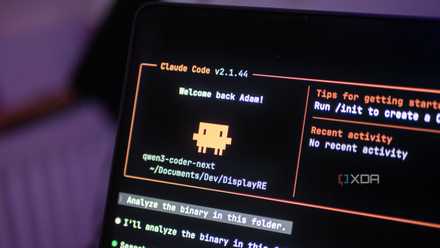
I finally found a local LLM I actually want to use for coding
Qwen3-Coder-Next is a great model, and it's even better with Claude Code as a harness.
For instance, my day starts with opening Google Calendar, then checking Gmail to see if I missed anything important, then hopping over to Asana to see what's due, then Notion to check my assignment tracker, and so on. When you think about it, I was spending the first chunk of my morning just switching between apps rather than actually working.
So I started wondering: what if all of this just lived in one place? While I can't realistically ditch tools like Asana since that's what my entire team works on, there was no reason I couldn't build something that simply brought everything together. Instead of replacing the tools I already rely on, the idea was to create a single dashboard that pulls in the parts I actually need throughout the day.
I vibe-coded my entire dashboard with Claude Code
A few hours to build it all
Right before vibe-coding this, I also vibe-coded a NotebookLM alternative. So, a lot of my process for vibe-coding this project was similar too. I ran Claude Code from VS Code's integrated terminal since I'm not fully comfortable working in a standalone terminal just yet. I first switched to Plan mode to figure out exactly what I was building before committing to anything. I simply dumped all the thoughts I had, describing what my current workflow was like, how I was tired of jumping between apps, and what I wanted to replace it with. The idea, briefly, was to have a single, locally run dashboard that had everything I needed in one place.
Given I'm not the most experienced coder out there, I wanted this tool to stay updated rather than refresh every single time. I didn't know if this was even possible without deploying it, so I directly asked Claude Code whether a locally run app could update in real time without any deployment. As it turns out, it's actually the default behavior with Next.js. Once Claude and I had some back-and-forth about the idea I had, we started with a detailed plan that Claude Code put together based on everything I'd described. I reviewed it, made sure it matched what I had in mind, and gave it the green light to start building.
The first prototype had the basics I'd asked for — a to-do list, an article tracker, a Pomodoro timer, and a habit tracker. Once that was up and running, I asked Claude to add Gmail and Google Calendar integrations, so my daily briefing could actually pull in real data. This is where I had to head over to Google Cloud and set up some API keys. I'll be honest, that part sounds scarier than it is. I got a bit confused at a few points, but Claude broke every step down for me, and I never felt lost for long. It was my first time working with APIs, and having Claude walk me through it meant I actually understood what I was doing rather than just blindly copying and pasting things.
After that, I wanted to take things further. Since the publications I write for use Asana to manage article assignments, I asked Claude to connect my kanban board directly to it, so my tasks could pull in automatically instead of me having to enter them by hand. I also asked Claude to add a Spotify integration since I almost always have music on during a focus session, and the idea of controlling it without switching tabs was too convenient to leave out.
By the end of the session, I had a tool that had 10 tabs: Dashboard, Email, Calendar, Tasks, Assignments, Articles, Pitches, Pomodoro Writing, and Habits. I went from jumping between half a dozen different apps to having everything I needed in one place, all accessible within a single browser window. My data lives in a SQLite database on my machine, meaning everything runs locally and securely without relying on cloud services for the core functionality.
Hands down, my favorite vibe-coded build
The all-in-one tool I created is basically multiple apps rolled into one. It combines all the tasks I use daily in a single dashboard that runs locally in my browser. While I'm still using some of the tools that were previously part of my productivity stack, this dashboard lets me access everything I actually need without constantly switching tabs.