
Self-hosting a photo library is one of the most common starter projects for building a home lab. And it's become straightforward enough. Install Immich, point it to your folders, and you're done. But once you actually start using it and importing your data, you realize it isn't as easy as that. Yes, old backups, exports from other services, and years of images from multiple devices all appear in one place. However, very quickly, you realize that your library isn't quite as clean and sorted out as you'd thought. There are duplicates, face groupings that don't match, incomplete albums, and almost certainly inconsistent metadata.
That's certainly true for me and my 170,000-image strong Immich library. Solving that problem led me to install Immich Power Tools. Immich itself is great for browsing and viewing, but it's not really meant for fixing large-scale metadata issues. Not at the scale that I needed to fix issues. Power Tools offers to fix that. It's a management layer that connects to your existing library and gives you significantly more control over your metadata management than Immich does.
I installed it because managing images within Immich was becoming tedious. However, Power Tools changes that by focusing on bulk actions and deeper access to the data behind your library.
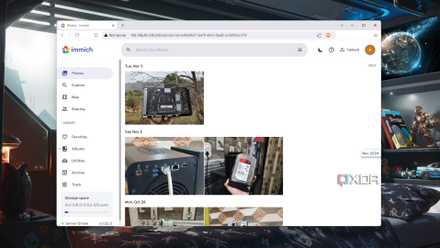
How I made my own photo hosting platform with Immich
Ditch Google Photos, iCloud, and OneDrive for this incredible (free!) backup solution.
Easy to deploy, minimal setup
Deep visibility into your library
Installing Immich Power Tools is simple. You just have to declare basics like your Immich database and the API key for your Immich instance in the environment variables. The compose file is provided in the GitHub repo. It takes only minutes to spin up the container.
Previously, much of my image metadata handling happened one image at a time in Lightroom. Power Tools moves all that manual work to structured cleanup. Especially when you need to fix patterns across hundreds or thousands of files — for example, bulk shifting dates or a bad time zone.
Duplicates are another easy example. If you've ever imported from multiple sources, you know how bad it gets. The same photo appears multiple times with slight variations, and while Immich has a built-in deduplication feature, it is still a fairly manual process to sort through them all. Power Tools turns it into a proper workflow. You scan for duplicates, review them in batches, and can clean them up with a proper workflow.

Image tools and photo apps
Trivia challenge
From Photoshop layers to Lightroom presets — see how well you really know your image tools.
Which Photoshop feature allows you to non-destructively edit specific tonal ranges of an image without permanently altering the original layer?
In Adobe Lightroom, what does the term 'non-destructive editing' mean in practical terms?
Immich Power Tools is a third-party utility built to extend Immich. What is Immich primarily?
Which of the following is a key feature offered by Immich Power Tools that extends the base Immich experience?
What was the original name of the software that eventually became Adobe Photoshop, created by Thomas and John Knoll?
In image editing, what does the 'histogram' represent?
Which file format does Adobe Lightroom use to store its entire library of photos, edits, and metadata by default?
Which open-source command-line tool is widely used to read, write, and edit metadata — including EXIF, IPTC, and XMP — across many image file formats?
Your Score
Thanks for playing!
That same workflow extends to albums as well. Creating and managing albums in Immich is pretty straightforward, but reorganizing them at scale isn't. Power Tools fixes that. You can review, edit, and remove photos from albums in bulk. It even surfaces groupings that would work well as albums. No, it doesn't get it right every time. But I'd rather have the option than not. When you have a library as large as mine, organized albums go a long way toward bringing order to it.
People management is another area where Power Tools come in handy. Face recognition within Immich isn't perfect, especially over multiple years of photos. You might end up with photos of the same person split across multiple identities. Power Tools speeds up fixing these by letting you merge and manage people more efficiently.
You'll find several other tools that can make a big impact, depending on what you need to edit. For example, you can filter assets based on missing metadata or inspect EXIF details and get a clearer view of what's actually in your library. A lot of these features are missing from Immich proper, so if you're looking to clean up your library, Power Tools is perhaps your only resource.
A metadata control layer that integrates deeply with Immich
Built like a proper admin panel
I love how Immich Power Tools takes a diametrically opposite approach to Immich. While the latter is designed as a simple, user-facing Google Photos-like app with a clean, fast, and focused interface, Power Tools is a full-on admin panel.
It's not just speaking via the API either. Instead, Power Tools taps directly into the database, which is why it can provide the deep access it does. You're not limited to what the main interface exposes.
You can filter files more accurately, see things like focal lengths used, act on large data sets, and make sweeping changes that Immich just wouldn't. And that shows up in day-to-day fixes. Power Tools is faster and way more flexible. And yes, there's AI integration too, should you choose to use it. I'm, however, not letting an LLM get anywhere close to my personal photo library.
And when you're done with your metadata management, you can just shut down the app and go back to Immich for your everyday viewing. That segregated approach is appealing to me, as I wouldn't want to accidentally break things while just viewing photos.
Immich Power Tools solves a critical part of the image self-hosting pipeline
When people talk about self-hosting images, the conversation tends to revolve around basics like storage, privacy, and control. However, metadata is just an important part. Your images, without necessary metadata, are missing out on context. And when you're handling them, you're also responsible for maintaining them. That's where Immich Power Tools comes in. It gives you the tools that Immich won't, and, by doing so, the ability to bring your image library under control.
Immich Power Tools
Immich Power Tools is a companion app for Immich that adds bulk metadata editing and advanced filtering.