
Drivers are the software enabling your computer's hardware to communicate with Windows. Without the right drivers, your motherboard, graphics card, or peripherals will not be able to work properly, as Windows will not recognize them as intended. Usually, installing the right drivers happens automatically via your OS when you plug in a new device.
However, keeping your drivers updated isn't always an automatic process. If you have configured Windows updates to be installed automatically, they usually have driver updates bundled with them, but in many cases, having outdated drivers is a genuine possibility. This can result in suboptimal functioning, or worse, compromised security on your PC. Hence, it pays to keep your Windows drivers up to date.

How to update drivers in Windows 11
If you find that a peripheral attached to your PC isn't working right, or a part of your PC isn't working, you'll have to update the drivers.
5 Avoid compatibility issues
Don't lose functionality
Every hardware component on your Windows PC needs a driver to work as intended. Whether it's your graphics card, SSD, keyboard, or the motherboard chipset itself, having the right drivers is necessary. In cases when Windows is unable to install drivers for a new device automatically, you can always download them from the manufacturer's website and install them manually.
There can be situations when a new Windows version or a major update on the same version doesn't have the latest drivers for your relatively recent peripheral or component. In these cases, you risk some incompatibility issues, unless you find and manually install the correct driver for the respective device. Keeping your drivers updated can not only avoid needless connectivity issues, but also the unwanted headache that comes with diagnosing and resolving an unexpected problem.

How to update the graphics driver on your PC
Keeping your GPU drivers up to date is essential to get the best performance in the latest games. Here's how to do it.
4 Enjoy peak performance always
Updated drivers can be a must for maximum performance
Although the primary role of drivers is to allow your computer to operate without any compatibility issues, they can sometimes be crucial for extracting the maximum performance out of your hardware. For instance, GPU manufacturers like Nvidia, AMD, and Intel regularly release new drivers to support newly launched titles as well as to enhance performance for existing titles.
These tailored drivers are more or less mandatory, unless you're okay with less-than-ideal performance in the respective games. Often, new GPU drivers can also bring improvements to software features like DLSS, FSR, and XeSS, which can significantly improve the FPS in your games. A new driver for your gaming keyboard can also unlock new features that weren't possible with the previous driver.
On other occasions, manufacturers can release fixes to known issues via new drivers. If you ignore these updates, you might be missing out on a markedly better user experience, both when gaming and during regular use.
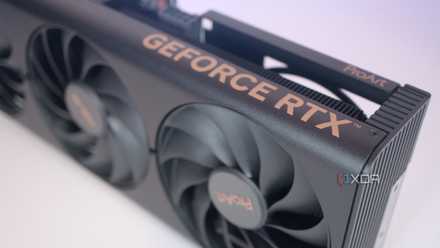
Should you use Nvidia's Game Ready or Studio drivers?
This largely depends on what you use your PC for
3 Minimize hardware instability
Experiencing random crashes? Update your drivers
Even if your devices are working fine most of the time, those few instances of random crashes or loss of connectivity might be due to outdated drivers. These drivers might still support the day-to-day functioning of your devices, but could cause unexpected problems, such as your delayed mouse response, missing keyboard features, or microphone issues with your headphones.
Many users report that updating their device drivers fixed some or most of the connectivity or system stability issues on their PC. It's worth looking into this when troubleshooting your system, as it's one of the simpler fixes that doesn't take much time. Other solutions that require messing with Registry Editor or Command Prompt can be looked at later if updating the drivers doesn't help.

11 Registry Editor tweaks every Windows 11 user needs to know
Despite the risks associated with using it, the Registry Editor has many options that you can modify to improve your Windows 11 experience
2 Protect against security vulnerabilities
You need to plug the leaks ASAP
Security flaws are becoming increasingly common on Windows, which hackers are always on the lookout for so they can exploit them and steal sensitive information. Some of these security loopholes allow hackers to log in as the user or even gain access to the kernel, dealing fatal damage to the system. Sadly, whenever such flaws are identified, they have already been part of active attacks in the wild.
If you haven't been victim to the latest Windows security vulnerability doing the rounds, it's best to update Windows, and by extension, your device drivers. Microsoft and motherboard manufacturers are bound to release Windows and driver updates to patch known security loopholes once they're identified. By keeping your system updated, you can minimize the chances of falling prey to a security attack.
5 alarming Windows cybersecurity facts you probably don’t know
Time to wake up and secure your PC
1 Resolve longstanding hardware issues
I'm still dealing with Windows issues I could never solve
In my experience, most users have at least one unexplained abnormal behavior on their PCs that they can't solve despite repeated attempts. For me, it's my PC not going into Sleep mode, my headset microphone never working properly, and the loss of internet after waking up from sleep. Even after trying the oft-recommended fixes for these issues, I failed to get rid of them.
If you're experiencing such weird issues, you might have better luck than me by updating your drivers. The latest drivers can often resolve strange behavior with your peripherals and other components that you fail to fix with other troubleshooting methods. Whether it's due to outdated, incorrect, or missing drivers, the result is the same — you may end up fixing an issue that's been troubling you for ages.
5 of the weirdest issues I was never able to fix on my Windows PC
Troubleshooting PCs comes with the territory, but some cases remain unsolved mysteries
Keeping Windows drivers updated is the safest option
Driver updates aren't always necessary, and sometimes they might even mess up stuff that was working perfectly fine. However, in most cases, it's safer to keep your PC updated to protect yourself from security attacks, enjoy improved performance, and avoid hardware instability. When it's fairly simple to do so, and doesn't take up much of your time, keeping your drivers updated shouldn't be ignored.