
I'd like to think that delaying an upgrade to AM5 is my own free will, but I'm not fooling anyone. DDR5 RAM prices being what they are, it's virtually impossible to jump platforms right now, and might be for another two years. Sticking with my DDR4 rig is the only choice I have, but I'm not going to sit around waiting for it to feel more dated than it does already. To be honest, my Ryzen 7 5700X and 32GB of DDR4 RAM are perfectly fine in 2026, but comparison is the theft of joy. When I see other DDR5 systems leave my PC behind, I feel I need to push it beyond its stock limits. Hence, I've decided to tweak my CPU, RAM, and even GPU to squeeze some more life out of them till I wait for the market to correct.
4 ways my AM4 PC is holding me back in 2025
Here's why I'm staying on AM4 till 2028
Undervolting my Ryzen 7 5700X
I regret not doing it sooner
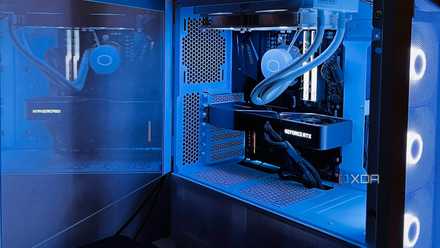
The Ryzen 7 5700X sitting in my rig has never dropped below 50℃, even during idle conditions. I have a 240mm AIO cooler on it, but that hasn't been of much help. The 65W chip should ideally run way cooler than that, based on the posts I've seen from other 5700X users. Even accounting for the weather in my region, the ambient temperatures don't explain my chip's behavior. Undervolting seemed like a no-brainer for my situation, since it can help reduce the operating temps without affecting the performance too much. Considering that it could even slightly improve performance, there was no reason not to experiment with it.
So, I enabled Precision Boost Overdrive (PBO) in the BIOS, and started with an all-core offset to keep things simple. Since I observed a marked decrease in operating temps without a significant drop in performance or stability, I didn't proceed with a per-core offset. I have been using the PBO settings for a few months now, and everything seems pretty stable. Gaming hasn't thrown up any weird errors, and the system has been pretty silent, thanks to the lower temps. I just wish I had tried undervolting the CPU sooner.
I regret buying the Ryzen 7 5700X, but not for the reasons you think
The Zen 3 chip seemed like the best choice at the moment, but boy do I have regrets
Investing in a better CPU cooler
Better late than never
As I mentioned earlier, my Cooler Master AIO wasn't doing a great job of liquid-cooling my CPU. Perhaps I cheaped out on the cooler and paid the price. Anyway, the next thing I plan to do is replace it with a quality air cooler. At this point in the life cycle of my system, I'm okay with sacrificing some esthetics in favor of superior performance. And I'm pretty sure I don't even need to spend over $50 on an air cooler to beat my budget AIO. The Thermalright Peerless Assassin 120, which usually costs around $35, is available for around $50 in my country. It's not ideal, but it's also not something to complain about — you can find my other articles for that.
The Peerless Assassin has been one of the best budget air coolers ever since it launched. It can handle thermal loads much greater than what my Ryzen 7 5700X can deliver, so I can keep using it even when I eventually upgrade to something more demanding. I can even go for the Phantom Spirit 120 for around $60. Its upgraded design offers slightly better cooling and improved noise levels, making the $10 premium worth it. Air coolers are also easier to handle if I need to disassemble the PC or replace the thermal paste.

4 reasons to ditch your AIO cooler for a giant air cooler
It might be time to leave your liquid cooler behind
Overclocking my DDR4 RAM
Going beyond XMP/DOCP
Buying even a 32GB kit of DDR5-6000 RAM is impossible right now, so I decided to overclock my DDR4 RAM for now. I have been using the XMP/DOCP profile for my DDR4-3600 RAM ever since I got my existing system, but it is possible to push the memory beyond these profiles. It involves a trip (or ten) to the BIOS and manually tweaking the memory clock, timings, and voltage to reach a stage where you get a decent performance uplift without running into an unstable system. My target was a reasonable increase in frequency and tighter timings to make the whole endeavor worthwhile.
After a few tries and stability tests with MemTest and OCCT, I was able to achieve 3,800MT/s and 16-17-17-32 (from 18-22-22-42) for the frequency and timings, respectively. The voltage had to be raised from 1.38V to 1.41V to keep things stable. The results were decent, but they didn't translate to a massive performance difference in gaming. The average FPS in Cyberpunk 2077 remained mostly the same, but the minimum FPS improved from 40 FPS to 45 FPS, and that's certainly something.

I tested RAM overclocking for months, and here's what actually made a difference
DDR5 can be a finicky beast
Undervolting my RTX 3080
No RTX 50 series GPU in sight
If I'm talking about optimizing the rest of my hardware, why leave the graphics card untouched? I used my RTX 3080 at stock settings for almost three years before finally undervolting it to lower the power draw. My motivation to do so was an underpowered UPS, but undervolting benefited me, nonetheless. I upgraded my UPS, but stuck with the undervolt, since it meant lower temps and fan noise during gaming. The process was simple — MSI Afterburner is all I needed to tweak the voltage-frequency curve. And the performance drop was negligible, well within the margin of error.
A welcome bonus was the marginal improvement in the 1% low FPS. Since the additional thermal headroom allows the GPU to boost higher and sustain those clock speeds for longer, raising the minimum FPS. This did not improve peak performance, but made my gaming sessions much smoother. My next plan is to overclock the GPU memory while maintaining the undervolt to see if I can get some more performance. The combination of undervolting and overclocking is bound to make my GPU last slightly longer, allowing me to weather the PC hardware storm for another year or two.

Your GPU undervolt matters more than your CPU overclock
Infinitely more practical in modern machines
The age of DDR4 will go on, for better or worse
In the current market, the silver lining for users with DDR4 systems is that their rigs have suddenly become more relevant than ever. The DRAM crisis doesn't seem to be ending anytime soon, so moving to a DDR5 system is practically out of the picture for at least two years. Your DDR4 build has gone from being an aging platform to the smarter choice in 2026. It's still good enough for gaming, so riding it out for a few years is perfectly sensible.