
I have been using my AM4 PC for over three years now, and it's been great. I had to build it only a month before AM5 was set to launch, so I've always monitored AM5 CPU and motherboard prices, hoping to upgrade when the time was right. What I didn't see coming was the ongoing memory crisis making DDR5 RAM practically inaccessible. A 32GB kit of DDR5-6000 RAM that used to cost under $100 now sits close to $400, completely derailing my plan to switch to AM5. While I wait for this latest PC hardware storm to end, I thought it would be interesting to overclock my DDR4 RAM to see the kind of gains I could get.

4 beginner-friendly tips to help you tune your RAM better than EXPO or XMP
Get more from your RAM outside of enabling EXPO/XMP.
My AM5 upgrade plans are shelved indefinitely
Time to hunker down and wait for the storm to pass
My existing PC has a Ryzen 7 5700X, RTX 3080, and 32GB of DDR4-3600 RAM on a B550 motherboard. It has served me well over the past three years, but when my GPU stopped feeling high-end in the latest games, I started looking for an upgrade. At first, I had my eyes set on the RTX 4080 Super, but I could never find it at a reasonable price. Then, the RTX 5080 was a disappointment, thanks to minimal gen-on-gen gains, 16GB of VRAM, and a heavy reliance on Multi Frame Generation. All of this had a knock-on effect on my platform upgrade plan, as I wanted to make an all-or-nothing upgrade. I ended up delaying the move to AM5 so much that the RAM supply crisis made the decision for me.
It's now time to wait for a year or three and hope this crisis is behind us by then. We'll probably be close to the launch of AM6 by then, but before that, there are definitely some tough years in store for PC hardware enthusiasts. Even a GPU upgrade looks increasingly unlikely as prices are soaring across the board. Nvidia's RTX 50 Super series is most likely cancelled, so we won't be seeing any new graphics cards launch this year. With no reasonable upgrades in sight, I decided to overclock the hardware I already have, starting with the memory.
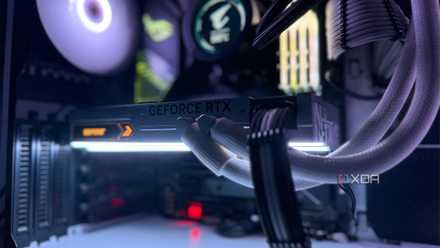
Sometimes the best PC upgrade is optimizing what you have, instead of buying new parts
Discover the cost-free way to boost your PC's performance.
I tried my hand at manual RAM overclocking
It's a science of its own
My DDR4-3600 kit has been running on EXPO settings already, so the only optimization left to be done was manual overclocking. Having never tried it before, I had to go through some guides to get a handle on the process, and I decided early on to skip Ryzen Master in favor of the BIOS. I read one too many Reddit accounts recommending against AMD's utility for memory overclocking, filled with issues around reverting settings and forced BIOS resets. So, I decided to get into the BIOS and tweak the frequency, timings, and voltage myself.
I started with small increments, increasing the memory clock to 3650MT/s, and going up from there. For the RAM timings, I targeted a significant improvement over the EXPO defaults of 18-22-22-42. I was able to reach 3,800MT/s and 16-17-17-32 for the memory clock and timings, respectively. To stabilize the higher frequency, I had to push the voltage from 1.38V to 1.41V. I used MemTest for stability testing, and a few runs with OCCT to confirm. These settings seemed to be the limit for my kit; I had obviously not won the silicon lottery with the Hynix die on my G.Skill memory.
Once I was sure that the overclocked settings were stable enough, I launched Cyberpunk 2077 again to compare the post-overclock and pre-overclock performance. While the average FPS difference was within the margin of error, the minimum FPS increased from under 40 to around 45. It's not a huge change, but it's still something. I could go back into the BIOS to further tighten the timings and see what happens, but that's for another day.

I tested RAM overclocking for months, and here's what actually made a difference
DDR5 can be a finicky beast
The results weren't exciting, but I learned something
RAM overclocking makes a difference, but not a big one
I knew before I started that I wouldn't see a night-and-day performance difference with memory overclocking. Since my desktop resolution is 3440x1440, and I'm not testing CPU-bound games, the difference in both average and minimum FPS was never going to be game-changing. Well, at least I was able to improve the minimum FPS slightly, so it wasn't all for nothing. And I've certainly not exhausted what I can extract from my RAM. I can still try to optimize the subtimings, and maybe even increase the frequency and voltage one last time.
If you're playing at 1080p or spending your time on games that are especially CPU-bound, you might see better results from overclocking your DDR4 RAM. Lower timings make a much bigger difference than the higher frequencies, so you should focus on the former. While XMP/EXPO settings are still the best trade-off between performance and stability, manual tuning can get you to the next level if you have the patience. A better graphics card and CPU will still matter more than faster RAM, so don't expect magical results from memory overclocking.
I will probably overclock my GPU next
After overclocking my DDR4 RAM, I have plans to do the same with my RTX 3080. It'll probably net me a significant boost, furthering my goal of optimizing my existing hardware till I wait for the market to correct. I'll also undervolt my CPU to lower the temperatures without decreasing the performance by a lot. These optimizations, together, are bound to improve my overall PC experience, even if the performance ceiling isn't raised too much.