
The funny thing about home lab hardware is that “too much” usually has a very short shelf life. I set up a LattePanda Sigma with 32GB of RAM and a 500GB NVMe SSD, expecting it to be excessive for most of what I do. On paper, it looked like the kind of board that should spend half its life waiting around for a workload worthy of it. In practice, it took almost no time at all before I started finding jobs for it.
Sometimes, power is useful not because one workload demands it, but because several smaller ones stop getting in each other’s way.
That’s the real lesson here. A small home lab box doesn’t have to be underpowered just because it’s compact, and a powerful board doesn’t have to be wasted just because it isn’t living in a rack-mount chassis. The Sigma gave me enough headroom to stop treating every new service as a resource negotiation. Instead of asking what I needed to shut down before testing something new, I started asking what else I could move to it.
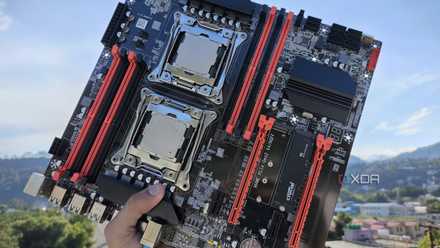
Stop wasting electricity (and money) with these 4 home lab mistakes
These mistakes are single-handedly spiking your electricity bills
A compact board stopped feeling excessive once services moved in
Extra RAM matters when lab experiments stop staying small
The first thing the LattePanda Sigma did was change my sense of scale. With 32GB of RAM available, I didn’t have to treat every container, VM, and background service as a tiny emergency. That matters more than raw CPU bragging rights in a home lab, because memory is usually what turns a neat idea into a resource argument. Once I stopped worrying about every spare gigabyte, the box became a more useful place to experiment.
I started thinking of it as a staging area for services that didn’t quite belong on my NAS or main Proxmox node yet. That included monitoring tools, small automation jobs, and lightweight services I wanted to test without disturbing anything important. It’s easy to underestimate how valuable that middle ground is. A box that can host real workloads without becoming a production nerve center gives you room to make better decisions.
The 500GB NVMe SSD helped with that, too. It wasn’t enough storage to turn the Sigma into a serious media server or backup target, but it was plenty for containers, logs, databases, test VMs, and local tools. That made it feel fast in the ways that actually matter during daily tinkering. I wasn’t waiting on slow storage, and I wasn’t carving out space on another machine every time I wanted to try something.
Before turning a powerful small board into another always-on service box, give it a defined role in your home lab. A LattePanda Sigma with 32GB of RAM can handle plenty, but that headroom is most useful when it keeps experiments, test services, and helper tools away from your NAS or main virtualization host. Treat it as a flexible staging machine instead of a dumping ground, and it’ll stay useful without becoming another system you’re afraid to touch.
The best use for power is reducing friction
Fast local services changed how often I actually experimented
The biggest surprise wasn’t that the Sigma could run more than I expected. It was the extra performance that made me more willing to try things in the first place. Home lab projects often fail before anything breaks, because the setup process becomes too annoying to justify. When a machine has enough resources ready to go, starting a new test no longer feels like a commitment.
That changed how I approached local services. I could spin up a dashboard, a monitoring stack, a small database, or a throwaway container without mentally auditing the rest of the lab first. That sounds minor, but it removes a lot of quiet resistance from the process. The less time I spend planning around limitations, the more time I spend actually learning whether an idea is useful.
It also made the Sigma useful as a buffer between my daily systems and my experiments. I didn’t want every new service running on my NAS because storage appliances tend to get messy when they’re asked to do everything. I also didn’t want to keep loading up my main virtualization box with half-finished ideas. The LattePanda gave me a place where experiments could be serious enough to matter but isolated enough to clean up without drama.
This is still too much computer for simple jobs
A cheaper mini PC can handle plenty of services
There is an obvious objection here, and it’s a fair one. Most home lab services don’t need this much power. Pi-hole, Uptime Kuma, small dashboards, lightweight Docker containers, and basic automation scripts can run on far cheaper hardware. A used mini PC, or even a Raspberry Pi, can handle many of the same basic tasks without making your wallet twitch.
That’s especially true if you already know exactly what you need. If your home lab is mostly DNS, media organization, a couple of containers, and some monitoring, the Sigma can look like a very expensive way to avoid buying a normal mini PC. There’s no magic in throwing more RAM at a service that barely uses any. For someone building a practical lab on a tight budget, the smarter move may be to buy something simpler and spend the savings elsewhere.
There’s also the risk that powerful hardware encourages sloppy planning. When a box has extra room, it’s tempting to keep adding services until it becomes another mystery machine with too much responsibility. That’s how a tidy lab turns into a pile of containers nobody wants to touch. More power doesn’t automatically create better organization, and it definitely doesn’t replace documentation.
Overkill becomes useful when it removes hesitation
Headroom gave me room to test without rearranging everything
Even with that caveat, I don’t think the Sigma’s extra power was wasted. It solved a different problem than a cheaper mini PC would have solved. I wasn’t just looking for a box that could run one or two known services as efficiently as possible. I wanted a system that could absorb experiments without making the rest of the lab feel fragile.
Score deals on mini PCs, RAM & NVMe for home labs
That’s where the 32GB of RAM mattered most. It meant I could be less reluctant to allocate memory to a VM or test a stack that might only live for a week. I could run multiple small services side by side without constantly checking whether I had crossed some invisible comfort line. For a home lab that changes often, that kind of headroom is a feature, not waste.
It also gave the Sigma a different role than my other machines. My NAS can focus on storage and media. My heavier virtualization box can handle workloads that need more deliberate planning. The LattePanda Sigma can sit between those roles, ready for tools, tests, helper services, and temporary projects that would otherwise scatter across the lab.
The right home lab box is the one that stays busy
The LattePanda Sigma didn’t make sense because every home lab needs a compact board with 32GB of RAM. It made sense because my home lab has enough moving parts that a capable, flexible machine immediately found work to do. That’s the part spec sheets can miss. Sometimes, power is useful not because one workload demands it, but because several smaller ones stop getting in each other’s way.
I expected the Sigma to feel indulgent. Instead, it became the kind of box that quietly earns its place by making the rest of the lab easier to manage. It gave me room to test without rearranging everything, enough speed to keep local services pleasant, and enough memory to stop treating every idea as a compromise. That doesn’t make it the cheapest answer, but it does make it a good one for a home lab that keeps growing.
LattePanda Sigma
- Brand
- LattePanda
- Storage
- 500GB NVMe SSD
- CPU
- Intel Core i5-1340P
- Memory
- 32GB LPDDR5-6400MHz
- GPU
- Intel Iris Xe
The single-board server may seem like overkill until you realize the flexibility it offers your home lab overall.