
When I first set up local AI on my home lab, I wasn't under the impression that it would replace any of my cloud-based AI usage. I thought it might be a fun experiment to play with, but would inevitably be forgotten about. It certainly didn't replace any of my subscriptions, but it was far more useful than I had anticipated. I won't be canceling anything, but beyond just LLM usage, these 6 tasks were almost entirely taken over by my own local AI.

6 ways anyone can use LM Studio and a local LLM on their PC
Most people can find a use for a local LLM on their PC, and here's how I use mine.
Summarizing long documents that I don’t want leaving my system
Privacy is an easy win
The most obvious “local AI win” is also the one that feels the most immediately practical. Uploading documents to a cloud-based AI, especially if they contain potentially sensitive data, isn't something I feel good about doing, and a local AI is perfect for this. This could be a contract draft, a medical PDF, internal work docs, an invoice, a personal journal entry, or even something as mundane as a router config and a week’s worth of logs.
When you’re using a hosted assistant, you’re always making a trade. Even if the provider is reputable, you still have to pause and ask yourself whether the content you’re about to paste is something you’re comfortable shipping off-device.
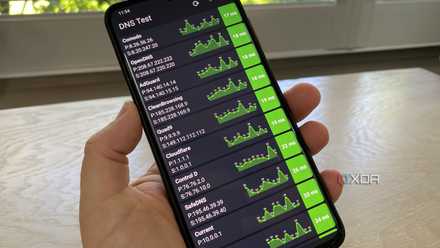
Setting up a local DNS was one of the easiest improvements I made to my home network
Having local control opens up so many possibilities
Turning raw notes into fleshed out ideas
My creative process is a lot more streamlined
A huge chunk of writing isn't actually the writing part itself, it's the process of turning fractured ideas into a more coherent body. Local AI is excellent at taking your raw material and giving it shape. You can paste your notes and ask it to propose a thesis, identify what you’re actually arguing, and suggest a logical order for your points. It’s also good at spotting what you forgot to include. Not in a “factual research” way, but in a “structural gap” way.

I turned to NotebookLM to set up a self-hosted LLM — here's how it went
Can NotebookLM guide me to my first self-hosted LLM?
First-pass troubleshooting
Good for logs
Initial troubleshooting is often pretty simple, but it can be easy to skip past the basics or simple sanity checks. It's also especially useful when the logs you're supplying contain sensitive data like IPs, usernames, or even file paths that you don't want to share.
There’s a big caveat, though: local models can be confidently wrong, and troubleshooting is the kind of domain where wrong advice can waste hours. The way I keep this safe is by treating the model’s output as a decision tree, not a conclusion. If it suggests three likely causes, I’m not just going to believe it at its word, I’m picking the one that is easiest to test first.
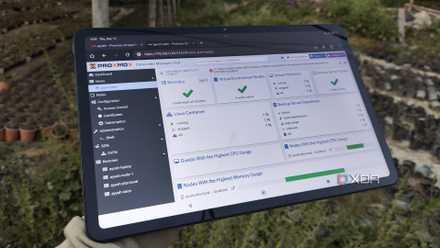
Generating basic configs
I can't be bothered to write them manually
I simply cannot be bothered to type a Docker Compose file by hand, nor a systemd unit, an Nginx/Caddy snippet, or a cron schedule from scratch if I don’t have to. At the same time, I can’t just paste random internet configs and hope they work with my current system.
Local AI splits that difference nicely. You describe what you’re trying to do in plain language, state the constraints you already know, and ask it to generate a minimal starting point. Minimal matters here. The goal isn’t a massive, feature-complete config that tries to anticipate every future need.
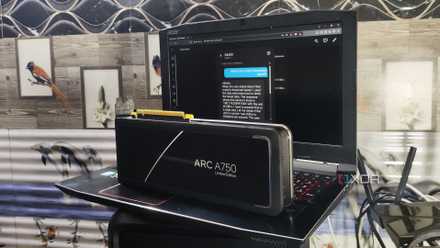
Transcription with Whisper
One of the best uses of self-hosted AI
If local AI has a “quiet superpower,” it’s speech to text, and Whisper is the reason it finally feels reliable enough to build habits around. Speech-to-text isn’t new, but most cloud dictation tools are either hit-or-miss with technical terms, awkward with long-form audio, or they come with the same friction you get with any hosted AI, which is the question of "do I really want to upload this?"
Self-hosting Whisper flips that around. Once it’s running on your own hardware, you can transcribe basically anything from voice notes, meetings and podcasts, to troubleshooting rambles all without leaving your machine.

Looking for a self-hosted transcription app? This open-source app is all you need
Say goodbye to expensive and risky transcription services with this versatile local solution.
Query your own files
Super underrated
One of the most underrated local AI workflows is using it as a layer on top of your own notes and documentation. Most of us have the same problem: we write things down, but we don’t remember where we wrote them down. You might have a folder full of markdown notes, a personal wiki, a directory of README files, and some half-maintained home lab documentation, but none of it is searchable in the way your brain wants it to be searchable.
Local AI makes that mess feel usable. Instead of you remembering exact keywords, you can ask questions in natural language. “Where did I document the ports for my reverse proxy?” “What did I change last time when this container couldn’t reach the internet?” “Which machine is running my DNS?”

Avoid these 10 pitfalls when setting up the network for your home lab
Don't let these networking issues break your home lab enjoyment.
Local AI can be a productivity catalyst alongside your hosted AI usage
Local AI isn’t the best at everything, and it doesn’t need to be. Subscriptions still win for deep research and when current information is more pertinent. But local AI is the one that’s always there for the repeatable tasks: summarizing private text, shaping rough notes, generating starting configs, helping you think through errors, searching your own documentation, and turning voice into something you can actually use.