
Claude Code is incredibly capable, but it can still make mistakes, especially when used out of the box. On larger projects, context can get mixed, and Claude may confuse one component, workflow, or requirement for another. Correcting it in chat helps in the moment, but that feedback often remains tied to the current session. The same issue can easily resurface later because the underlying workflow hasn't changed.
I found that giving better prompts alone did not solve it. The problem needed a more structural change to how Claude operates. The biggest change was maintaining a proper CLAUDE.md file that captures the context, rules, workflows, and project-specific knowledge Claude needs on every session. That turns repeated corrections into permanent instructions rather than temporary reminders. I also added a feedback loop and several other workflow improvements that force Claude to review and refine its work before moving on. These changes make Claude far more consistent and reduce the time spent repeatedly correcting the same mistakes.
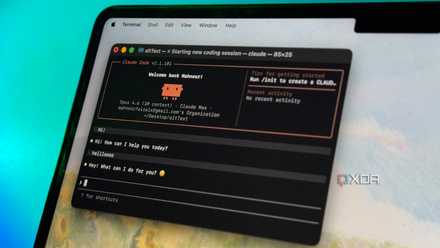
Claude Code's creator keeps sharing tips, and they all made my experience better
Who better to learn from than the person who built it?
Always start with a proper CLAUDE.md
It’s the Bible for AI agents
As ancient philosophers once said, "It all boils down to a good CLAUDE.md file." Claude Code loads this file at the start of every session, which means it has a direct influence on how the agent approaches your project. A well-written CLAUDE.md gives Claude the context, rules, and workflows it needs to operate effectively, and in my experience, solving that piece upfront eliminates a surprising number of problems.
The first thing I put in the file is a short project overview. Just enough context for Claude to understand what the application does, the main technologies involved, and the important moving parts. The next section focuses on architecture rules. This is where I define how the codebase is structured and where different types of logic belong. For example, business logic lives in services, database access goes through repositories, API routes should stay thin, and shared types belong in a specific location. These rules are valuable because Claude will otherwise create its own patterns, which may not match the rest of the codebase.
I also include coding standards, but only those that influence implementation decisions. Things like preferring TypeScript strict mode, avoiding any, using a specific validation library, or choosing one framework pattern over another belong here.
One of the most important sections is validation. I explicitly tell Claude which commands must pass before work is considered complete. That might be linting, testing, building the project, or running type checks.
Use Ralph Loop to keep Claude Code in check
Make Claude Code evaluate its responses
The second change I made was adding Ralph Loop. Most Claude Code sessions follow a simple pattern: Claude works on a task, decides it is finished, and stops. Ralph changes that by turning development into a continuous loop. Claude repeatedly evaluates the repository's current state and continues working until a predefined completion condition is met.
Ralph Loop is an Anthropic-developed plugin that uses Claude Code hooks to intercept the model's normal exit path and feed the task back into the workflow. This creates a cycle in which Claude can review its own output, identify issues, make improvements, and continue working, rather than ending the session after the first pass.
To use Ralph Loop, I provide a task, define what successful completion looks like, and set a maximum number of iterations. Claude then works through the task repeatedly, using the results of previous attempts to guide future ones. It can edit code, run tests, analyze failures, apply fixes, and reassess progress while drawing on information from the current repository, project files, and Git history. I've found Ralph Loop particularly useful for tasks with clear success criteria, such as fixing bugs, improving test coverage, refactoring code, and implementing new features.
Create specialist subagents
Divide and conquer tasks
Claude tries to handle everything in a single conversation, and while that works for smaller tasks, larger projects quickly fill the context window with code, logs, and implementation details. Eventually, too much unrelated information gets mixed together. To solve that, I created dedicated subagents for specific types of work. I have one that focuses on code reviews, another that investigates bugs, another that handles documentation, and another that validates architectural decisions. Each subagent has a narrowly defined responsibility and a clear set of instructions describing when to use it and what to look for.
The biggest benefit is context isolation. Each subagent works on a specific problem and returns a concise summary of its findings. That keeps the main conversation focused on decisions and implementation rather than getting buried under investigation work.
I also found that specialist subagents produce more consistent results because they approach tasks with a predefined objective. A debugging agent always looks for the root cause of a problem. A review agent always looks for issues in the implementation. A documentation agent always focuses on explaining what has changed.
Connect relevant MCP servers
Give Claude Code access to updated info
I gave Claude direct access to the tools and systems it kept asking me to paste into chat. Claude Code can connect to external data sources through MCP, the open standard for AI tool integrations. MCP servers give Claude access to tools, databases, and APIs, allowing it to read from and interact with those systems directly.
Unlock deals on AI tools, software & subscriptions
This allows Claude to query the source directly instead of requiring me to copy in issue details, dashboard screenshots, database outputs, or design notes. You can use MCP for a wide range of use cases, including issue trackers, monitoring dashboards, databases, Slack, Figma, and GitHub. MCP also reduces the dumb mistakes that come from working with stale information pasted into a chat.
Claude Code needs tweaking
There are plenty of changes you can make to Claude Code to improve the output you get from it. There are countless mods and extensions that can take the experience to the next level, but some of the easiest wins come from changing settings that most people ignore. A few small tweaks can significantly improve the quality and consistency of Claude Code's output.

I set up Claude Code the way its creator does, and the difference is night and day
Who better to learn from than the person who made it?