
I've tried a lot of web browsers in the past year or so, and I often find myself gravitating back towards Vivaldi. It remains one of the best browsers out there, in my opinion, but it's not perfect, so whenever I hear of a cool new browser, I tend to jump to it so I can see what else is out there. But no matter what, I haven't found a browser that does everything I want it to do.
That begs the question: what does a web browser need to be perfect? I thought it would be fun to imagine what the perfect browser would look like for me, so let's get right into it. Here are a few features that would make me instantly switch to a new browser. Keep in mind I am excluding some obvious things like syncing your browser history and the like.

5 reasons Vivaldi should be your web browser
You may not have heard of it, but Vivaldi is the best web browser for a few reasons. Here are some of my favorites.
7 Support for Chrome extensions
It's the biggest ecosystem out there
I did say I was skipping over some obvious ones, but I think this one still warrants a mention. Chrome and Chromium-based browsers dominate the market, and that means the ecosystem of plug-ins is absolutely massive, and bigger than any competitor like Firefox or Apple's Safari.
So, for a browser to be perfect these days, I'd say compatibility with Google Chrome extensions is a requirement. There are a ton of useful things that can be done with extensions, like price tracking on some websites, filtering some types of web content, or reading pages out loud. That's just a small sample of features, but it's just barely scratching the surface of what extensions can add.

9 browser extensions to power up your personal productivity
Turn your web browser into a productivity powerhouse with these top extensions
6 A modern and clean UI
I love software that looks good
As much as I love Vivaldi, I've always felt that its UI is a little... old-school. I can't pinpoint what it is that makes me feel this way, but something about Vivaldi's UI doesn't feel very modern or visually appealing, which is one of the reasons I'm a little more open to trying other browsers. Even after the facelift Vivaldi got in version 7.0, it's not quite there for me.
A great example of beautiful UI design is Opera Air, which is the browser I've been using for the past few weeks. It looks very clean and modern, with nice iconography and a colorful but subdued window chrome that's way more inviting. You can personalize most browsers with themes, yes, but I think there's only so much a theme can do with a browser that's designed in a certain way. It's good to have a browser that's designed to look good out of the box.
Browsers should also feel very responsive, like any piece of software. Clicks should be met with quick reactions and everything should feel snappy in the UI. Most browsers do well in this aspect, but I figure it's worth mentioning.

5 things Vivaldi still needs to improve after its "biggest update ever"
It's not as big as it should have been
5 Split view for tabs
Multitasking made easy
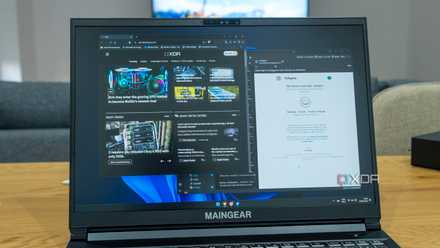
It's an unavoidable fact of modern life that we're constantly multitasking at all times, especially if you work from home. Juggling multiple apps and tabs is a common occurrence, and that's why a split view is such an important feature. Being able to see two webpages side-by-side is a great way to reference material in one tab while writing in another, or to compare content between two pages to spot the differences. For example, when we make updates to existing articles on XDA, having a split view makes it easy to compare the live page and the draft for the updated version.
Sure, you can just have two separate windows for the same effect, but this usually adds some more unnecessary empty pixels to the screen, plus you have to manually place the two windows on each side, so it takes a little bit more work. Having this built right into the browser is just easier.
4 Full dark mode
That means webpages, too
Dark mode is a pretty basic feature every app should have these days, and most browsers support it to some extent. What most of them don't do is allow you to force webpages to also have a dark theme, which can cause some strain on your eyes. Our content management system at XDA, for example, doesn't support a dark theme, which can make it an eyesore at night.
Many browsers do have an option to force dark mode on, but you have to do it through feature flags or use an extension to do it, which isn't as convenient as it should be. Weirdly enough, Vivaldi even supports this feature easily on mobile, but there's no easy way to force dark mode in the desktop version. Not only should this be an easily accessible feature, browsers should also make it possible to easily turn it on or off for individual websites, because some pages do break when dark mode is forced on.

How to make Google Chrome enter Dark mode
Give your eyes a rest when browsing Google Chrome using Dark mode.
3 Persistent pinned tabs (and proper handling of them)
It shouldn't be hard, and yet...
I wouldn't have thought to include this in this kind of list because it seems like something every browser should get right from the start. It wasn't until I tried using Safari and realized that it is in fact possible to mess up pinned tabs. In Safari, pinned tabs don't count as open tabs, meaning if you want to keep a window open with only pinned tabs, you need to have a pointless extra tab in the same window. And then there's Opera Air, which sometimes doesn't save pinned tabs if you close all your open browser windows.
This really shouldn't be hard. Pinned tabs should persist across sessions no matter what, and you should be able to have a window open with only pinned tabs. They're just normal tabs that never get closed. Most browsers get that, but it's worth mentioning for the ones that still handle them poorly.
2 An email client
I want it all in one app
I don't know how many people feel this way, but generally speaking, I prefer using a single app that does more things than having to fill my devices app with a billion apps for all the features I need. Some things, like messaging apps, warrant a separate app, but that's not the case for everything. The built-in email client is the main reason I keep coming back to Vivaldi, and I love it.
It's surprisingly hard to find a reliable email client that supports multiple accounts and is free to use, while also not being packed with pointless AI features (I'm looking at you, Spark). All I want is to see my entire inbox from different accounts and be able to easily mark emails as read, and Vivaldi is frankly the best way to do it. It's super straight to the point and easy to use, but it works perfectly for my needs, and it's built right into the browser, so I can always see at a glance if I've missed any emails. Plus, it updates quickly, too.
This isn't meant to be a shill piece for Vivaldi, but Vivaldi Mail is honestly a near-perfect implementation of an email client, and any other browser should just do the exact same thing. Actually, even standlone apps would benefit from working this well.
I stopped using my favorite browser — here's what I'm using instead
I loved Vivaldi, but it let me down
1 An RSS feed reader with cloud syncing
More features, please
In addition to email, RSS feeds are another feature that makes me love Vivaldi, but unlike email, I don't think the browser does a perfect job of it, which is quite frustrating. Vivaldi feeds work well, but there's one major thing missing: any kind of sync service. If you set up Vivaldi on different devices, not only do you have to set it up all over again with your feeds (you can import OPML files, but it's far from easy to realize the feature is even there), but your read items don't sync in any way.
Now, I don't want a tab open for Feedly, but integration with Feedly is one of the best features an RSS feed reader can have. It makes it super easy to know how many news stories have actually appeared since the last time I looked at my feeds, and that's extremely important for me as a journalist. I don't want my news list cluttered with old news, and seeing there are hundreds of "unread" news makes it overwhelming to keep up.
I get that integrating with Feedly may have some kind of monetary cost, though I can't confirm it. But if you offer any kind of sync service and your client is available on all major platforms, that works for me, too. It doesn't have to be Feedly, as long as things stay in sync.
The perfect browser doesn't exist... yet
While this is a somewhat long list, I believe this is actually a perfectly attainable set of features that an up-and-coming web browser could nail down if the developers truly wanted to. Either that or, frankly, Vivaldi could do it easily with just a couple of improvements to the existing feature set. I don't like the idea of paying for software, but I'd be willing to part ways with a few dollars if a browser actually delivered on all of these.