
Windows 11 was supposed to be an easy-going operating system that would improve the user experience. However, in my five years of using Windows 11, it has not been an easy ride since its controversial launch. I recently installed Windows 11 on a new machine, and the experience wasn't what I expected. It's surprising that an OS with such a huge user base doesn't care about them at all.
I spent a week tweaking Windows 11 to my liking, and honestly, it shouldn't be this way. It's a sheer waste of time and effort for someone like me who expects a more polished, less bloatware-friendly operating system that doesn't push ads and useless services in every corner. Let's discuss how Windows 11 broke my sanity and how I made it usable.
Initial hurdles
Poor setup experience
I can rant about all the bad things in Windows 11, but nothing irritates me more than the complete OOBE experience. Microsoft doesn't care about new user onboarding and forces you to dance to its tune. The first hurdle is the inability to create a local account. You must sign in with a Microsoft account, and then you can proceed.
There are a few hacks to get past it, but my question is, why do I need to resort to that tactic? If I want to run a version of Windows 11 with a local account and possibly no interaction with Microsoft account-related features, I should be allowed to do it. The tyranny doesn't end there because you must go through multiple useless pop-ups and service promotion pages before you can reach the desktop.
Most Linux distributions show a carousel of services and tools during the OS installation, but Microsoft wants you to pay undivided attention. It punishes you by forcing you to accept or ignore each suggestion. It doesn't get better after you boot to the desktop.
I use these 4 apps to completely customize my Windows 11 PC
Customize Windows 11 the way you want
Littered with useless features
Ads and bloatware aplenty
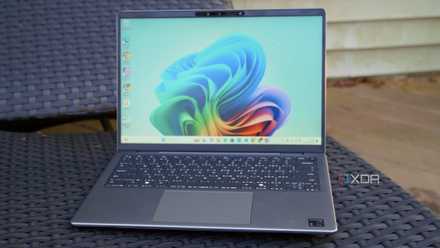
Windows 11’s desktop loads with the default wallpaper that looks nice. You have a redesigned Start menu that's honestly one of the few elements that has received a well-deserved facelift. But the centered taskbar icons are an eyesore.
Windows won't let you change the taskbar position, and the only option you have is to align taskbar icons to the left. The widget board icon is also there on the taskbar, which is just MSN bloatware at this point.
After launching the Start menu, you'll see multiple app suggestions along with the installed applications. The default apps aren't anything praiseworthy except for a few core apps. No one needs Clipchamp, Bing web search, Cortana, Copilot, and a few more on a fresh OS install. Microsoft doesn't give me the breathing room to make a decision and dumps the trash.
The next biggest concern is the ad injection in every frequently used OS element. It includes the login screen, start menu, file explorer, settings app, and more. Another pain point is telemetry collection and tracking, all of which are scattered across multiple settings pages. The whole design is intentional, and a major chunk of users accept it as a normal thing after a few weeks. But I didn't do that.
Molding windows to my needs
Debloating, settings, and policy changes
I won't shy away from the fact that doing all of this requires immense effort. Win11debloat offered some respite against Microsoft’s ridiculous OS design, but I still had to change a lot of settings to mold the OS to my liking. Some problems require a system policy change, while others need a third-party app to bring back the features you need.
To deal with the cluttered Settings app and slow search, I use God mode. It is a simple utility that lists every setting on your system in one file explorer page. You don't need to navigate multiple pages to find anything. There's a version of God mode called Super God Mode, but I find it a little overwhelming.
I also use Explorer Patcher to change the taskbar appearance, WinDirStat for a deep dive into folder size, File Pilot for a better file manager experience, PowerToys for adding features that Microsoft thought weren’t for everyone, and a few more tweaks.
There are also performance tradeoffs with using virtualization-based security, and you might need to enable a special power plan to get the maximum out of your hardware. Apart from that, you’ll still need to be cautious of monthly system updates that tend to break the tweaks you made with third-party apps. Notorious background apps also try to waste a lot of memory in the background, and some manual service management and startup apps have become necessary.
I achieved some tweaks, like restoring old context menus and a few other settings using registry modifications. But these come with an added risk of breaking the OS and creating a system restore point before doing anything has become my habit.
Windows 11 needs a reevaluation
An OS of such magnitude doesn’t need to be this difficult for end users. I’m not even nitpicking about things because most of the problems I mentioned above shouldn’t even exist in a mainstream OS. Injecting ads, cluttering menus, canvassing OS elements with suggestions, and bundling crapware are all ploys from a decade ago.
I expect a pristine, ready-to-customize OS that doesn’t impose its ideas on me. It’s not difficult to achieve, because if third-party tools can do it, Microsoft can also follow the same. I still have hopes because the recent Start menu upgrade, Phone Link suite, and Snipping Tool features all point towards improvement. Otherwise, Linux makes sense for users like me due to a zero payment or subscription model, better community support, and freedom.