
Case fans are often ignored in favor of other PC components when building a new PC. After all, they come pre-installed on most PC cases, and just seem to work as intended. When you're buying more case fans for your PC, however, you might find it hard to differentiate between various models or sift through specs that you never cared about. This can result in hasty purchase decisions, leading to mistakes that are easily avoidable.
Buying the right case fans for your PC is essential to ensuring optimum cooling, noise levels, and esthetics. If you know what not to do, you're already on your way to avoiding 99% of the mistakes people make when choosing case fans. Let's look at each of those six mistakes, so you can make buying case fans less of a hassle.

Do you need to upgrade your PC's case fans?
The case fans are essential for a cool-running PC, but do you really need to upgrade them?
6 Buying cheap fans with questionable build quality
Ball bearings can be noisy
Not all case fans are made equal. If you're shopping for extra fans for the first time, you might go on Amazon, sort the listings by price, and get one of the cheapest ones available. This approach can hurt performance on your PC, especially in terms of noise levels, since many cheap-quality fans can have ball bearings that are noisier than, say, fluid dynamic bearings (FDB) found on more expensive models.
Sometimes, it can be tough to tell whether a fan uses ball bearings or FDB from the product page alone, so it's best to read the manufacturer's website or look for reviews on the particular model. You might have to spend slightly more on silent fans, but the gains over the lifetime of the fans easily offset the small premium. Plus, the added benefit of high-quality fans lasting longer is also worth considering.
Corsair LL120 RGB
- Brand
- Corsair
- Noise Level
- 24.8 dBA
- Maximum Rotational Speed
- 1,500 RPM
- Air Flow Capacity
- 43.3 CFM
The Corsair LL120 RGB is a premium PWM fan with hydraulic bearings and gorgeous lighting effects.
5 Accidentally buying DC fans instead of PWM
PWM has been the standard for a long time
The buying approach I discussed in the previous section can also make you purchase DC fans accidentally. In terms of electronics, case fans can be of two types — DC and PWM. While DC fans can be controlled in the BIOS, they usually can't be made to run below a certain RPM. This is done by varying the voltage supplied to the fan, and a certain minimum amount is necessary to make the fan run at all.
PWM (Pulse Width Modulated) fans, on the other hand, are more advanced in the sense that they allow more control over the fan speed. By sending a digital signal to the fan, its speed can be controlled over a much broader range compared to a DC fan. Plus, you can set custom fan curves that can control the fan speed based on the CPU, GPU, or system temperature. Some well-known manufacturers still sell cheaper DC fans, and if you're not paying attention, you can end up with them unknowingly.

5 reasons why you should set custom fan curves in BIOS
Allow your motherboard to control your fan speeds.
4 Failing to check the number of motherboard fan headers
It can happen to the best of us
Consider this: you've decided to buy three or six new case fans for your PC, you know your case can accommodate them, and you find out you've run out of motherboard headers to install the fans. Most motherboards have three or four fan headers onboard, and if your existing fan setup has already used up each of them, you'll need a fan hub to add extra fans.
Missing out on this detail can leave you stranded as you end up with more fans than connectors. Daisy-chaining can help you minimize the number of headers needed, but even then, you need to assess the motherboard situation before you order more fans. This will allow you to know beforehand whether you need to order a fan hub as well, and save you the time you'd otherwise waste waiting for the latter.

How many fans should a PC have?
You know your PC needs fans but how many do you really need? Let's find out
3 Choosing fans based on looks alone
Don't get swept by RGB
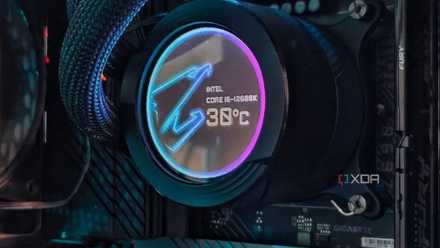
I get it — esthetics are important. However, choosing additional case fans simply based on looks can be a recipe for disappointment. While the best-looking modern case fans will usually have decent build quality and PWM support, it's not always guaranteed. You could get the best diffused RGB lighting, wireless interlocking, and LCD screens, but the fans might not be right for your setup.
Before finalizing the case fans you're buying, look at the specs, such as RPM, CFM, and bearing type. Find some reviews of the model you're eyeing, if you can, and see how they perform in a real-world situation. If a great-looking set of fans also happens to have good performance and fits the needs of your PC, then go ahead and get that beautiful set. Also, it's worth considering if the new fans will look good with your existing fans, since esthetics are what prompted this purchase in the first place.

2 Buying the wrong kind of fans
Both static pressure and airflow fans have their place
An often overlooked distinction between case fans is whether they're static pressure or airflow fans. Airflow fans are designed with wider blades to push as much air as possible into a case with decent volume. Most people have cases that have sufficient space inside, so airflow fans usually work best in most cases. Static pressure fans are designed to push air against resistance, typically in PC cases with limited space or other components in the way.
If you have a mini-ITX case, chances are your existing fans are static pressure fans, and if you're buying additional fans, these are what you should go for. Check your case and existing fans before buying new fans so that you have all the data needed to make the best decision. The difference between using airflow and static pressure fans, depending on your needs, isn't huge, but you might still be looking at up to 5℃ lower temperatures.

Why does static pressure matter in your PC, and what does it actually mean?
Getting the right static pressure in your build will help ensure you are getting the best cooling possible
1 Not considering the size of the fans
140mm and 200mm fans also exist
Most PC users are aware of 120mm fans, which are the most common, but completely ignore other fan sizes when buying extra fans. If your case can fit three 120mm fans in the front, it might also be able to fit two (or three) 140mm fans. Similarly, many cases allow 140mm exhaust fans on the rear panel. These larger fans have some benefits over 120mm fans that you might be glossing over.
Larger fans don't need to spin as fast to push the same amount of air as a smaller fan. So, by installing 140mm or 200mm fans instead of 120mm ones, you can easily get lower noise levels without reducing the air intake on your PC. Larger fans can also look better, depending on your case. Plus, the prices aren't too different for 120mm, 140mm, and 200mm fans. Assess what will look best on your case, and consider larger fans for a more silent and cooler PC.

7 tips to build a completely silent, fanless PC
Going fanless is the last word in silent PCs, and building one is more than possible
The more you know...
Case fans aren't something you buy often. Most people never change the fans that they use when first building their PCs, but there can be situations where you're looking to upgrade to something better. In these cases, you should know what to look for, so you can avoid the most common mistakes, such as buying the wrong type or size of fans. You'll also be able to plan better to avoid getting stuck with insufficient motherboard headers or fans that look great but don't perform well.