
The outrage against GPUs with insufficient VRAM is intensifying, as it should, but gamers should also remember that a larger framebuffer doesn't magically mean improved performance. While more VRAM is necessary for unpacking high-res textures and the graphical info involved in rendering ray tracing effects, a bigger VRAM number by itself won't do much if your GPU or other components are otherwise limited.
Buying a graphics card with 16GB VRAM instead of just 12GB or 8GB might be recommended in 2025, but at the same time, you need to ensure the GPU has the raw power to utilize that additional memory. Plus, your CPU, RAM, and SSD should not act as major bottlenecks either, otherwise, VRAM will do little to solve your FPS woes.

How much VRAM do gamers need?
Unfortunately, having enough VRAM on your GPU is a luxury today
5 More VRAM won't help a weak GPU
It's not a silver bullet
In 2025, when companies like Nvidia are still releasing $500+ GPUs with 12GB of VRAM, it becomes everyone's responsibility to shun terrible products in favor of more consumer-friendly options. In this struggle for more VRAM, however, you shouldn't forget that your graphics card should also be powerful enough to make that extra VRAM matter. If your GPU is underpowered in other areas, such as the GPU cores, memory bandwidth & speed, or clock speeds, then a larger framebuffer won't help much.
Only when your GPU is capable of pushing higher framerates at 1440p or 4K, and the VRAM is plenty enough to support those higher resolutions and in-game settings, will you extract more performance from your PC. This is why a relatively weaker GPU like the RTX 3060 with 12GB of VRAM will not beat an RTX 3080 with 10GB of VRAM. Even if the game demands more than 10GB of VRAM, the RTX 3060's weaker internals will far outweigh any VRAM benefits it has over the RTX 3080.

5 reasons 1440p is the new 1080p
For the longest of time, 1080p was the sweet spot for PC gaming, but the goalposts have moved.
4 Lower resolutions can't utilize more VRAM
More memory, more wastage
Talking about the other extreme, if you're hoping to boost your FPS at 1080p simply by switching to a GPU with more VRAM, that isn't going to work in the majority of cases. Even the latest games can't saturate the framebuffer of most modern GPUs at 1080p; the game assets just aren't large enough at that resolution. Having an exceptionally large framebuffer won't do a thing if your GPU is already cruising without hitting any walls.
Consider two GPUs: the RTX 3060 12GB and the RX 6600 XT (8GB). Both of them will drive a similar framerate in most games at 1080p. The additional VRAM on the former won't make a difference, since the game isn't demanding more VRAM than is available on either card. The numbers I used might change, but the point remains — lower resolutions aren't particularly VRAM-heavy, so almost any recent GPU will perform the same, and VRAM will almost never be the bottleneck.

5 reasons 4K gaming is still a niche most people don't need
4K gaming is supposed to be the pinnacle of gaming, but where does this obsession with resolution come from?
3 Old GPUs might be obsolete in other departments
Powerful hardware betrayed by software
Another scenario in which more VRAM will have little to no impact is when you're using a particularly old GPU. Older models lack support for new technologies like mesh shaders, ray tracing, Vulkan, and recent versions of DirectX. Besides being less powerful and efficient than the newer models, older GPUs hit a roadblock when driving modern games the way they're meant to be played.
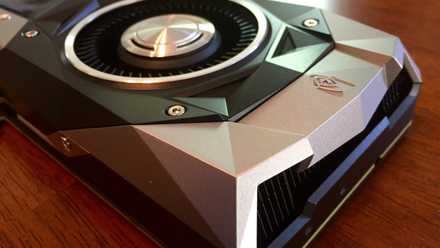
So, a GTX 1080 Ti with 11GB of VRAM with no support for mesh shaders will perform worse in Alan Wake 2 than a weaker GPU like the RTX 3060 8GB, even though the latter has less VRAM. Instead of VRAM, the bottleneck is now the underlying support for a fundamental technology required by the game. Even if your old GPU has enough VRAM and raw performance to drive modern games, lack of support for, say, newer PCIe generations or ray tracing can affect its performance in a major way.
10 older GPUs that are still going strong in 2024
It's a tough world out there for old graphics cards, but these 10 champs are still kicking it
2 Some game engines don't scale well with VRAM
It's not your GPU's fault
If you mostly play older games and are wondering why the ample VRAM on your graphics card isn't delivering extra FPS compared to another GPU with a smaller framebuffer, then it might be down to the game engine. Some older game engines aren't programmed to make use of any more VRAM than a fixed amount, while others aren't able to scale adequately with additional VRAM. This makes the extra VRAM worthless, even if you increase the render resolution.
Older games like Battlefield 4 (Frostbite), Crysis 3 (CryEngine), Batman: Arkham City (Unreal Engine 3), and The Evil Within (id Tech 5) were limited by older versions of the underlying game engines that had limitations around higher memory utilization. Hence, you might see little to no impact of more VRAM on the FPS when playing these titles or other games from the same time.

Why multi-core CPUs are underutilized in modern gaming
Modern games still can't fully utilize multi-core CPUs, but there might be fundamental challenges at play
1 The bottleneck might lie elsewhere
Check your CPU and RAM
Your GPU might not be the culprit at all; the bottleneck could be any of your other components. Despite having plenty of VRAM, you could be facing poor performance due to a weaker CPU or RAM. A slow CPU will keep the GPU waiting as it takes too long to feed it the necessary data, affecting the performance of the GPU, and hence, the framerate. Even your RAM could be slowing down your gaming PC if you have insufficient or relatively slow memory.
A sufficiently fast SSD is also necessary for supplying game assets to the GPU for further processing. While an SSD won't improve your FPS compared to a hard drive, it will ensure faster loading times and overall system responsiveness. If you're thinking of upgrading your CPU, you could consider one of the Ryzen X3D processors from AMD that are especially suited for gaming, thanks to their fast 3D V-Cache. And moving from, say, 3,600MT/s DDR4 memory to 6,000MT/s DDR5 memory can also give your PC a significant boost in gaming.
AMD Ryzen 7 7800X3D
- Brand
- AMD
- CPU Model
- Ryzen 7 7800X3D
- Cores
- 8
- Threads
- 16
- Architecture
- Zen 4
- Process
- 5 nm
AMD's Ryzen 7 7800X3D CPU is still one of its best 3D V-Cache chips, delivering gaming performance not too far from that of the newer Ryzen 7 9800X3D.
Silicon Power Zenith DDR5-6000 32GB (2x16GB) CL30
The Silicon Power Zenith DDR5 32GB kit offers the best balance between frequency and latency, thanks to its 6000MT/s speed and CL30 latency. The white colorway gives some flair to your DDR5 build.

5 myths about CPU and GPU bottlenecks you shouldn’t believe
It's time to clear up some confusion about PC bottlenecking.
More VRAM alone doesn't magically make a GPU better
If your preferred resolution and in-game settings actually require more VRAM, then a GPU with a larger framebuffer will certainly perform better than one with the same raw performance but insufficient VRAM. However, in many situations, the VRAM on your GPU will not be the bottleneck; the GPU's horsepower and support for modern software features will be the culprits. Other times, an older game engine or the other components of your PC can be the bottlenecks holding you back from peak performance.