
Regardless of how you feel about the current state of gaming, sometimes, it's nice to just go back and play the games you grew up with or discover old gems you never got the chance to play back then. Emulation is the best way to do this, but back in the day, it could be pretty complicated to set up, and it always felt a little too convoluted compared to just opening a regular game.
That's all changed, though. Gone are the days of browsing a mess of folders and files to find the emulators and games you want to play every time, and all the work required to make things function properly, especially with a controller. These days, emulation has become so good that you rarely have to organize your files at all. Everything just works.

5 retro consoles the Raspberry Pi can perfectly emulate
The Raspberry Pi flawlessly emulates classic consoles like the NES, SNES, Genesis, PlayStation, and even the Nintendo 64.
Emulation Station changed the game
RetroArch also helped
When I was younger and trying to emulate games, things were a mess. Every platform required a different emulator, and navigating my games was never super intuitive, since I just had to browse my folders in Windows to get things running. If I wanted to use a controller, I'd still need a mouse and keyboard every time.
But now, things are very different. RetroArch has become the standard for emulation because it's a unified platform where you essentially just install "cores" for the platforms you want to play, and your games then reside under the same umbrella. RetroArch just loads the necessary cores as needed, which removes a lot of the complexity of setting up different emulators.
And then you have Emulation Station, or ES-DE, which makes things even easier. This software provides a beautiful front end for all your games across multiple platforms. It supports all kinds of themes, but even the basic default is fantastic for its simplicity, breaking down your library into different platforms and presenting them with high-resolution imagery. Then, once you select a console, you can see all the games with their respective box art, additional images, a description, and even trailers, so it feels like browsing a curated gallery of games. Everything about the emulators themselves is set up automatically, so you don't have to wonder what the right emulator is for each console; it just works.

5 retro consoles that are perfect to emulate on your PC
Emulation can sometimes be shaky, but these retro consoles are nothing short of brilliant on PC
Everything about this UI is navigable with just a controller, too, and even button assignments are easily customizable without a mouse or keyboard. All the fussy side of emulation just fades completely into the background, and you can just dive into the games. A while back, I turned a mini PC into a retro gaming machine with ES-DE, and it was wonderful.
EmuDeck makes it even easier
Set everything up without the hassle
You can make things even easier for yourself thanks to EmuDeck, which started as a project specifically aimed at the Steam Deck. This software tries to set everything up so that you barely have to worry about any part of the process. It downloads and sets up all the emulators, and it creates folders so you can organize your ROMs more easily. Better yet, EmuDeck can also create folders on a USB drive, so you can use a different computer to organize the ROMs, then automatically import them into the right folders to set up your library.
EmuDeck can also integrate with Steam, so you can bring your retro games together with your Steam library and keep them neatly organized in collections, making it easy to find what you're looking for. This way, you don't even need a separate environment for your retro games compared to your modern ones.

EmuDeck hands-on: The best emulation suite for the Steam Deck, Asus ROG Ally, and more
If you want to emulate on the go using a PC gaming handheld, then EmuDeck is by far the best way.
What's more, EmuDeck supports backing up your saves to the cloud, and you can sync them across devices if you support the project on Patreon. It's a fantastic user experience across the board.
You can even self-host your games
RetroAssembly is amazing
All of this is great, but you might still find it frustrating if you have to set up the emulation frontend on different computers or on your phone. What if you could just have your own server with games and play them from any device? Well, unsurprisingly, you can do just that thanks to a self-hosted service called RetroAssembly.
RetroAssembly lets you set up a wide range of retro platforms for emulation, going as far back as the Fairchild Channel F and as far forward as the Game Boy Advance. It's not meant for the most demanding kinds of emulation and newer platforms, but it can be a great way to relive some classics.
What's great about it is that you can easily upload ROMs to the server from any of your devices, and then play them anywhere with a web browser. All your games and save data are stored on your own server, so they're accessible on all your devices, and you can easily start playing on your computer and continue on your phone using on-screen controls.
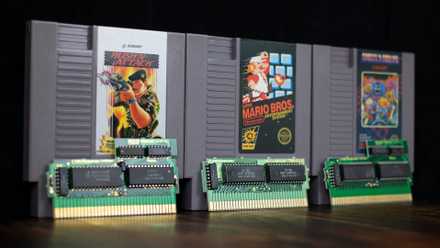
4 ways to level up your retro gaming setup
Relive the classics like never before with these four must-have additions to your retro gaming setup.
Setting this up for the first time is a little more involved, but once you have your games up, it's still a great, unified experience with all your games accessible through a friendly UI. And the fact that you can use it on any device just makes it easier than ever, and it's even shareable. If you have someone over at your place, they can just go to the same web address and check out your library of games on their own. There's even a user account system so you can set up a guest account to separate your saves from other players'.
And on that note, RetroAssembly works without hosting it yourself: there's a web version that just uses a remote server if you'd rather do it that way. Setup is even easier this way, and you still have control over the games in your library.
Emulation has come a long way
At this point, emulation of older platforms has been nailed down almost perfectly, so the problem is no longer whether the games can run as intended. It's all about the user experience now, and solutions like ES-DE, EmuDeck, and RetroAssembly make retro gaming more accessible than ever, allowing everyone to experience the games that defined the industry for generations to come. If you're not familiar with the solutions above, I highly recommend checking them out so you too can play some of these great (and not-so-great) pieces of history.