
Windows 11 is a fairly heavy operating system, and it's spurred a wave of people breathing new life into old laptops using Linux. And while there are many Linux distros that can be great for an older machine, a truly old, low-power laptop may need a little bit of extra help. Recently, I tried to revive a Windows laptop with antiX Linux and that went alright, but there's another option that doesn't get discussed nearly as much.
MX Linux is another great distro with a keen focus on older machines. It's actually a collaborative effort with antiX Linux, but it comes with some changes of its own. And truth be told, this may be the best distro for an old PC that just can't quite handle the more "modern" options out there.
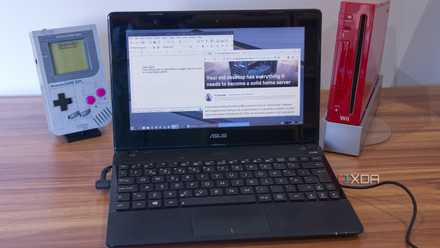
Windows left this old laptop to rot, but Linux brought it back to life
If this thing can run, your laptop can too
The three flavors of MX Linux
Fluxbox may make the most sense
MX Linux comes in three primary flavors, and they can be seen as targetting three different categories of hardware. Each variant uses a different desktop environment, between Xfce, KDE Plasma, and Fluxbox.
Xfce is the original release, and it's one of the lighter options for a desktop while still providing a solid range of features and customization. KDE Plasma is a more advanced and modern desktop that has a lot of features and customization options, but it may require slightly more powerful hardware to run smoothly. And Fluxbox is the lightest of the bunch, with a more simplified UI and a more limited set of apps available by default. It's the best if you're trying to run on very low-end or old hardware.
That's exactly what I'm working with for this article, so I went with the Fluxbox variant for the purposes of testing MX Linux. One potential benefit of MX Linux over something like antiX is that it does ship with a newer kernel version, being 6.12 instead of 6.1 for the latest "stable" release of antiX.

4 reasons why I would pick MX Linux instead of AntiX for old PCs
Learn about the key differences between MX Linux and AntiX that could change your mind about old PC distros.
It includes the necessities
It's ready for daily use
As a lightweight platform, MX Linux may be more limited in terms of flashy features and included apps, but you still get the essentials to have a fully usable computer for basic day-to-day tasks, and even some things that you might not consider essential, like a live USB creator.
Of course, there are some basic apps like a web browser (Firefox), music player, an image viewer, a text editor, and even two file managers: Thunar if you want a GUI, and Midnight Commander for managing files in the terminal. But then there are things you might not thik to find here, like a webcam app that can take pictures and record video, GParted for managing and editing drive partitions, and even a sync client (Grsync) that can force two folders to stay in sync at all times.
One thing that isn't included is an office suite like LibreOffice or OnlyOffice, so that's something you'll have to get yourself. MX Linux does include a software manager that lets you install extra apps if your PC can handle them. These include Debian packages curated for MX Linux users, but you can also download Flatpak apps from Flathub if you're so inclined, and that gives you a pretty vast library to work with.
I went and tried to install OnlyOffice from the main repository and it worked totally fine, giving me a way to edit documents, spreadsheets, and presentations. I also downloaded Telegram so I had a way to message my closest contacts, and I went ahead and got VLC Media Player, since there was no way to play videos out of the box, either.
4 MX Linux Tools that I miss while using Ubuntu and other Linux distros
The game-changing tools that make MX Linux a standout choice for efficiency and customization among hundreds of Linux distros.
There's plenty of customization, too
More than you might think
Despite being a very lightweight alternative to other desktop environments, Fluxbox on MX Linux actually comes with a lot of customization options. There are plenty of theming options in the MX Fluxbox Tweaks app, and you can even edit the included themes with any color options you want using the MX Theme Editor.
Then there's MX Dock Maker, which lets you add more docks to the desktop as quick launch panels for different apps. A default one is added by default on the left side of your screen, but you have the ability to not only move it, but also add or remove apps to it, or create additional docks for different apps.
The "taskbar" at the bottom of the screen can also be thoroughly customized with different colors and elements to make it work best for you. One thing I did was remove empty desktops from the taskbar since I really didn't need them, but there's a lot more you can do. I'm surprised there are so many options with a relatively lightweight offering like this.

4 reasons why MX Linux is my cherry-pick for reviving ancient laptops with Linux
Experience the perfect balance of performance and simplicity on your old machine with MX Linux.
Is it faster than antiX?
Maybe not
Despite being a very lightweight option and running smoothly overall, I did find MX Linux slightly slower than antiX on the extremely weak laptop I tested it on. I tested antiX on the IceWM window manager (which I mistook for Fluxbox at the time), and that desktop is even lighter. It lacks animations and many of the customization options of Fluxbox, but things felt a little more responsive on this lower tier of hardware.
It really depends on your hardware, though. As I mentioned, this is a laptop that's barely functional on Windows and even Linux Mint, so we're looking at something that requires an extremely lightweight experience to be usable. MX Linux is still passable, but I would give it to antiX with IceWM if you're truly trying to extract as much performance as possible.
Fluxbox balances that with a nice supply of features included out of the box, so you still get a lot of customization options and tools you can use. If your laptop is ten years old and it had decent hardware at the time, then the performance sacrifice is probably not that noticeable, and you get some nice perks in exchange for that.

4 reasons Q4OS is the best operating system to breathe some new life into your old laptop
Q4OS is an underrated distro for owners of dinosaur PCs and laptops
MX Linux deserves more attention
There are some great options out there for breathing new life into an old laptop, and MX Linux is genuinely a solid option. Even in its lighter form, it has plenty of features, and it comes with a much newer kernel, so there are a lot of benefits to this release if you want to use something more modern.
If you have very weak hardware, then antiX may still be a better option, but MX Linux is a very balanced option with some useful tools for day-to-day use, and it still manages to be very light.