
Early on, NAS felt like this mysterious gadget that is made for tinkerers who want to build everything themselves. I assumed it to be too complex to set up and quite expensive to maintain. It felt like a solution looking for a problem. However, after setting up my own NAS at home and living with it through all these years, that notion of mine has flipped on its head. It was a gradual conversion, but a lot of the things that I believed did actually change. And that’s where the actual learning began because almost everything I thought I knew about NAS was wrong.
A NAS is basically a shared drive
It’s more than just SMB on a box
I took the label quite seriously. Network-attached storage: a storage system that is simply attached to my network for everyone in my family to access. You slotted in a couple of drives, mapped the NAS to your devices, and you’ve got lots of storage. That was the entire picture in my mind. After deploying my first home server and playing with it for weeks and months, I realized how incomplete that assumption was.
The OS running on top of that hardware changes everything. I could automate backups for all my devices, which alone turned them into a mini server rather than simple storage. I have set it up to host my media, sync my files, and whatnot, making it an indispensable part of my setup now.

6 signs you are ready to bring home your first NAS
This is your sign to bring home a NAS
Self-hosting apps are too complicated
There’s beginner-friendly stuff too
Self-hosting feels like something scary — you instantly picture terminal commands, large server rooms, and IT professionals scrambling to fix problems one after another. I assumed running apps on a NAS would be the same kind of fussy and too technical for me to even bother with. But modern NAS platforms make such tasks super easy these days.
Whether you’ve installed apps from the built-in app store or set up Docker containers, most apps don’t take more than a couple of clicks to run. I went from being scared of containers to running several of them without ever touching a single command line.

I swapped Dropbox for this self-hosted alternative
This open-source app is an unexpected alternative that's faster and more private than Dropbox
Only Synology and QNAP are worth buying
It’s a sprawling ecosystem
When I began researching NAS, the two brands that surfaced at the top were Synology and QNAP. And it felt like those were the only two brands that existed, with nothing outside them. Sure, they have great interfaces and even enough community support to get anyone going. But soon enough, I discovered a whole world of NAS brands and DIY alternatives that didn’t exist for me before that.
I learned about TrueNAS and Unraid, which are two of the greatest things that happened to DIY NAS. They are full-fledged operating systems — mature, powerful, and flexible platforms that offer more control than even those big NAS brands. With them, you can repurpose your old PC or laptop, saving you on upfront hardware costs, too.
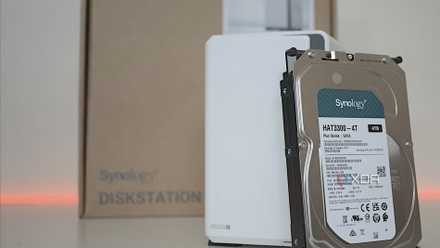
4 reasons I regret buying a Synology NAS instead of building one myself
Regret buying a branded NAS? You're not alone. Here's why a prebuilt NAS may have made more sense.
NAS is pointless with cloud apps
Cloud doesn’t replace NAS
Cloud can indeed solve everything; there’s always an app for every single one of my needs. There were some for photo backups, writing documents, creating notes, streaming media, and more. But the reality hits when you have to deal with large files that require instant access, and you just don’t want to pay for storage every single month.
NAS works like a personal cloud that is hosted locally for instant file access at speeds the cloud can never match. You get the same convenience with zero ongoing cost. NAS makers usually offer first-party tools to sync your files to the NAS in real time, and if you have your computer connected via LAN, transfers will feel lightning fast.

I finally set up TrueNAS cloud sync for the first time, and it blew my mind
TrueNAS taught me more than I ever wanted to know about storage
RAID = backup
This myth dies quickly
Once I learned about it, I realized how embarrassing an assumption it was. I really believed that my data was safe when I set up RAID. While researching it, I realized that RAID only protects you from drive failure, and nothing else. If you delete a file, it’s gone from both drives, and if malware hits, it affects both drives.
A more sensible solution is to maintain a proper backup strategy, one that includes version history, cloud sync, copies to external drives, and/or off-site backups. These protect against more kinds of vulnerabilities than just drive failures for better uptime and protection. It becomes crucial when you have family memories stored or use the NAS for office work, where you can’t afford to lose data.

These are the best RAID levels for NAS servers and home labs
Choosing the wrong RAID mode can make your data irrecoverable
You need expensive hardware to get started
Cheap boxes can do it too
Before I built my first setup, I assumed NAS hardware needed to be fancy and enterprise-looking stuff that cost more than my laptop. But after testing a ton of NAS models across price brackets, I now know that budget NAS variants and even mini-PCs or Raspberry Pi units make great custom NAS setups that can host Docker containers and your media servers with the utmost ease.
You don’t have to start with a fancy, high-end setup, especially when you’re getting your first NAS. Repurposing an old laptop is perhaps the most sensible way to start your NAS journey. It would not only be cheaper for you, but also prove to be a learning exercise.

I've tested countless PC cases, but this is the best for creating the ultimate DIY NAS
Fractal Design's Node 804 is almost perfect for building a NAS.
So much you can do with NAS
These things weren’t small misunderstandings but were complete misreadings of what a modern NAS is capable of doing. It can run tons of apps and services, and they collectively help me save a lot of money in monthly subscription expenses that I can now avoid. My NAS has proven to be an investment that keeps giving even after years of setting it up.
QNAP TS-464
- Brand
- QNAP
- CPU
- Intel Celeron N5095
- Memory
- 8GB DDR4 (max. 8GB)
- Drive Bays
- 4
- Expansion
- 2x M.2 PCIe 3.0, 1x PCIe Gen 3 x2
- Ports
- 2x 2.5 GbE, 2x USB-A 3.2 Gen 2, 2x USB-A 2.0, 1x HDMI
QNAP's TS-464 is an impressive four-bay NAS with a striking design, powerful internal specs, and IR support for a remote control. If you're looking for the best-equipped NAS for running Plex (or other media solutions) without spending a small fortune, this is the NAS for you.