
I've been using Google's AI-powered research assistant, NotebookLM, since before most people knew it existed. I'm talking about the time when it was still tucked away in Google Labs. If you aren't familiar with what I'm talking about, Google Labs is essentially Google's experimental playground, where the tech giant tests out ideas before releasing them more broadly.
I recently tested a lot of the newest Google Labs experiments to see how they stack up against NotebookLM, and the projects just keep getting more impressive with each passing day. That said, NotebookLM, too, started out as a Google Labs project under the codename "Project Tailwind," and was announced during Google I/O 2023. Fast-forward to today, it's gone viral for features like Audio Overviews and is used by hundreds of thousands of people worldwide.
Given that I've been loyal to the tool since its initial days, even when it lacked the features that make it the great tool it is today, I’ve learned a lot throughout the ride and feel like I’ve had a front-row seat to its evolution. There are also a bunch of things I’d do differently if I had to start using NotebookLM all over again, especially with its current set of features. So, here’s exactly what I’d do differently from the very start.

If you haven’t tried NotebookLM yet, here are 3 reasons to start now
Seriously, what are you waiting for?
Immediately create an Everything notebook
One notebook to rule them all
Though I've talked about creating an "Everything" notebook a fair bit in my other articles, I created it way after I started using NotebookLM. If I recall correctly, I created it in February 2025. So, if I were to start using NotebookLM from scratch, the first thing I'd probably do is create an "Everything" notebook.
Though it might sound like it's a concept I invented out of thin air, it's actually a suggestion from Steven Johnson, who is a science writer, editorial author, and someone who has worked on NotebookLM's team from the very start. In a blog post on The Keyword where he shared tips on how to get the most out of NotebookLM, one of the tips he suggested was creating one main notebook, and then identifying more topic-based notebooks using that main notebook. In case you haven't caught it yet, the "main" notebook is what Steven calls the "Everything" notebook. Steven suggested filling up the notebook with sources that include stuff you generally work with most days, and doing so creates a personalized AI and sort of becomes your second brain.
Given that I'm someone who forgets everything I think mere minutes after, the thought of storing everything I'd want to remember and retrieve instantly in one place just makes way too much sense. So, that's exactly what I did a couple of months ago. I created a new NotebookLM notebook and filled it up with a bunch of sources that felt like the current me, like random Apple Notes I wrote at midnight, book and movie lists, random writing ideas, and even stuff like my class schedule and courses I was taking, along with descriptions of them.
The goal here wasn't to build a perfectly organized notebook that captured every detail about me. It was to stop needing to remember so much information just for the sake of remembering it, and finally have a space where I could instantly retrieve ideas I'd had previously using natural language, and actually shape them into something that makes sense. Creating an Everything notebook has been one of the smartest moves I've made when it comes to keeping track of stuff, and I only wish I’d created one sooner.
NotebookLM is already great, but these 4 features would make it even better
Good? Yes. Perfect? Not yet.
Be selective with sources
More isn’t always better
NotebookLM's biggest strength is helping you engage better with sources you already have on hand. It's not meant to help you find new sources or learn something completely unfamiliar from scratch. It shines when you feed it material you're already familiar with, whether that's lecture slides your professor gave you, notes you took during class, thoughts jotted down during a meeting, research papers, or anything in between. NotebookLM builds context around the sources you upload to your notebook and acts as a sort of personalized AI, meaning it's only familiar with what you've already shared with it.
Now, here's the thing: the personalized AI bit starts to flop a bit when you start uploading too many disconnected sources that have nothing to do with each other. If you dump in a bunch of random PDFs, links, or documents that span totally different topics, it becomes harder for NotebookLM to maintain context or give meaningful insights. That's exactly the mistake I started making. So, instead of dumping all the sources I have into one notebook, I make sure to only group sources that fall under the same general topic and are genuinely useful. This way, things stay way more focused, and it helps NotebookLM give better summaries and answers.
Pair NotebookLM with different tools
NotebookLM isn’t meant to do it all
NotebookLM is undoubtedly an incredibly powerful tool. Though that's a great thing, it's also one of the biggest reasons why I refused to use anything else. That was until recently, when I learned that NotebookLM shines even brighter when you pair it with other productivity tools like Perplexity, Notion, Excel, and more. For instance, I typically pair NotebookLM with Perplexity on the days when I don't have a lot of sources to work with in NotebookLM.
Though NotebookLM isn't designed to help you find new sources, Perplexity is. So, I use Perplexity to dig up articles, papers, and background info, and then drop the most relevant ones into NotebookLM to dive deeper.
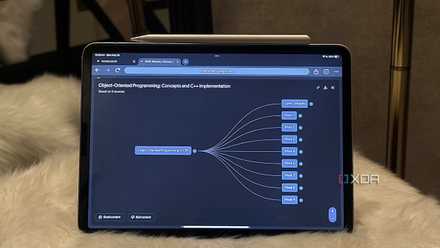
Similarly, though NotebookLM is designed to help you engage with the information within the sources you find, I've found that Perplexity doesn't do the best job at that. That's where NotebookLM takes over perfectly. I can create Mind Maps of the information within the sources I found from Perplexity, or turn them into engaging Audio Overviews within minutes.
The key is to leverage NotebookLM's strengths, identify its weaknesses, and then find a tool that fills those exact gaps. This way, you'll ultimately land on a duo that complements each other seamlessly, and build a workflow you'll actually stick to.
5 ways NotebookLM completely changed my workflow (for the better)
Hey Siri, how did I ever survive before NotebookLM?
Don't make the mistakes I made
The tips I’ve shared above have made a massive difference to my workflow, and they’re exactly what I’d recommend to anyone just getting started with NotebookLM.