
AI is everywhere right now, but most tools still rely on the cloud, subscriptions, and constant internet access. That doesn’t really match how I like to work. Most of my work already happens on my own devices, so it made sense to have an AI setup that also stays local.
That’s what led me to explore self-hosted LLMs. I built a fully local AI stack powered by Ollama, focused on privacy, control, and reliability. Over time, I connected Ollama with a few key apps that already form the foundation of my workflow. The result is a system where AI quietly supports my daily work, without extra friction, distractions, or dependency on external services.
Logseq
A private AI layer that improves how I think
Logseq is the heart of my workflow. It’s where almost every idea begins including rough notes, blog outlines, random thoughts, and research snippets I don’t want to forget. I like how it works like an outliner instead of a traditional document. Breaking ideas into small blocks makes everything easier to organize, connect, and revisit later.
I connected Logseq with Ollama to add an extra layer of privacy-focused intelligence to my workflow. The steps were pretty simple: I installed the ollama-logseq plugin directly from the Logseq marketplace, selected my local model, and it was ready to use inside my notes. No complex setup, no external API keys, just local AI working quietly in the background.
Once set up, the experience felt very natural. Instead of switching between apps or copying content into online AI tools, I can interact with AI directly inside Logseq. I often use it to summarize long notes, expand short ideas into structured paragraphs, or explore different angles for a topic. It feels like brainstorming with an assistant that already understands my context.
Since everything runs locally, my notes stay private and fully under my control. There’s no dependency on cloud services and no usage anxiety. Logseq combined with Ollama doesn’t just store ideas; it helps shape them into something useful, much faster.
Home Assistant
Making home automation actually smart
Home Assistant was already a key part of my setup, but pairing it with Ollama made it much smarter without sending any data to the cloud. Earlier, my smart home depended on multiple apps and cloud services, which often felt slow and disconnected. I wanted something that worked reliably and stayed fully under my control.
By connecting Home Assistant with Ollama, I can now use local AI to make automations more flexible and context-aware. Instead of creating rigid rules for every situation, I can let AI interpret intent. I can trigger automations using natural language, generate clearer notification summaries, and even make automations adapt based on patterns in my daily routine. Tasks that normally require complex conditions can now be handled more intelligently with fewer manual rules.
Because everything runs locally, my data stays within my network. There’s no dependency on cloud assistants, and the system continues to work even if the internet goes down. This makes the experience faster and more reliable in everyday use.
Home Assistant combined with Ollama makes my smart home feel more personal and responsive. It still gives me full control, but now the system feels smarter, simpler, and better aligned with how I actually live.
I don't pay for ChatGPT, Perplexity, Gemini, or Claude – I stick to my self-hosted LLMs instead
There's no point in relying on AI tools when my local LLMs can handle everything
Paperless-ngx
AI that reads, organizes, and understands my documents
I’ve been using Paperless-ngx for months to organize scattered documents, including invoices, receipts, manuals, contracts, and random PDFs that usually get lost in folders. It automatically scans documents using OCR and makes everything searchable, which already saves a lot of time. Instead of manually sorting files, I can just upload them and let the system structure everything.
Pairing it with Ollama took things to the next level. I connected Paperless-ngx with Ollama for a deeper understanding. The AI can automatically suggest titles, generate useful tags, and even classify documents based on their content.
Now I don’t need to remember exact filenames or manually open multiple PDFs to find information. I can search using natural language or quickly summarize long documents. The AI can even extract key details like dates, amounts, or important terms, which makes managing paperwork much easier.
VS Code
Smarter coding workflow
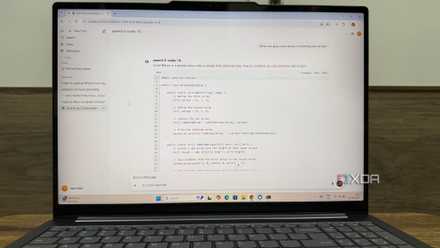
VS Code is where I do most of my development work, so it was important for me to bring local AI directly into my coding environment. Instead of relying on cloud-based coding assistants, I paired VS Code with Ollama using an extension that supports local models. The setup was simple, and once connected, I could use AI features directly inside the editor.
I mainly use VS Code for development — testing ideas, writing scripts, and building small tools that support my workflow. With Ollama running locally, I can generate code snippets, refactor functions, understand unfamiliar code, and even get help debugging without leaving the editor. It saves time and keeps me focused because I don’t have to switch between multiple tools.
Everything runs on my machine, so my code stays private. There’s no need to upload files to external services, which makes the setup feel more secure and reliable.
A practical AI workflow that runs fully locally
This setup changed how I approach productivity. Instead of treating AI as a separate tool, I now use a self-hosted LLM as a layer that quietly supports everything I do. The biggest advantage is control, where my data stays with me, my tools stay connected, and my workflow stays consistent. For me, self-hosted AI is no longer an experiment. It has become a practical productivity upgrade that fits naturally into everyday work.