
They say that hindsight is 20/20, and I couldn't agree more. At the moment, I never felt I was overspending on any of these components. In fact, I remember it as making smart decisions, buying only what I "needed," and spending more on the parts that deserved it. It's only after a long time has passed that I consider these purchases more expensive than they needed to be. Some of it has to do with bad timing, but most of it was me being impulsive. So, here are the five components that I spent way too much on, and what I should have done instead.

5 PC components that can easily hijack your gaming PC budget
Avoid overspending on these 5 components when maximizing the performance of your gaming PC build
5 A 240GB SSD in 2018
I should have waited another year
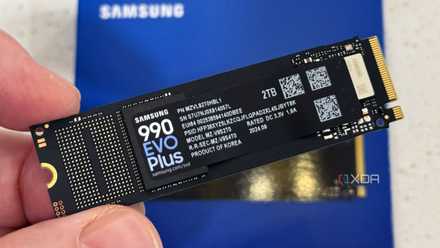
Buying an SSD in 2018 isn't the mistake here — if anything, I was already late to the party. I had lived with a 1TB hard drive on my new PC for around a year, and couldn't resist the urge to get an SSD anymore. Everything felt too expensive to justify, but I went ahead with a 240GB Samsung 860 EVO, a tiny drive that cost me well over $50. This might not seem that expensive, but considering I had bought a 1TB HDD for around $50 a year before that, this 240GB SSD didn't feel cheap at all. Also, a similar drive costs around $20 now.
I should have waited another year for the prices of SSDs to come down, which they eventually did. Considering I bought a 1TB NVMe SSD not long after that, I could have saved the amount I spent on the Samsung SATA drive. I had used hard drives for over 15 years by that point, so waiting for another year or so wasn't a big deal.
Why my next storage upgrade won't be an SSD
SSDs are great, but they aren't what I'm looking for right now
4 High-end DDR4 RAM
What was the point?
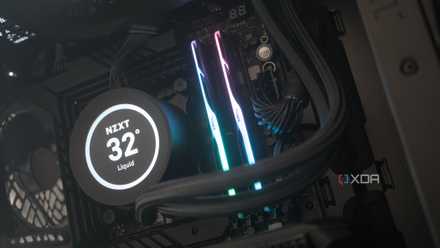
Fast-forward to 2022, when it was time for me to choose the components for my new PC. Since this was a prize for a PC building competition, I wasn't spending my own money, and my decision-making wasn't exactly focused on value. One of the parts that I splurged on was the 32GB kit of DDR4-3600 RGB memory from G.Skill. It cost me a whopping $167 for the 2x16GB kit of CL16 RAM, something I didn't even register at the moment. I was excited about winning a gaming PC, and couldn't wait to get my hands on it.
The particular kit I bought wasn't even that good-looking, and the specs certainly didn't justify the price. PC parts in India have always been more expensive compared to the US, but this was an outlier. I could have picked non-RGB memory, or at least a cheaper kit rated at 3,200MT/s, and used the money I saved on other components, such as a secondary NVMe drive.
Buying expensive RAM was the dumbest upgrade I ever made
It turns out you don't need costly RAM for great performance
3 A $200 AM4 motherboard
Two months before AM5 launched
I don't need to spend $200 even on a DDR5 motherboard today, but three years ago, I spent that money on a DDR4 motherboard. It wasn't particularly high-end either, but it had the features I thought I really needed, such as onboard Wi-Fi. The worst part is that I have never used Wi-Fi on my PC for any stretch of time, always relying on Ethernet for a better connection. I could have spent around 30% less and still gotten away with a decent motherboard, but what's done is done.
Another big regret of mine is that I had to build this PC just two months before the launch of AMD's Ryzen 7000 series and AM5 motherboards. I had a deadline for choosing the components, hence waiting for a few months wasn't an option. I not only built on a dead platform two months before the launch of the new one, but also overspent on a DDR4 motherboard. These boards were way more affordable than $200 around that time, and I could have spent more on the components that really mattered.
5 PC components you can actually cheap out on
No one's going to blame you for saving money on these parts
2 A subpar AIO liquid cooler
Not strictly expensive, but still a waste of $80
Before using a 240mm AIO liquid cooler three years ago, I had always had air coolers for over 20 years. I assumed switching from an air cooler to a liquid cooler would be a massive upgrade, which isn't always how it goes. What made my mistake worse was that I picked the Cooler Master ML240L, which isn't exactly one of the best-performing coolers on the market. Plus, I settled on a 240mm AIO, which isn't always better than a decent air cooler.
So, overall, I spent over $80 on a subpar cooler that couldn't keep my CPU temps low, even at idle. I could have bought an air cooler with better performance for cheaper, or spent a little more to get a 360mm AIO, which would have been a better investment. A little more research would have gone a long way, but I ended up buying a cooler just for its white design and the fact that it was cheaper than other models.
Thermalright Phantom Spirit 120 SE
Thermalright's Phantom Spirit 120 SE is a bigger version of its acclaimed Peerless Assassin 120 cooler. It has seven heatpipes compared to the six on the Peerless Assassin and is a bit bigger, which means better cooling capacity.

Switching from an air cooler to an AIO wasn't the upgrade I expected
The upgrade from an air cooler to an AIO liquid cooler was a hollow one
1 An 8-core CPU
My gaming PC never asked for this
Perhaps the most needless purchase for this PC was the Ryzen 7 5700X, an 8-core chip that had no place on this gaming PC. As I said, I wasn't spending from my pocket, so I decided to splurge on an 8-core processor, something that I had never owned before. The 5700X cost me over $330 at the time, which is more than I would spend on a new processor even today. I would be content with a modern 6-core CPU, which is exactly what I should have bought three years ago.
I remember that the Ryzen 5 5600X was almost $100 cheaper at that time, but my heart was set on its 8-core sibling. I could have spent that premium on a better CPU cooler, which would have been a much more impactful upgrade. One might argue that the 8-core CPU probably proves its worth in non-gaming workloads, and is a longer-lasting chip overall, but I know that this was not a rational purchase at all. Fortunately, I have no intentions of buying an 8-core chip for my next build, so I've learned my lesson.
AMD Ryzen 5 7600
- Brand
- AMD
- Cores
- 6
- Threads
- 12
- Architecture
- Zen 4
- Process
- 5nm
- Socket
- AM5
AMD's Ryzen 5 7600 offers six-core performance at an affordable price. Capable of boosting up to 5.1GHz, this 65W chip is a mighty package with an efficient architecture for a killer PC build.

3 simple reasons you still don't need an 8-core CPU for gaming
Yes, you still don't need 8 cores for gaming in 2025
Buying PC parts is always a balance
Building a PC involves compromises — you can't get everything you want, unless you have bottomless pockets. So, most of us need to make tough choices when it comes to choosing the components. Balancing performance, value, and esthetics is crucial on every build to avoid overspending on some components. I've made more than one mistake in this regard, but I don't intend to repeat the same mistakes on my next build. If that's not progress, what is?