
The PC hardware world was much different around ten years ago. Ray tracing GPUs did not exist, we were in the iconic Pascal era, and AMD Ryzen CPUs were nowhere on the radar. Choosing a CPU and GPU was simple, hard drives were still dominant, and the concept of platform longevity was non-existent. We also had more than a few popular beliefs that made sense at the time, but are outdated after a decade. Newer hardware, changing realities, and performance leaps have turned these beliefs into myths. If you're just re-entering the market after a long gap, you'd be forgiven for believing in these myths in 2026.

5 recent PC hardware realities that we never saw coming
They might shock gamers from 2021
Gaming PCs should have a smaller SSD and a larger HDD
SSDs are way more popular (and cheaper) now
You probably remember this adage from the time when SSDs used to be a premium commodity (we might be on the way back there). Buying a 1TB or 2TB SSD was unaffordable for most PC builders, so the typical compromise was combining a small but affordable SSD with a large hard drive to balance performance and cost. The idea was to store your operating system and a game or two on the faster SSD and everything else on the spinning drive. It made sense for a few years, and worked well for the majority of gamers. SSDs were still relatively new and didn't show signs of becoming affordable anytime soon
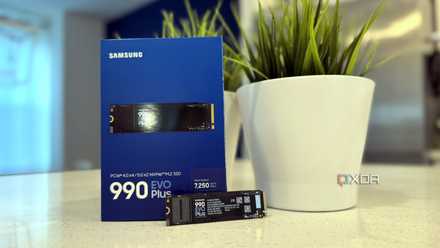
Ten years later, however, hard drives are barely used as the predominant storage medium in gaming PCs. Most users opt for a 1TB or 2TB NVMe SSD for their OS, games, programs, and other data. They might still have a hard drive or two for secondary storage, but not for the game library. The prices of SSDs, at least until a few months ago, were lower than ever, making them the dominant option for gaming PCs. Between these two extremes, SATA SSDs still offer most of the performance of NVMe SSDs, but they aren't cheap enough to make them worth it over NVMe drives.
5 ways an SSD makes hard drives obsolete, aside from the obvious
SSDs are obviously faster than HDDs, but that's not the only reason they're better.
A failed BIOS update can brick your PC
Maybe in the mid-2010s
The fear of BIOS updates was legitimate back in 2016–2017. Heck, I didn't update my BIOS for 4 years before doing it grudgingly last year. Such was the terror of accidentally breaking your PC in case something went wrong during the update. BIOS flashback and dual BIOS weren't standard features on motherboards back then. So, most people had to rely on hopes and prayers when updating their BIOS version. If you were unfortunate enough to brick your rig, you either had to use a CMOS jumper on the motherboard or take the machine in for repair. It wasn't for nothing that people used to say, "Don't fix it if it ain't broke."
In the 2020s, however, it has become increasingly difficult to kill your PC with a failed BIOS update. Even if you mess it up and don't have a backup BIOS on your motherboard, you probably have BIOS flashback. It can not only update the BIOS without a CPU installed, but also come to your rescue during bad flashes. You just need a USB stick with the BIOS file and plug it into the designated USB port on the motherboard for the reflash, and your dead PC will come back to life in no time. BIOS updates aren't scary anymore, and it's high time PC users realized how important they can be.

5 myths about PC BIOS updates you need to forget about
Updating your PC's BIOS should be free of misinformation
Liquid cooling is far superior to air cooling
The gap has more or less disappeared
AIO liquid coolers might be necessary to tame flagship CPUs, but they stopped being the better choice for most gamers a long time ago. Liquid cooling was supposed to be more efficient, performant, and silent than air cooling, but with the advent of excellent budget air coolers, most of those advantages have been nullified. In the last five years, we've gotten iconic air coolers like the Thermalright Peerless Assassin 120 and the Thermalright Phantom Spirit 120 that have redefined budget cooling. For just $35, they can cool any mainstream CPU without breaking a sweat. You don't even need to splurge on a Noctua cooler for a cool and silent CPU. Air coolers have always been easier to install and maintain, but in the last few years, they've also closed the performance gap with most AIO liquid coolers.

3 myths about AIO coolers always being better than air coolers
AIOs have weaknesses too
Always buy the fastest RAM you can get
"This road is dark and full of instability"
This advice might have helped gamers in the DDR4 era maximize their performance, but it rarely ends well when dealing with DDR5 systems. Buying the fastest DDR4 kit might have translated into a slightly higher FPS, but the fastest DDR5 kits might not even run with your CPU and motherboard, at least not at the rated speed. DDR5 signaling is significantly more complex compared to DDR4, and the sweet spot for performance lies in the 6,000–6,400MT/s. The bigger issue, however, is stability, especially on AMD systems.
The faster your memory frequency (MCLK) is, the harder it is for the Integrated Memory Controller (IMC) of the CPU to run it in a 1:1 configuration with the Infinity Fabric Clock (FCLK). At higher memory frequencies, it runs in a 2:1 mode with the FCLK, increasing latency and potentially nullifying the benefits of the faster speed. It can also be a nightmare to run high-end DDR5 memory at stable settings while maintaining the rated speed. Hence, buying the fastest kit you can get your hands on is hardly good advice in the DDR5 era.

4 reasons why high-end RAM doesn’t always mean better gaming
Faster RAM doesn't improve FPS as much as you think
More CPU cores do nothing for gaming performance
You still need a minimum of 6 cores
For the longest time, games were heavily dependent on single-core performance. While games still struggle to utilize multicore CPUs effectively, the importance of core count has certainly gone up compared to ten years ago. It's still not possible to completely parallelize every single game operation, but six cores have become the minimum today. You can even make the case for buying 8-core CPUs for gaming, since the extra horsepower helps improve the 1% low FPS, handle background tasks better, and can even elevate your experience in simulation, RTS, and open-world titles. A high-end CPU also helps your GPU to maximize the framerate at higher resolutions like 4K, when you lower in-game settings and need the CPU to keep up.
Beyond 8 cores, the benefits for gaming are negligible. If you wish to pair a high-end chip with your flagship graphics card, it's better to pick a Ryzen X3D processor, such as Ryzen 7 9800X3D. These specialized chips are geared toward gaming, thanks to their 3D V-Cache, which leaves every other CPU in the dust, including more expensive and higher-core-count models. The graphics card still does the heavy lifting at 1440p and 4K, but you can't expect high-end performance with low-end processors.

3 scenarios where an expensive CPU is your only option
Sometimes, cheaping out on the CPU can cost you more
Overclocking can upgrade your CPU or GPU to the next tier
Modern overclockers might not believe it
This seemingly unbelievable statement often proved true, as enthusiasts were able to push lower-tier CPUs and GPUs to achieve performance comparable to their higher-tier counterparts. For instance, overclocking a Ryzen 5 1600 to Ryzen 5 1600X's performance level or an RTX 2060 to RTX 2070's level was actually possible. You could save money by opting for the cheaper card, and then overclock it for a free (and significant) performance boost. Overclocking was expected on nearly every CPU and GPU if you wanted to get the most out of your money. With time, however, the margins diminished and overclocking became largely irrelevant.
Manufacturers started to target more mainstream buyers, pushing hardware to its limits before it ever left the category. The gains that you could get after hours of careful overclocking became slimmer than ever, making the entire exercise mostly pointless. The user niche that still overclocked its components kept shrinking, and most enthusiasts shifted to undervolting for arguably better results. You could expect lower temperatures and a lower power draw without losing performance. In fact, you could even improve your minimum FPS due to the additional thermal headroom and sustained boost clocks. Today, people expect a component to perform at its potential out of the box, and that's what manufacturers are always trying to achieve.

4 mistakes people make while undervolting their CPU or GPU
You can't just lower the voltage and expect your desired results
4K gaming requires high-end GPUs
The times they are a-changin'
There was a time when 4K gaming was the undisputed domain of flagship GPUs, and no other card could dream of entering it. The GTX 1080 Ti was marketed as a 4K-ready graphics card, and it was the only one at the time that could deliver on that promise. Over the next few years, games became increasingly more demanding, and only the most expensive GPUs could be relied on for decent 4K performance. GPUs like the RTX 3090, RTX 4080, RTX 4090, RTX 5080, and RTX 5090 could handle 4K gaming, but again, they were priced accordingly, falling firmly in the "high-end" segment.
With the launch of Nvidia's RTX 50 and AMD's RX 90 series GPUs, cards like the RTX 5070 Ti and RX 9070 XT finally brought native 4K 60 FPS gaming (without ray tracing) to under $750. In fact, the RX 9070 XT was priced at $599, and it was more than capable of handling the latest titles at 4K resolution. Sure, it never really sold at that price, but you could still find it for $630 or $650 for a few months in 2025, before the PC hardware crisis hit our shores. You can even play modern games at 4K on lower-tier GPUs like the RX 9070 and RTX 5070, albeit with reduced in-game settings. With upscaling and frame generation, the definition of a 4K GPU can be applied to a lot of modern GPUs, but even native 4K gaming isn't limited to high-end GPUs anymore.
Companies like AMD also provide sufficient VRAM on cards like the RX 9070 and RX 9070 XT to handle the demands of 4K. To get access to the same amount of VRAM, i.e, 16GB, you need to spend at least $750 for the RTX 5070 Ti. The VRAM situation isn't ideal across the GPU industry, but at least some companies are doing better than others.

I love 4K gaming so much I simply can't go back to anything less
I've been gaming in 4K for years, and despite the performance benefits, I just can't go back to 1080p or 1440p gaming.
Update your hardware beliefs, not just your hardware
As PC hardware evolves generation after generation, you should keep yourself updated about its changing realities. The importance of CPU cores, GPU VRAM, memory speed, SSD performance, and CPU cooling keeps changing as time goes on. You might be making purchase decisions based on outdated knowledge, costing you money and regrets. It doesn't take more than a few reviews and roundups from reputable publications to bring yourself up to speed.