
PC builders love to say that building a rig is the easy part; the hard part comes later. Maintaining your PC's performance and longevity, so that it always feels like new, is something we all agree on. That said, the habits that actually make that happen are often ignored when they stop being convenient. Deep-cleaning your PC is perhaps the most ignored maintenance tip ever, and I speak from experience. I know I should clean the dust out of my tower every 6 months or so, but I'm too lazy to stick to that frequency. Wiping the dust from the graphics card, RAM, cooler, and the case takes a few seconds, but removing the stubborn dust deposits from every single component is easier said than done. Still, that's exactly what you need to do to avoid overheating and performance throttling. Ignoring this slightly inconvenient maintenance habit is responsible for your sluggish PC. It's also silently stealing lifespan from your components. If you care about protecting your expensive hardware, deep cleaning should be an integral part of your PC's upkeep.

6 crucial PC maintenance tasks I don't ignore anymore (and you shouldn't either)
PC maintenance can be time-consuming, but it'll benefit you in more ways than one
Deep cleaning affects your PC's esthetics, too
Not everything is frames and temps
Some gamers may not notice when their PC is overheating and losing performance, but they will surely notice their fans and graphics card caked in dust. This issue is even more prominent if you have a white-themed PC. I see this myself when my case starts to show visible amounts of dust in a matter of two weeks. Within a month, the graphics card has a thin layer of dust on the backplate, and the case fans follow soon after. Most modern cases have a tempered glass side panel, so you can appreciate your handiwork, and this makes it hard to turn a blind eye to the dust deposits destroying the looks of your beautiful build.
Depending on where you live, you may need to clean your PC in eight months instead of four, but everyone needs to do it eventually. I know it's a whole project sometimes, taking up a major chunk of your day. Disassembling some components for thorough cleaning makes this a not-so-enjoyable activity. Still, that's the price you need to pay to ensure your PC continues to look as stunning as it did on day one. Esthetics may not be the number one reason to clean your PC, but it's one hell of a bonus.

5 easy PC maintenance tasks that keep your system running like new
They're quick, easy, and ensure your PC feels like new for longer
Avoiding deep cleaning is killing your performance
Don't throttle your PC for no reason
Esthetics might not have caught your attention, but performance throttling is likely to get you moving. Dust is one of the worst enemies of your PC, and since it's nearly impossible to eliminate it, you need to learn to manage it. No matter how optimized your fan configuration, your PC will sooner or later reach a point where dust starts to hinder its performance. After a point, dust starts to choke your fans, throttle your SSD, and increase the load on your power supply. Sure, this can take months or even years, depending on where you live, but once it happens, you have no choice but to deep-clean your tower. It's essential to keep an eye on your system temperatures to detect thermal throttling, since many parts of your PC may look visibly fine.
If your gaming performance, transfer speeds, and general system responsiveness start getting affected without any major change to the rig, it could be a sign of overheating. Dust not only traps heat within your system, bottlenecking performance, but also forces your fans to work overtime, raising the noise levels. It's not a mystery why older machines sound like a lumbering leviathan the moment you slightly increase the load on the system. By delaying a deep clean, you're actively hampering the optimum functioning of your components and leaving performance on the table. A few hours is all you need to restore your PC to its peak potential — no expensive upgrades needed. A can of compressed air, some brushes, and isopropyl alcohol will go a long way, and none of them cost a lot.
Dust-Off Disposable Compressed Gas Duster
You can use these compressed gas dusters to dislodge dust and grime from your PC components.

6 ignorant PC habits that are slowing your system down
You might be killing your system performance without even realizing it
You're also reducing your hardware's lifespan
Dust and heat can kill your components prematurely
Looks and performance are things you can see and feel, but the longevity of your components is not as easily perceived. It only makes itself apparent when your GPU dies out of the blue, or your SSD fails years before its shelf life ends. Excessive heat over extended periods will inevitably shave years off of your hardware's remaining life, and it all happens silently while you ignore your dirty PC for months and years. Again, your components need sustained exposure to high temperatures for this to happen, but that's exactly what many people subject their machines to. Your CPU, GPU, and SSD don't need freak power anomalies or indiscriminate overclocking to meet their end; they can just as easily degrade due to overheating.
Deals on PC maintenance gear and work-setup savings
Cleaning your tower regularly — twice a year is good in most cases — ensures your components stay free from severe dust deposits. They don't encounter thermal throttling as often and stay healthy for longer, ensuring your investment doesn't die prematurely.
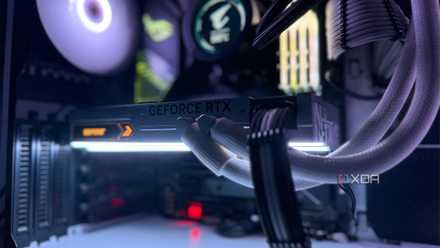
4 obvious signs your graphics card is overheating
You don't need monitoring software if you look for these signs
Dust seems like a minor enemy, but it deals big damage
Most people fail to realize that when they're delaying cleaning their PC, dust is silently starving their components of air. Heat is getting trapped inside, causing thermal throttling and limiting the performance of your PC. It's also behind the high noise levels of your GPU, CPU cooler, and case fans. Moreover, overheating is chipping away at your hardware's lifespan without creating any visible signs. Deep-cleaning your PC regularly is a must if you value the looks, performance, and longevity of your rig.