
Summary
- The Brave browser, Surfshark VPN, qBittorrent are the best tools I've used for my browsing and downloading needs.
- SignalRGB and Wallpaper Engine are programs I can't do without; the customization options they provide are highly impressive.
- Cinebench 2024 and Fan Control are highly useful tools for benchmarking your PC and optimizing fan speed and noise respectively.
It was the year 2000 when we got our first computer — a Pentium III system from HP called Brio. That fateful year marked my entry into what would become a lifelong obsession. From Intel Pentium III to Ryzen 7 5700X, I've seen, built, and used a lot of PCs over the course of 20+ years. A lot has changed during this time, but what has remained constant is my appreciation for robust, useful software.
It doesn't matter what kind of PC user you are or what kind of apps you value the most on your PC, there are some programs you should always have at the ready. From covering the basics like web browsing and data backup, to customization and system optimization, I've put together a list of 10 must-have tools that every PC user should seriously consider getting.

6 must-have apps for PC gaming
If you play games as much as I do, you'll need these applications.
10 Brave
Nimble and private web browsing
In the past, we didn't have much choice about which browser to use for loading an image in 20 seconds or downloading a song in 20 minutes. We gladly used whatever came pre-installed on the computer we were using at the time. In the 2000s, it was time for the likes of Mozilla Firefox, Google Chrome, Opera, and Safari to capture the web browser space dominated by Internet Explorer.
Brave automatically blocks ads and trackers, and comes with a built-in VPN.
Fast-forward to today, and you have no lack of options when it comes to choosing your web browser. Google Chrome is still popular, but I always recommend Brave to anyone who's asking (please ask). Brave is based on Chromium, so there are no familiarity issues for Chrome users. It prioritizes privacy and safety, too, so more discerning users needn't worry either. It automatically blocks ads and trackers, and comes with a built-in VPN.
Lighter than Chrome and with access to all the same functionality and extensions, Brave is one of the best web browsers you can find today.
- OS
- Android, iOS, Linux, macOS, Windows
- What's included?
- VPN, Built-in AL Assistant
The Brave browser is made for the more privacy-conscious users, with a built-in VPN and ad blocker. It's also light on resources, making it great for use while gaming and multitasking.

Internet Explorer is dead - A look back at Microsoft's browser history
Today is the end of the line that Microsoft has detailed for its Internet Explorer browser, so we're taking a look back at its history.
9 Surfshark
Affordable dedicated VPN
The browser I'm using might come with a built-in VPN already, but I still find that I need a dedicated VPN for all my needs. First, I need something that works outside the browser when I want to access geo-restricted content. Second, the browsing speeds I get with a dedicated VPN program far exceed what I would get with a browser VPN. And third, I have much more features and control with a paid VPN than with my browser's free VPN.
If I recall correctly, I've been using Surfshark for over 3 years now, and I have to say, I don't see myself switching to anything else.
I use Surfshark these days, as it combines almost everything I look for in a VPN with an affordable long-term plan. If I recall correctly, I've been using Surfshark for over 3 years now, and I have to say, I don't see myself switching to anything else. The UI isn't the best available (hello NordVPN) but that's something I can make do with. If you're looking to finally get a paid VPN, Surfshark is one of the best VPN providers today.
Surfshark
- Logging policy
- No-logs policy
- Mobile app
- Android and iOS
- Number Of Servers
- 3,200+
- Free Trial
- 30 days
- Encryption
- AES-256
If you want a great torrenting VPN that’s also cheap, it’s definitely worth checking out Surfshark. It has so much to offer, including an unlimited device policy, robust security, easy-to-use apps, and P2P-friendly servers.

8 qBittorrent
Free and fast with no ads
If you've used P2P software in the past, you'll agree there's a lot you need to put up with — incessant ads, downloading issues, and poor speeds. I've used LimeWire, BitTorrent, uTorrent, and many others over the years, but qBittorrent is what I've ended up with. I see no reason to use anything else when it does what I need it to do without any fuss or needless bloat.
There are many new-age clients like Deluge and Vuze, but I find qBittorrent is more than enough for all my needs.
Using P2P programs for perfectly legal reasons isn't as uncommon as you might think. You can access open-source media and data from archival websites, and distribute information on a private network using a reliable and fast torrent client. There are many new-age clients like Deluge and Vuze, but I find qBittorrent is more than enough for all my needs.
qBittorrent
qBittorrent is a free and open-source P2P file-sharing program for Windows, Linux, and macOS. It's lightweight, runs without any ads, and provides fast download and upload speeds. Compared to may other clients, it has many advanced features in a completely free package.
7 Macrium Reflect
Always have a fail-safe
Backing up your PC is something you should always do, regardless of whether you have sensitive or critical data on it or not. Facing data loss on any system is not pleasant, and you tend to wonder why you didn't back up your data when you had the chance. I tend to go one step further and create a backup image of my entire Windows partition. If my Windows installation gets corrupted, I can use this system image to revert to an earlier, working state of my system.
It has managed to save me multiple times from having to reinstall Windows.
You can create monthly system images using Macrium Reflect, an easy-to-use program that also allows backup scheduling. You simply need to set your backup (or image creation) frequency and the program will do its thing automatically. It has managed to save me many times from having to reinstall Windows, and it has put all of my data and applications back to the state they were in prior to a crash.
Macrium Reflect
Macrium Reflect is a free-to-use disk cloning and imaging software for Windows. It provides complete backup, recovery, and closing features for individual partitions or entire disks.
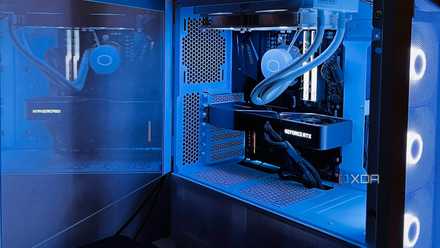
8 best practices as a PC user I've learned along the way
Building a PC is just the beginning. These best practices can help you get the most out of your PC experience after the honeymoon phase.
6 Equalizer APO
Your PC doesn't sound great by default
I've used multiple Windows versions, from Windows 98 to Windows 11, and I've rarely liked how the audio sounds by default. Earlier, like many users, I didn't bother to fiddle with settings too much, but since Windows 10, I've realized I can't do without tuning the audio to my liking. It doesn't take too much time or effort either, as all you need to do is download Equalizer APO and choose from one of the presets.
You can also apply unlimited filters and tune the presets to your liking, based on the kind of sound signature you want for your music, in-game audio, or YouTube streaming. You can go into as little or as much detail as you want, making the tool quite versatile. Plus, it's a free tool, so you needn't pay for all the advanced features it gives you access to.
Equalizer APO
Equalizer APO is a free equalizer tool for Windows that provides multiple audio presets as well as customization features for you to dial in the perfect sound for every use case.
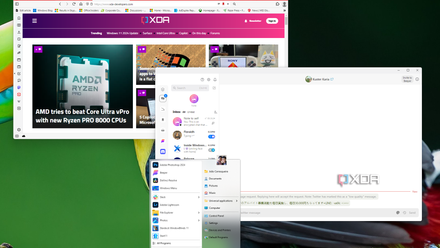
10 essential apps you should install on your new PC
Just got a new Windows PC? Here are 10 apps you should install to help you make the most of it.
5 SignalRGB
One tool to sync them all
If you have RGB components in your PC and maybe even some RGB peripherals, you might find yourself constantly fiddling with multiple RGB customization programs to get the perfect vibe. But, what if you could control the entire RGB theme of your PC with a single tool that supports each of your RGB components and peripherals? That's exactly what SignalRGB is made for.
The best part is that you can even customize the virtual layout of your components to control how the RGB effects flow across your PC.
It's a manufacturer-agnostic RGB customization program that is compatible with most, if not all, RGB components available. You simply need to run a scan the first time you install it, allow it to detect all the RGB components and peripherals, and then choose from many of its free (or paid) RGB effects. The best part is that you can even customize the virtual layout of your components to control how the RGB effects flow across your PC.
SignalRGB
SignalRGB is a one-stop solution to customize all of your RGB components such as motherboards, RAM, CPU coolers, graphics cards, fans, and peripherals. You don't need to manage multiple programs from different manufacturers.

3 of the best software programs to control your PC's RGB in 2024
Getting all of your RGB elements to sync together can be tricky, but these programs aim to bridge the gap and make it easier
4 Wallpaper Engine
Your desktop needs to look the part
Like many fellow PC users, I always used to download wallpapers from wherever I could find them. From favorite characters and movies to anime, I loved having something different grace my desktop every so often. But, once I discovered Wallpaper Engine, there was nothing that could compare. Going for $4 on Steam, Wallpaper Engine is the best investment you can make if you care about customizing your desktop.
You can choose from thousands of community-created animated wallpapers that cover a wide variety of interests, including gaming, anime, movies, TV series, sci-fi, abstract, fantasy, nature, and lots more. You can customize the elements within individual wallpapers and even create your own wallpapers for the community to use and give feedback on.
Wallpaper Engine
Wallpaper Engine is the be-all-and-end-all background and wallpaper application for PCs. Besides providing limitless gorgeous wallpapers created by the community, Wallpaper Engine also lets you create your own live backgrounds from still images.

Where to get the best 4K wallpapers
Want to get the best 4K wallpapers for your device? Here are some of the best websites and apps to get them!
3 Fan Control
Optimize your fan curves with a single tool
If you've got a gaming PC with multiple fans, and are always concerned about temperatures and noise, Fan Control is something you should seriously consider. It's a free-to-use program that can be used to configure multiple fan curves to manage every single fan in your system, from CPU and GPU fans to each of the case fans. Unlike proprietary fan control tools, Fan Control provides a simple UI and advanced features that anyone can pick up quickly.
It also allows you to link more than one sensor to a single fan header, so you have unlimited control over which component's temperature a fan should be optimized for. Multiple fan curves can be configured to run in tandem as well. If you're still using the BIOS or motherboard software to control your fans, it's high time you switched to Fan Control.
Fan Control
Fan Control is a free tool that gives you complete control over each of your PC fans. You can use a single program to configure multiple fan curves that can talk to each other and allow you to create a silent yet performant system.

How to use Fan Control
Want to set up Fan Control to manage your system fans? Here's how.
2 Cinebench 2024
For enthusiasts and regulars alike
Benchmarking your PC is something you might or might not be doing, depending on your preferences and the kind of user you are. But, irrespective of whether you have a gaming PC or productivity workstation, Cinebench 2024 is a valuable tool for your computer. It allows you to run simple CPU and GPU benchmarks to see if your system is performing as well as it should. You'll have countless other users with the same hardware to compare your results to.
Due to its popularity, it has become somewhat of a standard for users to compare their system performance against each other.
Cinebench 2024 is one of the easier benchmarking tools you can use, and with the latest version, it can now run GPU benchmarks in addition to single-thread and multi-thread CPU benchmarks. Due to its popularity, it has become somewhat of a standard for users to compare their system performance against each other.
Cinebench 2024
The latest version of Cinebench brings back GPU testing, making it a good fit for those looking to download a simple and easy-to-use benchmarking tool that mimics real-world usage.
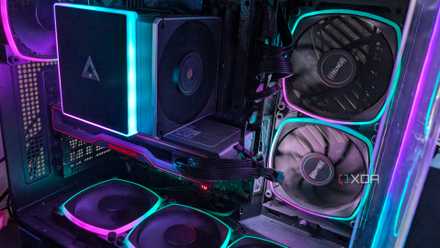
Top 9 programs to stress test and benchmark your Windows PC
You should stress test your PC to make sure everything is running smoothly.
1 HWiNFO
Lightweight system monitoring
If you're using Cinebench and Fan Control, you likely also want something to monitor your system readings like temperatures, power usage, voltages, and clock speeds. HWiNFO is one of the most lightweight and user-friendly system monitoring tools you can use, thanks to its simple UI and executable version that doesn't need installation.
It comes in handy when you're running a benchmark, configuring fan curves, or overclocking your PC.
You can check real-time readings for your CPU, GPU, motherboard, RAM storage drives, and fans with the minimum, maximum, and average values also available. It comes in handy when you're running a benchmark, configuring fan curves, or overclocking your PC. It's one of the best free tools that should be on every PC.
HWiNFO
- Individual pricing
- Free
- Platforms
- Windows, DOS
HWiNFO is one of the best system monitoring tools useful for gamers and non-gamers alike. It's a free and lightweight tool that allows you to monitor real-time temperatures and clock speeds among many other parameters.

These 10 tools give you total control over Windows 11
Windows 11 is far from perfect, but with these tools, you can get that much closer to an ideal world.
Gaming PC or not, some tools are must-haves for every PC
Some of these tools might seem like they're only relevant for gamers, but that's not the case. Even non-gamers can find tools like Cinebench 2024, Wallpaper Engine, and Equalizer APO incredibly useful. Plus, almost all of these tools are completely free, so you don't need to think twice before installing them. Considering the functionality and polish they provide, getting them is a no-brainer.