
Summary
- Self-hosted apps on Proxmox offer privacy and control over data, especially for advanced users.
- Proxmox supports a variety of projects like Home Assistant, CasaOS, and ZoneMinder for home labs.
- Additional tools like Grafana, Pi-hole, and Pi.Alert enhance security and monitoring capabilities.
From enhanced privacy to complete control over your data, self-hosting your apps and services has a lot of perks. While you can easily dive into the fine art of running FOSS tools with the help of Type-2 hypervisors, dedicated virtualization platforms are better once you get past the beginner stage.
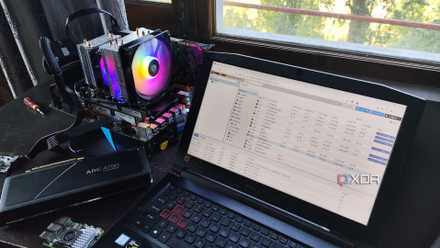
With its KVM roots, support for LXC-powered containerization, and a bountiful set of features, Proxmox is great for fledgling home lab enthusiasts and hardened self-hosting grandmasters. After spending months learning, tinkering, troubleshooting, and (occasionally) breaking my dual-Xeon Proxmox server with multiple VMs and containers, here are all the projects I run on the machine.
5 cool Proxmox projects you should check out if you're into coding
Proxmox may be well-known for its home lab-oriented tools, but it's also a great companion for coders and programmers
10 Home Assistant
As a VM, not a container
Home Assistant is considered the be-all-and-end-all OS for managing smart gadgets, and the platform lives up the hype. Besides supporting a mind-boggling number of third-party smart gizmos and IoT devices, Home Assistant adds simple yet highly functional automation and remote monitoring capabilities to your home lab.
As long as you have a somewhat decent Proxmox server, you can enjoy all the functionalities of HA by setting up the OS inside a virtual machine. And yes, I intentionally said VM instead of containers, as you won’t be able to access the add-ons inside a containerized environment.

10 of the best add-ons for Home Assistant
Boost the capabilities of your smart home with these amazing Home Assistant plugins
9 CasaOS
Though Daemon Sync Server is better if you just want to sync files
Before I developed a Stockholm Syndrome-like condition with Docker, I had a hard time with all the containerization jargon. Thankfully, CasaOS eased me into the containerization side of self-hosting. While I’ve switched to Docker, LXC, and (to a small extent) Kubernetes, I'll admit that I still have CasaOS set up inside an Elementary OS VM, which I use to sync screenshots, ISO, and files across all my devices. But if you desire a quick and easy way to share documents, you can use Daemon Sync Server to save some resources when running your file-sharing server.

CasaOS is an amazing, beginner-friendly way to create a private cloud
It also provides rock-solid provisions for self-hosting your favorite services
8 Calibre + Audiobookshelf
Perfect for bibliophiles
Whether you're a fan of ebooks and comics or prefer to multitask while listening to your favorite podcast/audiobook, you build a personal library on Proxmox. Calibre is the first of the two containers you'll need for your dream library, and it works with digital books, magazines, comics, and every other text-based file that qualifies as an ebook. It supports multiple file formats, and you can set up custom covers and metadata records for all your uploaded ebooks. Audiobookshelf is the podcast equivalent of Calibre, and works well if you want a self-hosted server to organize and access all your audiobooks.
7 TrueNAS Scale
But you can use any other NAS operating system
Premium NAS enclosures have their own benefits, but there’s no denying that customizable operating systems like TrueNAS, OMV, and Unraid are more capable than their proprietary counterparts. While I do keep a spare TrueNAS Scale machine running at all times, I keep extra instances of the OS on my Proxmox home lab to create extra backups of my essential data.
Since Proxmox supports ZFS pools, it was easy to create a virtual ZFS drive on my Xeon server and set up SMB shares on it using TrueNAS. Heck, it’s possible to pass through a USB drive and use Unraid on Proxmox if you prefer the beginner-friendly UI and multiple file system options offered by TrueNAS’ biggest rival.
6 ZoneMinder
A budget-friendly, DIY NVR setup
Surveillance cameras are a lot more affordable these days, and you can use them in tandem with Proxmox to enhance the security of your home. Running ZoneMinder inside an LXC turnkey container is my preferred way to monitor my nerd cave when I need to step outside my living space.
While setting it up can take a little longer than the other projects on this list, ZoneMinder’s support for low-latency remote monitoring, motion detection, and a multitude of other features lets you build a robust home security system.

I created a surveillance system on my Proxmox home lab - here's how I did it
Monitor your living space with the help of a self-hosted ZoneMinder server
5 Code Server + Gitea
A self-hosted environment for coders
Despite my love-hate (mostly hate) relationship with coding, I often spend a couple of hours every week putting my programming skills to the test with new projects. Since I change SBCs and computing systems fairly often, a centralized VS Code server is pretty much essential if I don’t want to waste time installing VS Code and setting up all my preferred extensions every time I test a new device.
Thankfully, Code Server fulfills most of my coding needs. Sure, the tool doesn’t support the official extension market from Microsoft, but the Open-VSX database has all the plugins I could ask for. Gitea is the second part of my self-hosted programming toolkit and I use it whenever I need to collaborate with my coding buddies without sending the source code to GitHub’s servers.
4 Grafana
To monitor the other services
As your collection of self-hosted applications starts to grow, you’ll have a hard time recalling the IP addresses for each service. Monitoring tools are a handy way to monitor and access your essential apps from one place. Not to mention, they also let you showcase your home lab in all its glory.
There’s a wide array of monitoring and analysis tools on Proxmox. But Grafana gets my vote for the best analytics app as it’s fairly easy to set up and looks just as pretty without requiring too much effort on my part. Of course, you can increase its utility by running it in tandem with Heimdall, Prometheus, and a bunch of other tools.
3 Pi.Alert + Pi-hole + Wireguard
To keep your network safe and sound
Pi-hole is a name you’d hear pretty often here on XDA. That’s because this lightweight tool not only gets rid of pesky advertisements but also lets you block dubious websites and set up a DNS caching server. Aside from Pi-hole, I also run a WireGuard VPN server. But since I haven’t connected it to a third-party VPN provider, it’s only good for accessing my NAS and Proxmox home server safely from an external (typically unsafe) network.
Finally, there’s Pi.Alert, an intrusion detection system that notifies you the moment an unknown device attempts to connect to your home network. I also wanted to mention pfSense and OPNsense to add custom firewall rules for your home network. But the issue with setting up a firewall container on your Proxmox server is that if you accidentally break something, all your devices will be unable to connect to the Internet.

How to protect your home network with a Raspberry Pi firewall
Here's how you can configure a network-wide firewall with your Raspberry Pi
2 Trilium Notes
Say adios to paid note-taking apps
Personal knowledge bases are perfect for aggregating, organizing, and accessing all your ideas, notes, and records. While Obsidian, Google Notes, and several other tools let you create a customized assistant to manage your personal records, Trilium Notes app is a solid self-hosted alternative if you want maximum privacy for your PKM system.
Having used Trilium Notes extensively after covering it in my best obscure self-hosted services list, it’s an absolute game changer for my note-taking needs. If you’re an advanced user, you dive right into setting up your own tree/link nodes and journaling trees. Trillium also supports graphical drawings, tables, mathematical equations, and even programming codes, and you can further enhance the app’s functionality using extensions. Heck, the tool even supports snapshots in the form of note revisions!
1 Paperless-ngx + Stirling-PDF + OpenOffice
The holy trifecta of document editing and organization tools
If you’ve read my recent articles on XDA, you may have noticed that I speak highly of Paperless-ngx. Initially, I gave this tool a spin since it’s a community favorite and had my expectations fairly low. But after using it to sort all my documents, I can confirm that Paperless-ngx lives up to its reputation.
Plus, you can combine it with Stirling-PDF and the document, presentation, and spreadsheet editing tools of OpenOffice to convert your Proxmox machine into an all-in-one, self-hosted document management hub.
Which Proxmox services do you like to run on your home lab?
Those were ten of my favorite apps that I host 24/7 on my Proxmox server, but there are plenty more that I can’t live without. For example, Shiori is my preferred tool for bookmark management, and I recently used a Jellyfin container to test the Yaber K3 projector.
Pterodactyl is great for managing private game servers, though setting it up is an absolute torture. Likewise, if you’re willing to put yourself through RomM’s long configuration procedure, you’ll be rewarded with an amazing platform that can help you organize your ROM files.