
Although I started my tinkering journey with a gaming PC housing Windows and Debian in dual-boot, virtual machines and containers have become an indispensable part of my toolkit in recent years. VirtualBox and VMware Workstation Pro (or rather Workstation Player, as it was the free product back in the day) helped me quite a bit, but their performance overhead on Windows 11 and limited functionality made it hard to rely on them for hardcore tinkering experiments.
Fortunately, I ran into Proxmox a few years ago, and it massively improved my project-building workflow. And I’m not just talking about its amazing SDN stack, high-availability support, and massive pool of community resources, either. It’s just that Proxmox runs every OS so well that I don’t need to worry about performance or compatibility issues when working on my DIY projects.
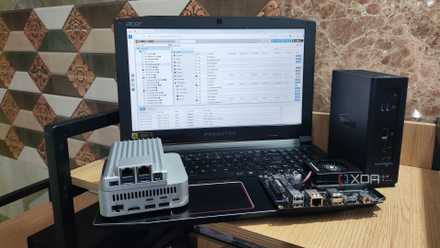
I'm addicted to installing Proxmox on old devices
Proxmox has become my favorite virtualization platform for revitalizing outdated systems
I can run a bunch of operating systems on my Proxmox workstation
Pretty handy for distros I don’t want to run on bare-metal hardware
The sheer variety of distributions is my favorite part of the Linux ecosystem, as there are tools for practically every task. I’ve been a Debian user for the longest time, and it’s still my preferred OS when reviewing SBCs and stress-testing mini-PCs. That said, there are times when I need to work with certain distributions. NixOS, for example, is a game-changer for development tasks, and I still come across new features even after using it for ages. But there’s no denying that NixOS is a massive pain to troubleshoot, especially since certain non-Nix packages can have issues on the distro.
Then there’s Arch Linux, which is really useful for DIY projects. Still, its bleeding-edge nature can cause stability issues in the long run – I say that as someone who had trouble getting it to detect a webcam that worked perfectly fine on Windows. Even leaving the Linux ecosystem aside, I sometimes delve into FreeBSD distributions and alternative operating systems like ReactOS. Without Proxmox, repeatedly flashing my PC with them would be a royal pain.
But since Proxmox relies on KVM, I don’t have to worry about performance issues when running NixOS, Arch Linux, and a bunch of other distributions. If there’s a specific application that doesn’t run on Debian, Arch, and other Linux virtual guests I’ve deployed on my PVE node, I can spin up a new VM (or even an LXC) with a fresh distribution and go ham on my project with it. And that’s just the Linux ecosystem…
It can run Windows 11 perfectly (with GPU passthrough, no less)
As much as I consider myself a member of the Linux ecosystem, I have certain tasks that can only be performed on a Windows system. For example, I rely on Windows 11 for my PowerShell scripting and Task Scheduler automations, and the same holds true for the Adobe Creative Cloud suite. Luckily, Proxmox doesn’t just run Windows 11; it does so without any performance issues. Sure, a virtualized instance will always have more processing overhead than a bare-metal version, but barring Windows Server and Hyper-V, Proxmox has the best support for Windows 11 out of every home lab platform I’ve ever tinkered with.
Heck, I tried building a Proxmox-based Windows 11 daily driver a few months ago, and it worked surprisingly well once I’d configured the VirtIO drivers and allocated enough resources to it. The best part? It’s entirely possible to pass a graphics card to a Windows 11 VM and use it to run modern games with minimal latency or frame drops. I’ve tried this experiment with different CPU and GPU combos (including a first-gen Intel Arc graphics card), and aside from that one time I used an old muxless laptop as a PVE node, the results were stellar in every case.
Nested virtualization makes my Proxmox node a hub for server platforms
I daresay it’s the best way to run ESXi on consumer hardware
When I said Proxmox made me stop caring about the operating system I run on my server, I also meant virtualization platforms designed for the same purpose as Proxmox: running VMs and LXCs. That’s thanks to nested virtualization, a facility that lets me run virtual guests inside VMs. Think of it like Inception, but for virtual machines.
I’ll admit that since nested virtualization adds some overhead, I can’t keep creating dozens of matryoshka doll VMs. But even budget-friendly Proxmox nodes can run at least a nested VM or two without noticeable performance hiccups. And as weird as it may sound, deploying ESXi inside Proxmox was extremely easy compared to running it bare-metal.
If your home lab consists of old PCs and consumer-tier systems, you’ll probably have to go through a lot of headaches getting past ESXi’s strict NIC (and even storage) requirements. The performance will obviously not be the same in a nested ESXi setup, but if you’re only planning to use it for your DevOps projects like I do, deploying it on Proxmox is the least painful way to tinker with the former king of home lab platforms. Proxmox also pairs well with Windows Server 2025, which requires a paid license once the free trial expires, as well as the fun (yet somewhat cumbersome) Qubes OS.

Don't just revive your old laptop, turn it into a home server
General-purpose Linux distros aren't the only way to resurrect your outdated computing companion