
Between its unbeatable virtualization capabilities, thriving community of tinkerers, and amazing support for home lab-related tools, I’ve got plenty of reasons to be a member of the Proxmox faction. But I especially love how the genius developers behind Proxmox keep releasing new features with each update without requiring premium subscriptions or raising the hardware requirements.
After all, Proxmox 9 added SDN Fabrics and overhauled the mobile UI to the point where it’s perfectly feasible to manage virtual guests from a smartphone, while PVE 9.1 improved the snapshot functionality and brought some much-needed (yet still somewhat experimental) support for OCI container images. Compared to the past couple of updates, the updated Linux kernel might seem like Proxmox VE 9.2’s biggest highlight for folks with single-node setups. But if you’ve got a high-availability Proxmox cluster in your tinkering arsenal as I do, then you’re in for a treat.
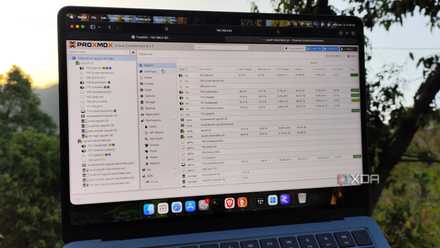
I always tweak my Proxmox host's settings before spinning up a single VM or LXC
It's the only way I set up a Proxmox node now
The Cluster Resource Scheduler has a new load balancer
One that can adjust the virtual guest migrations dynamically
Up until now, the Cluster Resource Scheduler only supported two modes: basic/default and static. The latter uses the total resources consumed by a virtual guest to gauge the best node for the migration tasks, while its basic counterpart simply moves a new HA-configured VM or LXC to the node with the least number of active workloads. While these methods (especially static) aren’t terrible for HA migration tasks, the real problem occurs when the original host comes back online.
Let’s say you have a setup like mine, where the primary node is significantly more powerful than the other two (or more) systems in the cluster. As such, you’ll probably use the main workstation for hosting virtual guests, while leaving the secondary nodes for high-availability tasks. If node numero uno goes down, the CRS will migrate the LXCs and VMs that you’ve added to the HA tab to the other nodes. But once it comes back online, you’ll have a lopsided cluster configuration, where the weaker systems will be forced to run your virtual environments, while the main system remains idle. For clusters bearing a dozen virtual guests, you’ll have to manually migrate everything once the primary server comes online – and as someone who’s prone to breaking the main workstation with DevOps projects, moving the LXCs and VMs back has been a massive headache.
That’s where the newly-added dynamic load balancer comes into the equation. Rather than just deciding where the LXCs and VMs migrate to when a node goes offline, it also calculates the load across each system when a host becomes operational again, thereby avoiding the virtual guest imbalance that’d occur with static and basic profiles. Not to mention, the CRS configuration section also has extra settings, including the automatic rebalance facility, imbalance threshold, rebalancing method, and so on.
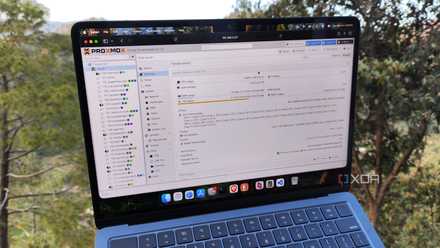
Your Proxmox 8 server stops getting security updates in August, and upgrading to PVE 9 isn't straightforward
Whatever you do, remember to back up your virtual guests
The new HA disarm mechanism makes maintenance tasks a lot safer
You can choose between two disarm modes
Besides the dynamic load balancer, Proxmox 9.2 has added a new HA disarm facility that disables the high-availability manager... Temporarily, that is. You see, performing random node maintenance tasks while the HA manager keeps a vigilant eye on your virtual guests and their affinity rules can cause unwanted migrations or mistakenly force the host to undergo fencing.
With the disarm technique, however, you can safely perform maintenance tasks without worrying about the HA manager making a mess of your cluster. Setting the disarm mode to Freeze pauses the state changes and the cluster stops reacting to failed nodes, making it better for situations where the nodes need to remain operational. The other disarm mode, Ignore, outright prevents HA tracking for the virtual guests, and it’s intended to be used when you have to shut down the entire cluster.
Technically, you could use this facility back in April with pve-ha-manager version 5.1.3 using the ha-manager crm-command disarm-ha ignore and ha-manager crm-command disarm-ha freeze commands, but PVE 9.2 adds simple toggles for the disarm modes inside the HA tab.
PVE 9.2 also improves the SDN stack
And brings the CPU profile management facility
While the cluster-oriented features take center stage in the latest Proxmox update, PVE 9.2 has a few other tricks up its sleeve. The SDN stack now includes route maps for BGP/EVPN filtering and support for Border Gateway Protocol and WireGuard, with the latter being particularly useful for folks who want to connect multiple nodes together over a secure VPN.
Then there’s the custom CPU model utility within the Datacenter section, which lets you save processor-related flags and settings in reusable profiles. Since it’s a cluster-centric update, the flags selector explicitly shows the flag compatibility across each node’s processors, so you don’t set the wrong architecture configurations for your virtual guests and end up wasting a few minutes when the migrated VMs don’t run on a different PVE host. In case you’re wondering, then yes, I speak from experience.
Proxmox
Proxmox is an open-source platform built on Debian Linux designed for server virtualization.