
ARM-based Single-Board Computers may not deliver blazing-fast performance or support every operating system under the sun, but their low power draw makes them perfect for tinkering projects. But what if you combined their versatile nature with a fairly powerful processor, a dedicated NPU, better connectivity, and high memory?
You’ll get something like the Orion O6, an ARM-powered mini-ITX motherboard from Radxa. I’ve previously covered the Radxa X4 SBC on numerous occasions – and I’d go so far as to say that it was the best SBC of 2024! So, when Radxa reached out to me with the Orion O6, I was beyond stoked to check this mini-ITX motherboard out.

This SBC you've never heard of is better than the Raspberry Pi 5 — here are 5 reasons why
Armed with several useful features, the Radxa X4 has the potential to overthrow the Raspberry Pi 5 to become the new king of SBCs
After spending several days working with it, I’ll admit that I’m fairly impressed by the device. While it never disappoints on the performance front, the Orion O6 is plagued with certain issues that prevent the device from reaching its full potential.
About this review: Radxa sent me a sample of the Orion O6 alongside its acrylic glass case. However, the company had no input into the contents of this article.
Radxa Orion O6
More powerful than ARM SBCs
- Memory Slots
- Up to 64GB LPDDR5
- Form Factor
- Mini-ITX
The Radxa Orion O6 is a powerful mini-ITX motherboard featuring an embedded 12-core ARM processor and up to 64GB of memory. It's a solid device on the hardware front, with dual 5GbE ports, 30 TOPS, and a PCIe 4.0 connection enhancing its utility in tinkering projects.
- Powerful processor and decent RAM capacity
- Dual 5GbE ports
- Decent I/O options, including a PCIe socket
- Can drive up to four 4K displays
- Only supports Debian and Fedora out-of-the-box
- PCIe functionality is fairly limited
Pricing, specification, and availability
Radxa released the Orion O6 a few weeks ago, with the base version of the mini-ITX motherboard packing 8GB of LPDDR5 memory. For tinkerers who need more memory for their experiments, the O6 supports up to 64GB of memory, though you can’t upgrade the memory yourself since it’s soldered to the board. Radxa also offers a handful of accessories for the O6, ranging from an M.2 to a hexa-SATA adapter to a full-on AI kit. As of writing, Orion O6 and its peripherals are available for pre-order at AraceTech and AllNet.
Radxa Orion O6
- Form Factor
- Mini-ITX
- Chipset
- ARM
- Socket
- Cix CD8180
- CPU Support
- 8x Cortex-A720 (4x at 2.8GHz, 4x at 2.4GHz), 4x Cortex-A520 (at 1.8GHz)
- Memory Slots
- Up to 64GB LPDDR5
- Storage interfaces
- 1x M.2 M Key Connector (4-lane PCIe Gen4)
- PCI Slots
- PCIe x16 Physical Slot (8-lane PCIe Gen4)
- Audio
- 1x 3.5mm audio jack, 1x front panel HD audio connector
- Internal I/O
- 2x USB 2.0, UART debug header, 2x MIPI camera interfaces
- Rear I/O
- 2x USB Type-C, 2x USB 3.2 Type-A ports, 2x USB 2.0 Type-A ports
- Wi-Fi
- Supports M.2 E Key Connector
- Fan headers
- 1x CPU fan connector
- Power connections
- 1x 24-pin ATX PSU connector, USB Type-C Port with PD
- NPU
- 30 TOPS
Design and I/O options
Laden with ports and packed inside a gorgeous glass case
Besides the PCIe x16 slot, the glass case is probably the first thing that’ll catch your eye when you unbox the Radxa Orion O6. While it’s prone to scratches, I adore the acrylic case that ships with the Orion O6, and unless you want to go ham on the PCIe socket, you’ll have no issues using the mobo without a proper PC cabinet.
Speaking of, the motherboard can be powered by a typical 24-pin PSU connector or either of the two USB Type-C ports. Radxa recommends using the former if you plan to run the motherboard as a desktop, but the Type-C port is good enough if you want a clean-looking setup. The AUX connection and the four USB Type-A ports are fairly useful, but the Ethernet and display options are the real stars of the show.
The Ethernet and display options are the real stars of the show.
On the display front, you get a full-sized HDMI port capable of 4K60Hz output alongside a DisplayPort connection that supports up to 4K120Hz and can simultaneously stream to two displays using MST technology. Heck, you can even connect another monitor to the USB Type-C port while using the eDP cable to attach a touchscreen display for a grand total of four screens! Pair that with the dual 5GbE connections, and you’ve got a solid workstation that can double as a router or a NAS - provided you're willing to configure all the packages on Debian (more on that later).
Unfortunately, the Radxa Orion O6 doesn’t include a built-in Wi-Fi chip. Sure, you could add an extra WLAN module to the M.2 M E-key connector, but you’ll have to purchase the adapter separately, which increases the overall cost of the ARM system. Unlike the RISC-V-based Milk-V Jupiter, the Orion O6 also doesn’t include a microSD card slot. But the silver lining is that you get an M.2 M-key connector that supports up to PCIe Gen 4 (4-lane) speeds. And that’s before you include the PCIe x16 slot, which supports a couple of devices. Finally, the O6 includes your typical front panel IO alongside a UART debug header and an RTC battery that you’ll need to purchase separately.
Software and PCIe device compatibility
Decent support for PCIe cards. OS compatibility? Not so much
Typically, ARM systems like the Raspberry Pi lineup are compatible with various operating systems. Unfortunately, that isn’t true for Orion O6, which only supports two distributions: Debian and Fedora. Not to mention, setting them up on an SSD is a little tricky.
Rather than flashing the ISO file onto a USB drive and using it to set up the OS, you’ll have to flash the entire distro onto the flash drive and turn it into an actual boot drive. Even on a USB Gen 3.2 drive, this can take as long as ten minutes. Once you’ve booted into the distro, you’ll have to download its img.gz file (or you can share it using a NAS) and flash it once again, though this time, your target disk will be the SSD rather than a flash drive.
While Fedora and Debian provide killer performance on the 12-core ARM processor, the lack of support for additional distros is a real shame, as it’s easily the perfect low-power device for a DIY router/NAS – especially considering you can interface quite a few PCIe cards with the Orion O6.
Since some PCIe devices need a dedicated power supply, I unplugged the Type-C power cable and switched to my trusty 600W PSU. After removing the upper acrylic glass panel and inserting the 24-pin power connector into the mobo, I plugged a PCIe-to-USB expansion card into the board. To my surprise, it worked straight away. My PCIe-to-SATA adapter produced similar results, though my 10GbE NIC and GPUs weren’t so lucky.
Although the GTX 1080 could send display signals on the Nouveau drivers, it would always result in a black screen even after removing the old drivers and installing different versions of the proprietary drivers. And I don't think there's any need to elaborate on the mess that’s Intel Arc drivers for aarch64 systems.
Performance (and benchmark numbers)
Rock-solid for most workloads
Thanks to its 12-core ARM processor and 16GB LPDDR5 memory, the Orion O6 delivers a highly responsive experience on Debian. Once I’d upgraded the apt packages, I opened twenty tabs inside Chromium, and the Orion O6 showed no signs of struggle when I paired it with a Type-C power cable instead of a PSU. I also set up Docker Engine on the motherboard and deployed a dozen of my favorite services as containers, and the Orion O6 was as responsive as ever.
Likewise, the Orion O6 was able to play YouTube videos at 4K with minimal dropped frames. As for the package compatibility, I managed to run everything from Krita, Inkscape, and Darktable to Emacs, LibreOffice suite, and VS Code. I also used Ollama to test the motherboard’s performance with different AI models, and the motherboard managed to hold its ground against 14B LLMs.
The Orion O6 was able to play YouTube videos at 4K with minimal dropped frames.
To wrap up the tests, I installed Geekbench and ran the Single-core, Multi-core, and OpenCL tests. In every case, the Orion O6 left the Radxa X4 and Raspberry Pi 5 in the dust. Don't get me wrong: it's by no means a replacement for the Snapdragon Dev Kit that we never got to see. Likewise, it can't hold a candle to the Mac Mini (M4) when it comes to sheer processing capabilities. But for a $289 board, it's a fairly powerful option for tinkerers who want an ARM device with more oomph than an average SBC.
|
Benchmarks |
Radxa Orion O6 |
Radxa X4 |
Raspberry Pi 5 |
|---|---|---|---|
|
Geekbench (Single Core, CPU) |
1255 |
962 |
751 |
|
Geekbench (Multi-Core, CPU) |
6192 |
2448 |
1539 |
|
Geekbench (OpenCL, GPU) |
8630 |
3047 |
- |
Should you buy the Radxa Orion O6?
The Radxa Orion O6 is worth your hard-earned money if:
- You’re an ARM developer and want a fairly affordable all-in-one device for your coding needs.
- You want a self-hosting workstation that’s more powerful than a Raspberry Pi but draws less energy than server hardware and x86 mini-PCs.
- You’re tired of the limited connectivity on SBCs and want a standalone mini-ITX mobo.
You should steer clear of the Radxa Orion O6 if:
- You love tinkering with different operating systems.
- You want to build a mini gaming battle station capable of interfacing with powerful graphics cards.
- You prefer the superior compatibility of x86 machines.
Going by just the specs, the Radxa Orion O6 is a tantalizing device. After all, the 12-core ARM processor and up to 64GB memory can tackle most containerization workloads as well as everyday tasks, while the dual 5GbE ports and extra display connections are just the cherry on top.
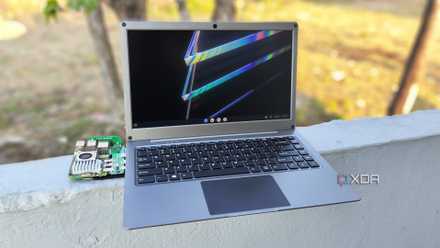
Can a Raspberry Pi replace your laptop?
While a normal laptop will always beat a Raspberry Pi-powered replica, the latter definitely has its perks
For a $289 board, it's a fairly powerful option for tinkerers who want an ARM device with more oomph than an average SBC.
Unfortunately, the Radxa Orion O6 falls hard on the OS front. Sure, most packages work well on Debian, but for a device blessed with such amazing hardware, it’s a real waste that it officially supports only two distros. Similarly, the sloppy compatibility with graphics cards is a real downer. I’d still recommend it to coders and tinkerers who want a (comparatively) low-power machine that’s not another N100 mini-PC. It’s just that the Orion O6 has a lot of potential, and I really hope Radxa and SoC developer Cix continue to work on this motherboard.
Radxa Orion O6
More powerful than ARM SBCs
- Memory Slots
- Up to 64GB LPDDR5
- Form Factor
- Mini-ITX
The Radxa Orion O6 is a powerful mini-ITX motherboard featuring an embedded 12-core ARM processor and up to 64GB of memory. It's a solid device on the hardware front, with dual 5GbE ports, 30 TOPS, and a PCIe 4.0 connection enhancing its utility in tinkering projects.