
Summary
- Raspberry Pi is the perfect companion for AI projects with its official AI kit offering 13 TOPS of processing power.
- Raspberry Pi's small form factor allows for portable AI projects, enabling creativity beyond traditional PCs.
- The Raspberry Pi community fosters open-source sharing, allowing tinkers to tap into various AI models for experimentation.
The Raspberry Pi has been around for years now, and they're a go-to kit for people who want to experiment with programming and wiring up their own pet projects. These credit card-sized wonders have worked their way into many a tinkerer's toolkit, and with every iteration, people are getting more and more creative with the new hardware that's available to them. Now, in the age of AI, people are looking for ways to implement models into their projects to achieve things that were previously unattainable.
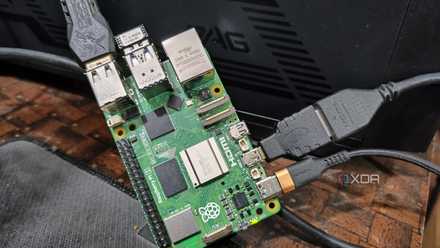
If you want a pocket-sized AI processor, there are plenty of options out there for you to use. However, when it comes down to picking just one, I would say that the Raspberry Pi is your best bet for running AI processes on local hardware. So, here's why the Raspberry Pi 5 is the perfect pick for AI tinkerers.
Raspberry Pi has an official AI kit - and it's pretty powerful
The perfect companion for an AI aficionado
First of all, if we're sticking AI on an SBC, we want it to process using TOPS. This stands for "Trillions of Operations Per Second," and it's a rough guide on how powerful a processor is at churning through AI processes. It's by no means the be-all-end-all specification for deciding the king of AI processing, but it's a start at least.
So, which SBC is best when comparing raw TOPS power? As it turns out, Raspberry Pi has an official AI kit. This unit sits atop a Raspberry Pi 5 and offers 13 TOPS of processing power. Sure, that amount of power isn't going to be running Copilot+ any time soon, but it's quite a fair bit more than the Orange Pi's 6 TOPS. If you already own a Raspberry Pi 5, you can grab the kit for $70 and get stuck in with your AI projects.

What is an AI PC and is it worth the hype?
Explore the world of AI PCs and learn whether all the hype is justified
The Raspberry Pi's form factor is perfect for pet projects
No need to lug around a computer
Alright, so what's the point of using a Raspberry Pi for your next AI project? 13 TOPS for an SBC is fantastic, but with computers, it's not so powerful. Copilot+ alone has 40 TOPS as a system requirement. And ideally, you'll want the unit itself to be doing the processing, to prevent the privacy issues and internet dependency that comes with sending your queries off to a service like ChatGPT.
The answer is Raspberry Pi's size. Sure, it's not going to crunch through image generation as fast as a PC, but the point is that you can put a Raspberry Pi into a portable shell and make a device that can generate images wherever you like. That's how someone made a Raspberry Pi-powered storybook that could generate an image and a brief story on an eInk reader - try replicating that level of charm on a PC.
And yeah, people are already putting AI to good use on Raspberry Pis, TOPS be damned. We've seen someone create a bedtime storyteller, code a talking plant that lets you know if it hasn't been watered properly, and even a David Attenborough-styled documentary narrator that monitored someone's cat and snitched on them if it jumped on a kitchen counter. These were all possible without special AI hardware; imagine what people can do with a Raspberry Pi AI kit.
I turned my Raspberry Pi into an AI voice assistant with OpenVoiceOS
Temper your expectations
You can use an open-source AI model - or make your own
Don't make do with closed-source
If you checked out the examples above, you might have noticed how happy the designers were to share their code with the public. That's the general nature of the Raspberry Pi community; they love to share code with one another and improve upon other's designs with their own projects. In a world full of closed-source code, it's a breath of fresh air to see people who are programming for the fun of it.
Because of that, you can really go shopping around for what kind of AI model you want to use. See a project that used AI in a great way? Check out the source code and see if you can use it for your own. Worried that an AI model pulls data from bad places? Check the code and see where it's coming from. Or, better yet, put your programming hat on and take a crack at making your own AI model.

I tried out these AIs on the Raspberry Pi 5, so you don't have to
Yes, you can run a chatbot on your SBC, but should you?
Raspberry Pi is the perfect companion for people who want to make AI projects
With so many AI-based Raspberry Pi projects out there already, it's already a fantastic way for people to get stuck in with using AI. However, with the new AI kit, getting AI models running on the humble Pi has gotten a whole lot better. And that's why I think that, if you're curious about making your own AI-based projects, you can do a lot worse than try out a Raspberry Pi.