
Linux Mint is one of the best choices for those converting to the free and open-source platform from Windows. If you're done with Microsoft's operating system and all of its flaws, I have good news as Linux Mint is one of the more approachable distributions (distros) running Linux, making it easier to switch from Windows and get up and running in no time. Here are some ways that make Linux Mint the go-to distro for newcomers from Microsoft Windows.
12 You can try it for free
There's nothing to lose
You've likely seen and heard about Microsoft closing down Windows 10 support altogether before the year is out. This doesn't happen with Linux Mint. If you want to use an older version of the OS, go right ahead — no one is stopping you, and you won't see any annoying pop-ups. Linux Mint, as well as its underlying systems, are all available for free. You won't have to pay a single dime to use this OS, which is a stark contrast to Windows, which charges for major releases and licenses.
I recommend these 3 best Linux distros for gamers ditching Windows
Looking to game outside of Windows? You'll need one of these Linux distros.
11 It looks (slightly) like Windows
But better in most ways
Linux Mint uses Cinamomon, an in-house developed desktop environment forked from an older version of GNOME. This is why Linux Mint looks vastly different from Ubuntu, which also uses GNOME as its base, but manages to look fresh, modern, and very much like Windows. There's a traditional taskbar, a tray area for system and app icons, a clock, and an application menu. Moving from Windows, even if you're less tech-savvy, won't cause much of a jolt for getting used to the new UI.
10 It has a start menu
And this one is less bloated
Let's talk about that application menu because it's brilliant if you prefer this method of opening and running apps. When any package is installed, such as Steam, Thunderbird, or even LibreOffice, a new entry will be added to the application menu, filtered into categories, depending on what the app does. For instance, Rhythmbox and other media apps will be found under media, whereas Firefox, Thunderbird, and some other online apps are under Internet. All the most useful apps are pre-installed and ready to go.

5 reasons why Linux Mint is the best distro for Windows converts
Linux Mint is the friendliest distro for Windows veterans.
9 Useful preinstalled software
Only includes apps you'll actually use
Okay, raise your hands, those who have played Candy Crush after installing Windows? I thought as much. Installing Linux Mint with the default settings will see you enjoying a few pre-installed apps, including Firefox, Thunderbird, LibreOffice, and a few others. There's no paid promotion here for some obscure game or app, nor is there much bloat. Some GNOME apps made the cut, but then they're easy on system resources. Your reserved system disk space won't be much to begin with, and millions of packages are but a command away with apt.

5 reasons why 2025 might finally be the year of the Linux desktop
Despite their small share in the consumer PC landscape, 2025 is shaping up to be a solid year for Linux distributions
8 Ubuntu is the foundation
A solid distro to use as the base
Ubuntu remains one of the most popular Linux distros, and this will only continue as more and more people start using Linux. It's a user-friendly distro and one that doesn't take much to get up and running, but the latest iterations of GNOME focus on minimalism, which can be a rift for those moving from Windows. Although Microsoft has done much to improve the user experience of Windows 11, Windows 10 remains a more traditional OS, and the same goes for Linux Mint.

These 7 Linux myths you still believe simply aren't true
Linux is a completely different beast than it was a decade ago.
7 Install thousands of apps with one click
A free software manager to replace Microsoft Store
Microsoft Software is a decent enough app for finding and managing software and games for your Windows PC, but most of it is junk and commercial stuff. Linux Mint has a Software Manager that acts as a storefront with access to thousands of excellent apps, all of which are free. Everything can be installed with a single click of a button without the need to even touch the command line interface (CLI). And if you're not quite sure what to download first, some curated lists are available to help you get started.

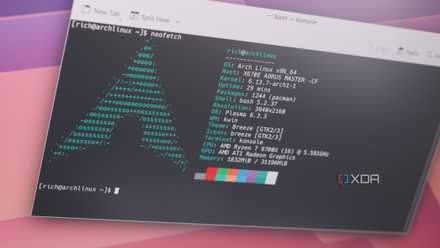
How I made Arch Linux look and run better than Windows
Arch Linux is a great distro and it's easy to make it better than Windows 11.
6 Your hardware will be supported
Even if Microsoft leaves it behind
Windows has some strict system requirements. Windows 11 won't run on a PC with hardware older than a few generations, including a 7th-gen Intel processor. That sucks if you're unable to make an upgrade but wish to use a recent OS, which is where Linux Mint comes into play. Linux Mint (and other Linux distros) don't care for which generation of hardware you use. So long as it's powerful enough to get through the installation process and run an app or two, you're good to go. Revive older PCs with Linux and get more use before recycling.

5 software and tools for Linux that aren't available on Windows
Linux also has some exclusive tricks up its sleeve.
5 A friendly and helpful community
Receive support in seconds
One of the best parts about using a Linux distro is the vast wealth of knowledge available online. What works for Ubuntu or some other Debian-based distro will likely work for Linux Mint. Though if you encounter a problem you simply cannot solve on your own, there are helpful communities around that will gladly lend some assistance. Arch Linux is renowned for having one of the best wiki resources and documents almost every part of the operating system. Linux Mint is considerably easier to use for beginners, and there are plenty of materials to digest.
4 Gaming is better on Linux
So long as you don't need anti-cheat
Gaming on Linux is more viable than ever, thanks to Valve's effort with Proton. Installing Steam will provide on-click access to a large portion of games within your library, allowing you to enjoy countless titles as you would on Windows. No jumping through hoops using WINE or some other software solution. Simply install Steam, enable compatibility support, install a supported game, and click play. There's a handy community-run database with every game rated on how well it runs on Linux or through Proton.

How to play Windows games on Linux using Proton
With Proton, Valve unleashed PC gaming on Linux
3 Learn something new
Enjoy using the CLI
Once you're ready to dive into the CLI a little, you can learn much more than a few commands on Linux. Using the CLI could open you up to learning various programming languages as you discover how everything works. Linux is arguably the best operating system for learning programming languages and writing code, and Microsoft's Visual Studio Code (VSC) is available for creating some excellent apps.