
Ages ago, Plex was one of the only applications that let you deploy a self-hosted media server for your ripped TV shows and movies. Like every other home labber I know, a Plex server satisfied my streaming needs for a long time. But over the last couple of years, Plex has gone down the corporate rabbit hole, and the current version of the application has spiraled into a nightmare for FOSS lovers like myself.
Meanwhile, several competitors have stepped up to claim the throne of media consumption and cataloging utilities. After trying out Jellyfin, it has become my go-to tool for managing my purchased media, and I plan to spend the weekend migrating my movies, TV shows, and music files from Plex to Jellyfin.
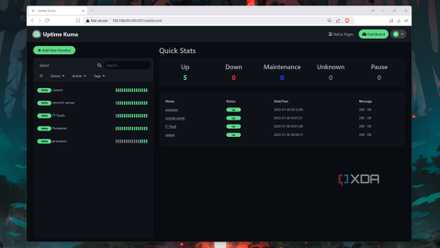
How I use Uptime Kuma to monitor my self-hosted services (and get notifications if they go down)
Uptime Kuma is an amazing monitoring server that can notify you every time your self-hosted app stack goes offline
Significantly less UI clutter
No, Plex, I don’t care about the most-binged shows
As someone who prefers minimalist interfaces in everything from operating systems to self-hosted apps, I find Plex’s UI a little too flashy for my liking. I’m not particularly interested in the app’s suggestions, nor do I care about the dozens of notifications Plex has for me every time I log into the application. While there are certain toggles that let me remove the constant barrage of suggested movies and TV shows, the Get premium button is an eyesore for someone who wants to move away from subscription-based models.
In stark contrast, Jellyfin has a streamlined UI, and I don’t have to disable several options inside the settings menu just to make it look tolerable. Plus, it doesn’t shove free streaming options for my movie collection in my face. As a longtime Plex user, it’s refreshing to have an application that doesn't bring useless ad-filled clutter when I try to access my private media library.
No paywalled features
Locking hardware transcoding behind the Plex Pass is diabolical
Software transcoding may have gotten better in recent times, but when your library contains long 4K videos, it’s better to rely on the extra horsepower of a dedicated GPU. Considering that I got into Plex just so I could enjoy streaming my favorite movies and videos without getting bled by constant subscription fees, the fact that the application doesn’t support hardware transcoding unless I shell out money for the Plex Pass is truly ironic.
Meanwhile, Jellyfin supports hardware transcoding without forcing me to spend an extra dime, and I can easily pair my beloved GTX 1080 with the container for lag-free encoding and decoding for my media collection.
Plugins can put Jellyfin on an equal footing with Plex
And I won’t have to pay subscription fees just to skip intros
Of course, I’d be biased if I claimed that Jellyfin blows Plex out of the water in every scenario. The Plex Pass definitely offers several convenient options, and the Plexamp application is perfect for streaming music, audiobooks, and podcasts to mobile devices. Plex can seem a lot more responsive than Jellyfin if you’re using it on a low-end SBC or budget-friendly mini-PC.
However, Jellyfin can become a formidable media streaming server once you arm it with the right set of plugins. The Intro Skipper plugin is a must-have for folks who don’t want to see the same credits, logos, and theme songs multiple times – and it doesn’t cost a single penny to use. Plus, I already use Navidrome for my music files and Audiobookshelf to manage my podcasts, basically making Plexamp redundant for my setup. Whether it’s through plugins or apps, most of the services you’d find in a Plex stack have their own counterparts in the Jellyfin ecosystem, and while some are a bit rough around the edges, you’ll get accustomed to them in no time.
I own the media... and the server
I don’t have to register on Plex’s platform, either
For a self-hosting enthusiast with dozens of services running on local root accounts, Plex's mandatory online sign-up has bothered me for a long time. Not only do I have to rely on an external server just to authenticate my devices, I also have to contend with the possibility of not being able to access my private media library should I lose access to the Internet. Sure, I could disable authentication for my local devices, but doing so would give all local users unrestricted access to my Plex library. That’s not the only issue I have with the client-server architecture of the uber-popular media streaming server.
While I’ve never faced account suspensions myself, I’ve heard some horror stories about users losing access to their Plex accounts after sharing their media library. Considering all the hassle with getting a Plex account unbanned, I started using other services to stream TV shows, movies, and even self-recorded videos to my friends and family. With Jellyfin, I can not only watch my self-hosted media collection, but I can also share it with users on local as well as external networks without the risk of getting my account suspended and (potentially) losing access to my library.
Jellyfin is the way to go for privacy enthusiasts
As someone who prefers FOSS services free of privacy loopholes and don’t charge a premium for their features, this isn’t the first time I’ve ditched a fan-favorite utility for its free and open-source counterpart. I had the same issue with ESXi, which worsened after the company removed the free version of the hypervisor last year. The Unraid vs. TrueNAS Scale debate is another case where I refuse to side with the paid OS when a free platform offers most of the features I need on my NAS. With Jellyfin growing more robust with every update, there’s little reason for me to stay rooted to Plex.